







esr Tempered-Glass Screen Protector for iPhone
Select a Model
Video is coming soon
FAQ
Need help? Our support team will reply within one business day.
Useful?
Select a Model
Video is coming soon
FAQ
The edges of the iPhone 18 Pro and iPhone 18 Pro Max displays can vary slightly from one device to another. On devices with more curved edges, the screen protector may not sit completely flush with the display, which can cause a visible white edge.
If you notice a white edge after installation, please try the following to see if it resolves the issue:
- Gently press the screen protector with a soft cotton cloth, starting from the center and moving toward the edges to push out any trapped air.
- Then press along each edge for 5–10 seconds. Let your phone sit a while afterward, then check whether the white border has gone.
If the issue persists, contact our support team, and we’ll help resolve the issue.
Bubbles can appear when dust or air gets trapped between the screen and the screen protector. For the best results, follow these steps:
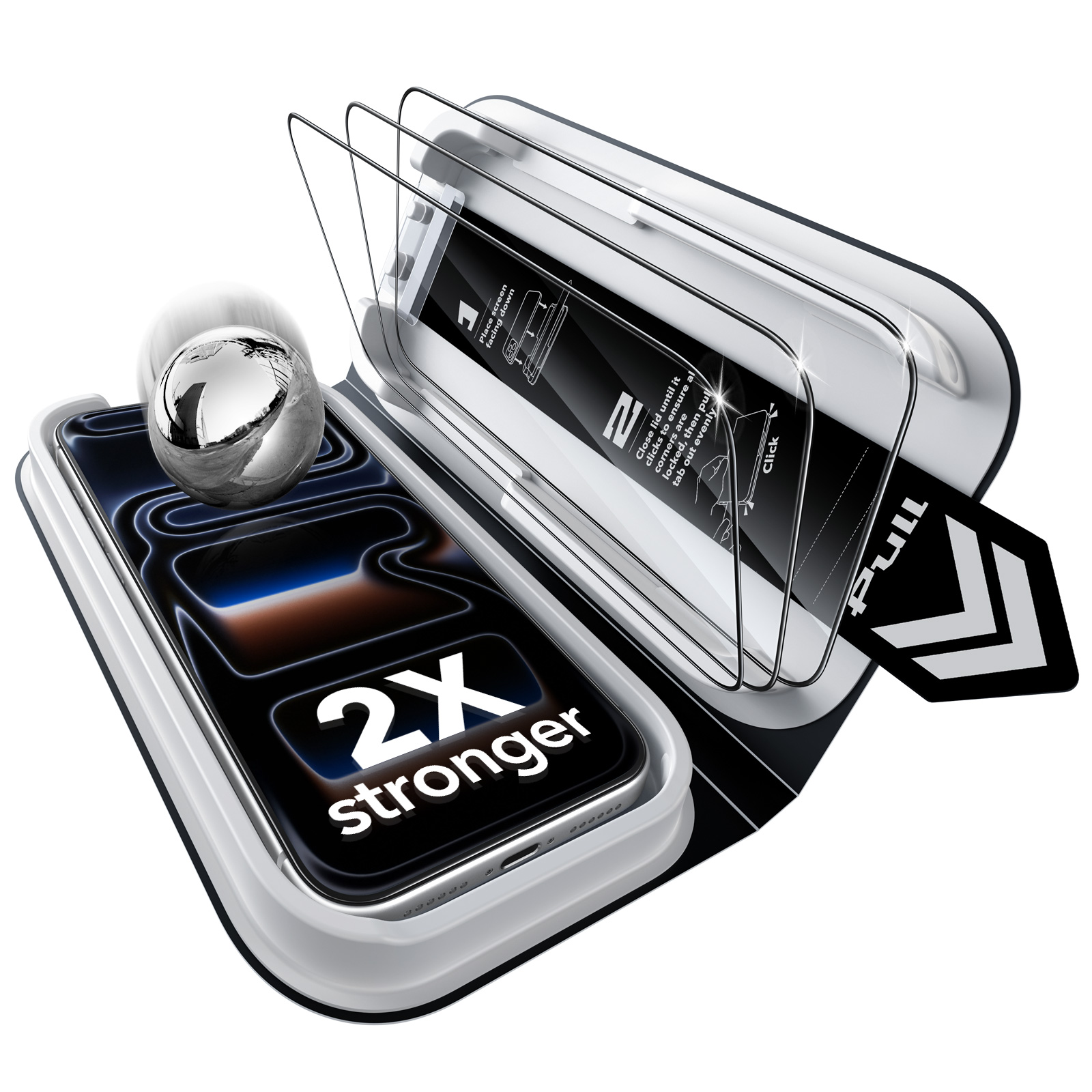
1. Place the UltraFit tray on a flat, level surface before installation to help ensure even pressure.
2. Close the tray, then press down on all four corners until you hear a clear “click.” Check that each corner is securely locked.
3. Pull out the tab, then remove your phone from the tray.
4. If small bubbles appear, gently push them toward the edges with a microfiber cloth.
5. For gaps around the edges, press down gently and guide the air toward the nearest edge with a microfiber cloth, credit card, ID card, or cardboard scraper.
1. Place your phone
Place your phone into the UltraFit tray, then gently press around the edges to make sure it sits flat and fully in place.
2. Close the Ultra
Fit trayClose the top cover, then gently press down to ensure the tray is securely locked for installation.
3. Remove your phone
After installation, slowly lift your phone out from the edge, keeping it steady as you remove it.
When placing the phone, gently press on the back panel of the UltraFit tray and make sure it is securely fit. To remove it, lightly pull on the edges of the phone without forcing it out.
If your touchscreen feels less responsive after applying the screen protector, try the following:
- Clean both the screen and your fingers with a soft cloth to remove oil, sweat, or lotion residue that may affect touch sensitivity.
- Go to your phone’s “Display” or “Accessibility” settings and increase the touch sensitivity.
Issues with the edges not sticking are usually caused by one of two factors.
- White edges or bubbles – These occur because the edges of your phone screen are slightly curved, leaving tiny air gaps after application. Press firmly along the edges to push out the air. A slight rebound is normal; just press again for a few seconds to ensure proper adhesion.
- Case pressure – A third-party case that is too tight or has high inner edges can press against the glass and cause it to lift. We recommend using ESR cases, which are precisely designed for perfect compatibility with our screen protectors.
The light is typically caused by an imperfect seal, which can happen if the top alignment pins weren't fully secured during installation. This prevents the screen protector from sitting perfectly flush against the display.
For a flawless application, please ensure the top alignment pins are clicked firmly into place before lowering the screen protector. This guarantees perfect alignment and eliminates any gaps where light can seep in.
This issue typically occurs when the top alignment pin is not fully pressed into place during installation. Even a slight misalignment can cause the screen protector to shift and partially obscure the display.
To prevent this, it's essential to confirm the top alignment pins are completely secured before proceeding with the installation. This critical step ensures the protector is positioned correctly for full, unobstructed screen visibility.
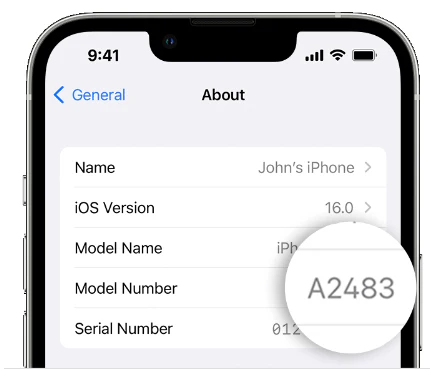
If the screen protector you ordered doesn't fit your device, please provide your device model name or model number. We'll send you the correct size at no additional cost, and no return is required.
To find your device model on an iPhone, go to Settings > General > About > Model Name / Model Number.
Need help? Our support team will reply within one business day.
Useful?


