
Just launched: Summer prints for your phone and wallet. Shop now
👨15% Off for 1 with code FA15 | 20% Off any 2+ with code FA20👨 Shop now
Save up to 70% on selected tech essentials & Unlock our mystery box for just $29.99 Shop now
Free shipping on all orders over $50
Wagen 0
  • Hüllen
    • iPhone
    • iPad
    • AirPods
    • Samsung
      iPhone 17🔥
    • iPhone 17e🔥
    • iPhone 17 Pro Max🔥
    • iPhone 17 Pro🔥
    • iPhone Air🔥
    • iPhone 17🔥
    • iPhone 16
    • iPhone 16e
    • iPhone 16 Pro Max
    • iPhone 16 Pro
    • iPhone 16 Plus
    • iPhone 16
    • iPhone 15
    • iPhone 15 Pro Max
    • iPhone 15 Pro
    • iPhone 15 Plus
    • iPhone 15
    • iPhone 14
    • iPhone 14 Pro Max
    • iPhone 14 Pro
    • iPhone 14 Plus
    • iPhone 14
    • iPhone 13
    • iPhone 13 Pro Max
    • iPhone 13 Pro
    • iPhone 13
       
    • iPad Air 13 (2026)🔥
    • iPad Air 11 (2026)🔥
    •  
    • iPad Pro 13 (2025)
    • iPad Pro 11 (2025)
    • iPad 11th Gen (2025)
    • iPad Air 13 (2025)
    • iPad Air 11 (2025)
    •  
    • iPad Pro 13 (2024)
    • iPad Pro 11 (2024)
    • iPad Air 13 (2024)
    • iPad Air 11 (2024)
    • iPad mini 7 (2024)
    •  
    • iPad Pro 12.9 (2022)
    • iPad Pro 11 (2022)
    • iPad Air 5/4 (2022)
    • iPad 10th Gen (2022)
    •  
    • iPad mini 6 (2021)
    • iPad Pro 12.9 (2021)
    • iPad Pro 11 (2021)
    • iPad Pro 11 (2020)
       
    • AirPods Pro 3🔥
    • AirPods 4
    • AirPods Pro (2023/2022/2019)
      Galaxy S26🔥
    • Galaxy S26 Ultra🔥
    • Galaxy S26 Plus🔥
    • Galaxy S26🔥
    • Galaxy S25
    • Galaxy S25 Ultra
    • Galaxy S25+
    • Galaxy S24
    • Galaxy S24 Ultra
    • Galaxy S24+
    • Galaxy S24
    • Galaxy S23
    • Galaxy S23 Ultra
    • Galaxy S23
  • Displayschutzfolien
    • iPhone
    • iPad
    • Apple Watch
    • Samsung
      iPhone 17🔥
    • iPhone 17e🔥
    • iPhone 17 Pro Max🔥
    • iPhone 17 Pro🔥
    • iPhone Air🔥
    • iPhone 17🔥
    • iPhone 16
    • iPhone 16e
    • iPhone 16 Pro Max
    • iPhone 16 Pro
    • iPhone 16 Plus
    • iPhone 16
    • iPhone 15
    • iPhone 15 Pro Max
    • iPhone 15 Pro
    • iPhone 15 Plus
    • iPhone 15
    • iPhone 14
    • iPhone 14 Pro Max
    • iPhone 14 Pro
    • iPhone 14 Plus
    • iPhone 14
    • iPhone 13
    • iPhone 13 Pro Max
    • iPhone 13/13 Pro
       
    • iPad Air 13 (2026)🔥
    • iPad Air 11 (2026)🔥
    •  
    • iPad Pro 13 (2025)
    • iPad Pro 11 (2025)
    • iPad 11th Gen (2025)
    • iPad Air 13 (2025)
    • iPad Air 11 (2025)
    •  
    • iPad Pro 13 (2024)
    • iPad Pro 11 (2024)
    • iPad Air 13 (2024)
    • iPad Air 11 (2024)
    •  
    • iPad Pro 12.9 (6th/5th/4th/3rd Gen)
    • iPad Pro 11 (4th/3rd/2nd/1st Gen)
    • iPad Air 5/4 (2022)
    • iPad 10th Gen (2022)
       
    • Apple Watch🔥
      Galaxy S26🔥
    • Galaxy S26 Ultra🔥
    • Galaxy S25
    • Galaxy S25 Ultra
    • Galaxy S24
    • Galaxy S24 Ultra
    • Galaxy S23
    • Galaxy S23 Ultra
    • Galaxy S23+
    • Galaxy S23
    • Galaxy S22
    • Galaxy S22 Ultra
  • iPad Tastaturen & Stifte
    • Tastaturen für iPad
    • Stifte & Mäuse
      Wähle dein Gerät
    • iPad Air 13 (2026)🔥
    • iPad Air 11 (2026)🔥
    •  
    • iPad Pro 13 (2025)
    • iPad Pro 11 (2025)
    • iPad 11. Generation (2025)
    • iPad Air 13 (2025)
    • iPad Air 11 (2025)
    •  
    • iPad Pro 13 (2024)
    • iPad Pro 11 (2024)
    • iPad Air 13 (2024)
    • iPad Air 11 (2024)
    •  
    • iPad Pro 12.9 (6./5./4./3. Generation)
    • iPad Pro 11″ (4./3./2./1. Generation)
    • iPad Air 5/4 (2022)
    • iPad 10. Generation (2022)
       
    • Digitale Stifte
    • Mäuse
  • Ladegeräte
    • Kabellose Ladegeräte & Halterungen
    • Auto-Ladegeräte & Halterungen
    Kabellose Ladegeräte & Halterungen
    • ESR CryoBoost Klappbare 3-in-1 Magnet-Ladestation (25W) – US Plug-Black

      ESR CryoBoost Klappbare 3-in-1 Magnet-Ladestation (25W) – US Plug-Black

    • 3-in-1 Magnetische Ladestation (15W)- Grey - US PLUG

      3-in-1 Magnetische Ladestation (15W)- Grey - US PLUG

    • ESR CryoBoost Klappbare 3-in-1 Magnet-Ladestation (25W) – US Plug-Black

      ESR CryoBoost Klappbare 3-in-1 Magnet-Ladestation (25W) – US Plug-Black

    • 25W CryoBoost Klappbares 3-in-1 Magnet-Ladegerät und Auto-Ladegerät (Lüftungshalterung) Set– US-Stecker – Schwarz

      25W CryoBoost Klappbares 3-in-1 Magnet-Ladegerät und Auto-Ladegerät (Lüftungshalterung) Set– US-Stecker – Schwarz

    • CryoBoost 3-in-1 Magnetische Ladestation (25W, Qi2.2)  - US Plug–Black

      CryoBoost 3-in-1 Magnetische Ladestation (25W, Qi2.2) - US Plug–Black

    • All Kabellose Ladegeräte & Halterungen >
    Auto-Ladegeräte & Halterungen
    • OmniLock Magnet-Autoladegerät (25W, CryoBoost, Lüftungsschlitz) - Black

      OmniLock Magnet-Autoladegerät (25W, CryoBoost, Lüftungsschlitz) - Black

    • Magnetisches kabelloses 15W Autoladegerät (HaloLock) - Black

      Magnetisches kabelloses 15W Autoladegerät (HaloLock) - Black

    • 15W Kabelloses Armaturenbrett Autoladegerät (HaloLock) - Black

      15W Kabelloses Armaturenbrett Autoladegerät (HaloLock) - Black

    • OmniLock Magnet-Autohalterung (Saugnapf) - Black

      OmniLock Magnet-Autohalterung (Saugnapf) - Black

    • 15W kabelloses Autoladegerät mit CryoBoost (HaloLock)  - Black

      15W kabelloses Autoladegerät mit CryoBoost (HaloLock) - Black

    • All Auto-Ladegeräte & Halterungen >
  • Wallets
  • 🔥Neuheiten🔥
    • 🏝️Sommer Print-Kollektion🏝️
    • Galaxy S26 Serie🔥
    • iPhone 17e🔥
    • iPad Air 2026 Serie🔥
    • 25W Qi2 Kabelloses Laden
  • 👨🏻Vatertags-Sale👨🏻
    • Vatertags-Sale für Smartphones
    • Vatertags-Sale für iPad
    • Vatertags-Sale für Ladegeräte
    • Final Sale
  • Support
    • Kontakt
    • Produktrückrufe
    • Produktvideos und FAQs
    • Allgemeine FAQ
    • Bestellstatus
    • Rückgabe & Erstattungsrichtlinie
    • Garantie Politik
    • Versand Politik
  • Entdecken
    • Über ESR
    • ESR Blog
    • Nachrichtenbereich
Super-User-Vorteile
  • Werde ESR Super-User
  • Exklusive Super-User-Angebote
  • Freunde werben & Cashback sichern
Mein Konto
Anmeldung Registrieren
North America
Europe
Asia Pacific
Middle East
Australien
USD $
Bahrain
USD $
Belgien
USD $
Bulgarien
USD $
Dänemark
USD $
Deutschland
USD $
Estland
USD $
Finnland
USD $
Frankreich
USD $
Griechenland
USD $
Indonesien
USD $
Irland
USD $
Italien
USD $
Japan
USD $
Jordanien
USD $
Kanada
USD $
Katar
USD $
Kroatien
USD $
Lettland
USD $
Litauen
USD $
Luxemburg
USD $
Malaysia
USD $
Mexiko
USD $
Neuseeland
USD $
Niederlande
USD $
Norwegen
USD $
Österreich
USD $
Oman
USD $
Philippinen
USD $
Polen
USD $
Portugal
USD $
Rumänien
USD $
Saudi-Arabien
USD $
Schweden
USD $
Schweiz
USD $
Singapur
USD $
Slowakei
USD $
Slowenien
USD $
Spanien
USD $
Südkorea
USD $
Taiwan
USD $
Thailand
USD $
Tschechien
USD $
Ungarn
USD $
Vereinigte Arabische Emirate
USD $
Vereinigte Staaten
USD $
Vereinigtes Königreich
USD $
Vietnam
USD $
English
Deutsch
français
  • Hüllen
    • iPhone
    • iPad
    • AirPods
    • Samsung
      iPhone 17🔥
    • iPhone 17e🔥
    • iPhone 17 Pro Max🔥
    • iPhone 17 Pro🔥
    • iPhone Air🔥
    • iPhone 17🔥
    • iPhone 16
    • iPhone 16e
    • iPhone 16 Pro Max
    • iPhone 16 Pro
    • iPhone 16 Plus
    • iPhone 16
    • iPhone 15
    • iPhone 15 Pro Max
    • iPhone 15 Pro
    • iPhone 15 Plus
    • iPhone 15
    • iPhone 14
    • iPhone 14 Pro Max
    • iPhone 14 Pro
    • iPhone 14 Plus
    • iPhone 14
    • iPhone 13
    • iPhone 13 Pro Max
    • iPhone 13 Pro
    • iPhone 13
       
    • iPad Air 13 (2026)🔥
    • iPad Air 11 (2026)🔥
    •  
    • iPad Pro 13 (2025)
    • iPad Pro 11 (2025)
    • iPad 11th Gen (2025)
    • iPad Air 13 (2025)
    • iPad Air 11 (2025)
    •  
    • iPad Pro 13 (2024)
    • iPad Pro 11 (2024)
    • iPad Air 13 (2024)
    • iPad Air 11 (2024)
    • iPad mini 7 (2024)
    •  
    • iPad Pro 12.9 (2022)
    • iPad Pro 11 (2022)
    • iPad Air 5/4 (2022)
    • iPad 10th Gen (2022)
    •  
    • iPad mini 6 (2021)
    • iPad Pro 12.9 (2021)
    • iPad Pro 11 (2021)
    • iPad Pro 11 (2020)
       
    • AirPods Pro 3🔥
    • AirPods 4
    • AirPods Pro (2023/2022/2019)
      Galaxy S26🔥
    • Galaxy S26 Ultra🔥
    • Galaxy S26 Plus🔥
    • Galaxy S26🔥
    • Galaxy S25
    • Galaxy S25 Ultra
    • Galaxy S25+
    • Galaxy S24
    • Galaxy S24 Ultra
    • Galaxy S24+
    • Galaxy S24
    • Galaxy S23
    • Galaxy S23 Ultra
    • Galaxy S23
  • Displayschutzfolien
    • iPhone
    • iPad
    • Apple Watch
    • Samsung
      iPhone 17🔥
    • iPhone 17e🔥
    • iPhone 17 Pro Max🔥
    • iPhone 17 Pro🔥
    • iPhone Air🔥
    • iPhone 17🔥
    • iPhone 16
    • iPhone 16e
    • iPhone 16 Pro Max
    • iPhone 16 Pro
    • iPhone 16 Plus
    • iPhone 16
    • iPhone 15
    • iPhone 15 Pro Max
    • iPhone 15 Pro
    • iPhone 15 Plus
    • iPhone 15
    • iPhone 14
    • iPhone 14 Pro Max
    • iPhone 14 Pro
    • iPhone 14 Plus
    • iPhone 14
    • iPhone 13
    • iPhone 13 Pro Max
    • iPhone 13/13 Pro
       
    • iPad Air 13 (2026)🔥
    • iPad Air 11 (2026)🔥
    •  
    • iPad Pro 13 (2025)
    • iPad Pro 11 (2025)
    • iPad 11th Gen (2025)
    • iPad Air 13 (2025)
    • iPad Air 11 (2025)
    •  
    • iPad Pro 13 (2024)
    • iPad Pro 11 (2024)
    • iPad Air 13 (2024)
    • iPad Air 11 (2024)
    •  
    • iPad Pro 12.9 (6th/5th/4th/3rd Gen)
    • iPad Pro 11 (4th/3rd/2nd/1st Gen)
    • iPad Air 5/4 (2022)
    • iPad 10th Gen (2022)
       
    • Apple Watch🔥
      Galaxy S26🔥
    • Galaxy S26 Ultra🔥
    • Galaxy S25
    • Galaxy S25 Ultra
    • Galaxy S24
    • Galaxy S24 Ultra
    • Galaxy S23
    • Galaxy S23 Ultra
    • Galaxy S23+
    • Galaxy S23
    • Galaxy S22
    • Galaxy S22 Ultra
  • iPad Tastaturen & Stifte
    • Tastaturen für iPad
    • Stifte & Mäuse
      Wähle dein Gerät
    • iPad Air 13 (2026)🔥
    • iPad Air 11 (2026)🔥
    •  
    • iPad Pro 13 (2025)
    • iPad Pro 11 (2025)
    • iPad 11. Generation (2025)
    • iPad Air 13 (2025)
    • iPad Air 11 (2025)
    •  
    • iPad Pro 13 (2024)
    • iPad Pro 11 (2024)
    • iPad Air 13 (2024)
    • iPad Air 11 (2024)
    •  
    • iPad Pro 12.9 (6./5./4./3. Generation)
    • iPad Pro 11″ (4./3./2./1. Generation)
    • iPad Air 5/4 (2022)
    • iPad 10. Generation (2022)
       
    • Digitale Stifte
    • Mäuse
  • Ladegeräte
    • Kabellose Ladegeräte & Halterungen
    • Auto-Ladegeräte & Halterungen
    Kabellose Ladegeräte & Halterungen
    • ESR CryoBoost Klappbare 3-in-1 Magnet-Ladestation (25W) – US Plug-Black

      ESR CryoBoost Klappbare 3-in-1 Magnet-Ladestation (25W) – US Plug-Black

    • 3-in-1 Magnetische Ladestation (15W)- Grey - US PLUG

      3-in-1 Magnetische Ladestation (15W)- Grey - US PLUG

    • ESR CryoBoost Klappbare 3-in-1 Magnet-Ladestation (25W) – US Plug-Black

      ESR CryoBoost Klappbare 3-in-1 Magnet-Ladestation (25W) – US Plug-Black

    • 25W CryoBoost Klappbares 3-in-1 Magnet-Ladegerät und Auto-Ladegerät (Lüftungshalterung) Set– US-Stecker – Schwarz

      25W CryoBoost Klappbares 3-in-1 Magnet-Ladegerät und Auto-Ladegerät (Lüftungshalterung) Set– US-Stecker – Schwarz

    • CryoBoost 3-in-1 Magnetische Ladestation (25W, Qi2.2)  - US Plug–Black

      CryoBoost 3-in-1 Magnetische Ladestation (25W, Qi2.2) - US Plug–Black

    • All Kabellose Ladegeräte & Halterungen >
    Auto-Ladegeräte & Halterungen
    • OmniLock Magnet-Autoladegerät (25W, CryoBoost, Lüftungsschlitz) - Black

      OmniLock Magnet-Autoladegerät (25W, CryoBoost, Lüftungsschlitz) - Black

    • Magnetisches kabelloses 15W Autoladegerät (HaloLock) - Black

      Magnetisches kabelloses 15W Autoladegerät (HaloLock) - Black

    • 15W Kabelloses Armaturenbrett Autoladegerät (HaloLock) - Black

      15W Kabelloses Armaturenbrett Autoladegerät (HaloLock) - Black

    • OmniLock Magnet-Autohalterung (Saugnapf) - Black

      OmniLock Magnet-Autohalterung (Saugnapf) - Black

    • 15W kabelloses Autoladegerät mit CryoBoost (HaloLock)  - Black

      15W kabelloses Autoladegerät mit CryoBoost (HaloLock) - Black

    • All Auto-Ladegeräte & Halterungen >
  • Wallets
  • 🔥Neuheiten🔥
    • 🏝️Sommer Print-Kollektion🏝️
    • Galaxy S26 Serie🔥
    • iPhone 17e🔥
    • iPad Air 2026 Serie🔥
    • 25W Qi2 Kabelloses Laden
  • 👨🏻Vatertags-Sale👨🏻
    • Vatertags-Sale für Smartphones
    • Vatertags-Sale für iPad
    • Vatertags-Sale für Ladegeräte
    • Final Sale
  • Support
    • Kontakt
    • Produktrückrufe
    • Produktvideos und FAQs
    • Allgemeine FAQ
    • Bestellstatus
    • Rückgabe & Erstattungsrichtlinie
    • Garantie Politik
    • Versand Politik
  • Entdecken
    • Über ESR
    • ESR Blog
    • Nachrichtenbereich
Super-User-Vorteile
  • Werde ESR Super-User
  • Exklusive Super-User-Angebote
  • Freunde werben & Cashback sichern

Werden Sie Super User und sichern Sie sich exklusive Prämien

  • * 15 % Willkommensrabatt
  • * Punkte bei jedem Einkauf sammeln
  • * Exklusive Mitgliedervorteile
Jetzt beitreten Einloggen
Wagen 0
North America
Europe
Asia Pacific
Middle East
Australien
USD $
Bahrain
USD $
Belgien
USD $
Bulgarien
USD $
Dänemark
USD $
Deutschland
USD $
Estland
USD $
Finnland
USD $
Frankreich
USD $
Griechenland
USD $
Indonesien
USD $
Irland
USD $
Italien
USD $
Japan
USD $
Jordanien
USD $
Kanada
USD $
Katar
USD $
Kroatien
USD $
Lettland
USD $
Litauen
USD $
Luxemburg
USD $
Malaysia
USD $
Mexiko
USD $
Neuseeland
USD $
Niederlande
USD $
Norwegen
USD $
Österreich
USD $
Oman
USD $
Philippinen
USD $
Polen
USD $
Portugal
USD $
Rumänien
USD $
Saudi-Arabien
USD $
Schweden
USD $
Schweiz
USD $
Singapur
USD $
Slowakei
USD $
Slowenien
USD $
Spanien
USD $
Südkorea
USD $
Taiwan
USD $
Thailand
USD $
Tschechien
USD $
Ungarn
USD $
Vereinigte Arabische Emirate
USD $
Vereinigte Staaten
USD $
Vereinigtes Königreich
USD $
Vietnam
USD $
English
Deutsch
français

Durchsuchen Sie unseren Shop

Werden Sie Super User und sichern Sie sich exklusive Prämien

  • * 15 % Willkommensrabatt
  • * Punkte bei jedem Einkauf sammeln
  • * Exklusive Mitgliedervorteile
Jetzt beitreten Einloggen
Wagen 0
beliebte Suchanfragen:
iPad 2026 Case iPhone 17e Galaxy S26 iPad Keyboard
Tipps & Guides

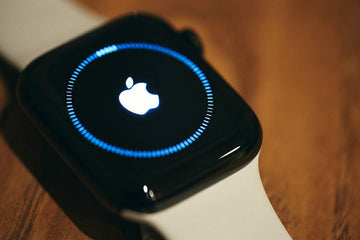
17 Apple Watch Tips And Tricks You Should Know

von Sandy An Aug 17, 2021 (Last Updated:Apr 09, 2025)
Apple Watch Tips And Tricks

You can do a range of things with your Apple Watch depending on the model or kind you have and where and how you want to use it. The Apple Watch, like the iPhone and iPad, has a variety of settings and choices that you can modify to get it to work and act the way you want. Ranging from listening to music and tracking your workouts to monitoring your heart rate are a few things you can do with your Apple Watch.

Here are tips and tricks you should know to make your Apple watch more resourceful.

  1. You can listen to Podcast

Apple offers its own Podcasts app, which allows you to download podcasts and listen to them on your iPhone or Apple Watch. You’ll only need a watchOS 5 or later. You can listen to podcasts without connecting to a nearby Wi-Fi network if you have an LTE-enabled Apple Watch.

  1. Keep a Record of Your Exercises

The Apple Watch is well-known for its health and fitness functions, and one of the most valuable features is the ability to track exercises. Using the built-in Workouts app, you can measure your progress at various activities in and out of the gym, including bicycling, walking, hiking, jogging, rowing, swimming, and even yoga.

  1. You can monitor your heart rate

Know your heart rate on the go using the built-in Heart Rate app. When you launch the app, it will calculate and display your current heart rate. As long as your Apple Watch is in display mode, measurements are taken frequently to record your rate. The app shows your current, resting, average, and specific rates based on your activity when tapping the arrow in the upper left.

Apple Watch Tips

  1. You can call for emergency services

If you’re in an emergency state, you can contact for help right with your Apple Watch. Long-press the side button till it goes off. Medical ID and Emergency SOS screens appear for a few seconds. You can either slide the Emergency SOS button to the right or keep pressing the side button. Your Apple Watch alerts emergency services after a brief countdown.

If you accidentally dial an emergency number, press down on the screen and then tap End Call.

  1. Locate your iPhone

Have you misplaced your iPhone? You can probably locate it by dialing it from another device, but you can utilize your Apple Watch if you don’t have another phone. To do this, go to  Control Center, swipe up from the bottom of your Apple Watch face. Look for the icon that looks like a phone and has audio waves coming out of it. When you tap that icon, it will become blue, and your phone will make a pinging noise that you may follow to find it.

  1. Increase the size of the text on your screen

With such a small device, it’s sometimes nice to have the choice of larger text. Apple’s accessibility settings make this simple; to change the text on your Apple Watch, click Settings > Brightness & Text Size and adjust to your taste.

  1. Use your palm to silence alarms

If your Apple Watch has sound, you can use notification sounds to keep it from bothering the rest of the world: If it goes off somewhere you don’t want it to, cover the display with your hand for three seconds or longer to silence any new sounds. To activate this feature, navigate to My Watch > Sounds & Haptics > Cover to Mute in the Apple Watch app on your iPhone.

Apple Watch Tricks

  1. Easily switch between Zoom and VoiceOver

Do you want Zoom or VoiceOver to be available on your Apple Watch right away? You can use the triple-click Accessibility shortcut to enable Zoom mode or VoiceOver automatically. To do so, navigate to Apple Watch app on your iPhone. Click on My Watch-General-Accessibility-Accessibility Shortcut. Then, you choose the app you want to activate automatically on triple-click from here.

You can also ask your Watch if Siri can turn VoiceOver on or off with a voice command.

  1. Create custom Messages answers ahead of time

Although you can’t type directly on your Apple Watch, you can set up a few pre-written responses on your iPhone to transmit automatically during discussions. To do so, go to My Watch > Messages > Default Replies in the Apple Watch app. You can edit this list at any moment and add/remove pre-written responses.

  1. Use Force Touch to share your location in Message

Want to share your current location with a friend while you’re out? Use Force Touch display and tap, and Send your location in your Messages conversation.

  1. Make a default city for your weather

Your Watch’s Weather app can check the weather in several cities, including your current location. Go to My Watch > Weather > Default City in the Apple Watch app on your iPhone to change the default location.

  1. Examine your ECG

You can perform an electrocardiogram with an Apple Watch Series 4 upward, which checks your heart rhythm and informs you if it detects any irregularities, such as atrial fibrillation. Unless you have cardiac disease or experiencing symptoms, this is not something you would want or need to perform regularly.

Needless to say, if you’re experiencing chest pains or other symptoms, don’t waste time on the app; call 911. However, the app may alert you to potential problems that you should discuss with your doctor in some cases.

To perform ECG, you must first set up the ECG app on your iPhone before you can use it. Open the Health app, select Health Data, and then choose Heart. Swipe down the Heart screen to the ECG entry; go through the setup process by tapping Set up ECG.

iWatch Tips And Tricks

  1. Measure your blood oxygen

With an inbuilt app plus oximeter, it’s possible to check your blood oxygen level with an Apple Watch Series 6 and watchOS 7 or later. This reading can tell you if your brain and other essential organs are getting adequate oxygen. A typical reading should range from 95 to 100 percent. If the oxygen in your blood is low, that may indicate a pulmonary or cardiac condition and other issues.

To set up the Blood Oxygen sensor on your iPhone, go to the Watch app and tap the Blood Oxygen setting. Ensure that the Blood Oxygen Measurements switch is turned on. You may regulate when the sensor captures background readings by enabling or disabling In Sleep Mode and Theater Mode.

Open the Blood Oxygen app on your Apple Watch to get a reading. To begin the scan, press the Start button.

  1. Set Up Watch Withoutan iPhone

Even without an iPhone, it’s possible to set up watchOS 7. The user can then use the Apple Watch to make and receive phone calls and text messages and use its built-in functions and run third-party apps.

That said, an iPhone 6s or later running on iOS 14 is a must, and a family member will require an Apple Watch Series 4 or later to make this work. A cellular connection on the person’s Apple Watch is also necessary for some functionality.

  1. Make a System for Organizing Your Apps

Apps can rapidly clutter up your home screen, but you can rearrange them in a way that works best for you. Open the Watch app on your iPhone. Navigate to App Layout in the My Watch area and reposition your icons.

To do this on your Apple Watch, go to the home screen and push and hold one of the icons until it jiggles. You may now move the icons around the screen. You may even pick List View instead of Grid View to see your apps in an alphabetical list by pressing down on the home screen.

  1. You can change and customize your Watch Face

Are you sick of seeing the same Apple Watch face every day? The Apple Watch face may be easily changed and customized. To add new faces to your default watch faces, open the Watch app on your iPhone, navigate to the Face Gallery area, press a face, customize it with a specific color and style, and then tap Add. Tap Edit next to My Faces at the top of the My Watch screen. You can delete unwanted faces and rearrange the order in which they should display.

  1. Select the kind of mailboxes that appear on your Apple Watch

Are your notification and information from all of your mailboxes too much for you? And you don’t want to be overwhelmed with emails. Apple Watch has a feature that enables you to select the kind of emails you want to see.

Goto Enter My Watch on your iPhone, click on Mail, and then the Include Mail button. You will be able to select the specific mailboxes you want to appear on your Apple Watch.

Conclusion

Apple Watch has a lot of advantages than you can imagine. You can turn your Apple Watch into whatever you like with the above tips. The above tips will help you explore and make your apple watch more resourceful.

Vorherige
10 Best Games for Apple Watch in 2021(Free & Paid Included)
Nächste
iPhone SE 2020 vs iPhone 8: what’s the difference?

In Verbindung stehende Artikel

Samsung Wallpaper Size Guide: How to Download, Customize, and Protect Your Perfect Phone Wallpaper

Samsung Hintergrundbild-Größenratgeber: So laden Sie Ihr perfektes Handy-Hintergrundbild herunter, passen es an und schützen es

The Complete Director’s Vlogging Kit: Best Smartphone Setups for Every Budget (2026 Guide)

Das komplette Vlogging-Kit für Regisseure: Die besten Smartphone-Setups für jedes Budget (2026 Guide)

Samsung Galaxy S26 vs. S25: Should You Trade In Your S25 Today?

Samsung Galaxy S26 vs. S25: Sollten Sie Ihr S25 heute noch eintauschen?

what-is-the-ipad-wallpaper-size

Größentabelle für iPad-Hintergrundbilder – Alle Modelle ab 2026 (Air, Pro, Standard-iPad (Einsteigermodell))

Hinterlasse einen Kommentar

Deine Email-Adresse wird nicht veröffentlicht.

Recent Post

Apple Watch Kaufberatung 2026: Solltest du auf die Ultra 4 warten, zur Series 12 wechseln...

Apple wird voraussichtlich im September 2026 neue Uhren auf den...

10 Handy-Accessoires, die Papa wirklich benutzt — Vatertags-Geschenkguide

Papa utilise toujours une coque fissurée datant de plusieurs années....

AirPods Ultra vs AirPods 5 vs AirPods Pro 3 Gerüchte: Was 2026 zu erwarten ist

Kameras, KI, eine Verzögerung – und das Modell, auf das...

Wir haben die neue Sommerkollektion von ESR getestet – und so ist es, damit zu...

ESR hat sich traditionell auf funktionelles Zubehör statt auf ausdrucksstarkes...

Die besten Zeichen-Apps für das iPad Pro 2026: Vom Hobbykünstler zum Profi

2026 fühlt sich Zeichnen auf dem iPad weniger wie Tablet-Nutzung...

Die besten Zubehörteile für das M4 iPad Air (2026): ESR Shift Tastatur-Cases für ultimative Produktivität

Wenn du dir Zubehör für das iPad Air 2026 anschaust,...

Get 20% off with code: BLOG20

Company

  • Über ESR
  • Unser Blog
  • Pressebereich
  • Händler werden

Products

  • Schutzhüllen
  • iPhone Cases
  • iPad-Hüllen
  • Entwickelt für MagSafe
  • iPad-Produktivität
  • Schutzfolien
  • Kabelloses Laden
  • Geldbörse und Zubehör
  • Weitere Zubehörteile

Community

  • Mein Konto
  • Freunde empfehlen, CashBack verdienen
  • Werde ESR Super User
  • Affiliate Programm
  • Student Discount

Support

  • Kontaktieren Sie uns
  • Einrichtungsvideos und FAQs
  • Bestellstatus
  • Rückgabe und Rückerstattung
  • Garantiebestimmungen
  • Versandbedingungen
  • Zahlungsmethoden
  • Product Recalls

Zahlungsmöglichkeiten:
  • American Express
  • JCB
  • Mastercard
  • PayPal
  • Visa
  • Klarna Klarna
  • Afterpay
Excellent 4.6 out of 5 - Review :2579 •

© 2026 ESR All rights reserved.

  • Nutzungsbedingungen
  • Datenschutzrichtlinie
  • Rechtliche Erklärung
  • Cookie-Richtlinie
  • Versand Politik
  • Rückgabe und Rückerstattung
  • Track Your Order

Einkaufswagen

Get a 15% off coupon when you

sign up

for free shipping!

$38.00
You're $38.00 away from Free Shipping!

$50.00
You're $50.00 away from Free Shipping!

Benefits applied automatically at checkout

Your Cart is Empty

Sign In / Register to view saved cart items
Shop Now
ESR_IMG

Protect Your iPhone's Camera Control

ESR_IMG

Always Find Your Wallet

ESR_IMG

Drop-Proof FlickLlock, Effortless MagSafe

ESR_IMG

Qi2 Fast Charging on the Go

Zwischensumme $0.00
Warenkorb ansehen

Thank you for choosing to transfer to a human service.

Sorry! The previous responses were from our AI customer service. Since it didn't satisfy you, you've been transferred to a human agent. We'll reply within 24 hours from Mon to Fri and 48 hours on weekends for further help.

Please select the reason for transfer