Just launched: Summer prints for your phone and wallet. Shop now
👨15% Off for 1 with code FA15 | 20% Off any 2+ with code FA20👨 Shop now
Save up to 70% on selected tech essentials & Unlock our mystery box for just $29.99 Shop now
Free shipping on all orders over $50
Wagen 0
  • Hüllen
    • iPhone
    • iPad
    • AirPods
    • Samsung
      iPhone 17🔥
    • iPhone 17e🔥
    • iPhone 17 Pro Max🔥
    • iPhone 17 Pro🔥
    • iPhone Air🔥
    • iPhone 17🔥
    • iPhone 16
    • iPhone 16e
    • iPhone 16 Pro Max
    • iPhone 16 Pro
    • iPhone 16 Plus
    • iPhone 16
    • iPhone 15
    • iPhone 15 Pro Max
    • iPhone 15 Pro
    • iPhone 15 Plus
    • iPhone 15
    • iPhone 14
    • iPhone 14 Pro Max
    • iPhone 14 Pro
    • iPhone 14 Plus
    • iPhone 14
    • iPhone 13
    • iPhone 13 Pro Max
    • iPhone 13 Pro
    • iPhone 13
       
    • iPad Air 13 (2026)🔥
    • iPad Air 11 (2026)🔥
    •  
    • iPad Pro 13 (2025)
    • iPad Pro 11 (2025)
    • iPad 11th Gen (2025)
    • iPad Air 13 (2025)
    • iPad Air 11 (2025)
    •  
    • iPad Pro 13 (2024)
    • iPad Pro 11 (2024)
    • iPad Air 13 (2024)
    • iPad Air 11 (2024)
    • iPad mini 7 (2024)
    •  
    • iPad Pro 12.9 (2022)
    • iPad Pro 11 (2022)
    • iPad Air 5/4 (2022)
    • iPad 10th Gen (2022)
    •  
    • iPad mini 6 (2021)
    • iPad Pro 12.9 (2021)
    • iPad Pro 11 (2021)
    • iPad Pro 11 (2020)
       
    • AirPods Pro 3🔥
    • AirPods 4
    • AirPods Pro (2023/2022/2019)
      Galaxy S26🔥
    • Galaxy S26 Ultra🔥
    • Galaxy S26 Plus🔥
    • Galaxy S26🔥
    • Galaxy S25
    • Galaxy S25 Ultra
    • Galaxy S25+
    • Galaxy S24
    • Galaxy S24 Ultra
    • Galaxy S24+
    • Galaxy S24
    • Galaxy S23
    • Galaxy S23 Ultra
    • Galaxy S23
  • Displayschutzfolien
    • iPhone
    • iPad
    • Apple Watch
    • Samsung
      iPhone 17🔥
    • iPhone 17e🔥
    • iPhone 17 Pro Max🔥
    • iPhone 17 Pro🔥
    • iPhone Air🔥
    • iPhone 17🔥
    • iPhone 16
    • iPhone 16e
    • iPhone 16 Pro Max
    • iPhone 16 Pro
    • iPhone 16 Plus
    • iPhone 16
    • iPhone 15
    • iPhone 15 Pro Max
    • iPhone 15 Pro
    • iPhone 15 Plus
    • iPhone 15
    • iPhone 14
    • iPhone 14 Pro Max
    • iPhone 14 Pro
    • iPhone 14 Plus
    • iPhone 14
    • iPhone 13
    • iPhone 13 Pro Max
    • iPhone 13/13 Pro
       
    • iPad Air 13 (2026)🔥
    • iPad Air 11 (2026)🔥
    •  
    • iPad Pro 13 (2025)
    • iPad Pro 11 (2025)
    • iPad 11th Gen (2025)
    • iPad Air 13 (2025)
    • iPad Air 11 (2025)
    •  
    • iPad Pro 13 (2024)
    • iPad Pro 11 (2024)
    • iPad Air 13 (2024)
    • iPad Air 11 (2024)
    •  
    • iPad Pro 12.9 (6th/5th/4th/3rd Gen)
    • iPad Pro 11 (4th/3rd/2nd/1st Gen)
    • iPad Air 5/4 (2022)
    • iPad 10th Gen (2022)
       
    • Apple Watch🔥
      Galaxy S26🔥
    • Galaxy S26 Ultra🔥
    • Galaxy S25
    • Galaxy S25 Ultra
    • Galaxy S24
    • Galaxy S24 Ultra
    • Galaxy S23
    • Galaxy S23 Ultra
    • Galaxy S23+
    • Galaxy S23
    • Galaxy S22
    • Galaxy S22 Ultra
  • iPad Tastaturen & Stifte
    • Tastaturen für iPad
    • Stifte & Mäuse
      Wähle dein Gerät
    • iPad Air 13 (2026)🔥
    • iPad Air 11 (2026)🔥
    •  
    • iPad Pro 13 (2025)
    • iPad Pro 11 (2025)
    • iPad 11. Generation (2025)
    • iPad Air 13 (2025)
    • iPad Air 11 (2025)
    •  
    • iPad Pro 13 (2024)
    • iPad Pro 11 (2024)
    • iPad Air 13 (2024)
    • iPad Air 11 (2024)
    •  
    • iPad Pro 12.9 (6./5./4./3. Generation)
    • iPad Pro 11″ (4./3./2./1. Generation)
    • iPad Air 5/4 (2022)
    • iPad 10. Generation (2022)
       
    • Digitale Stifte
    • Mäuse
  • Ladegeräte
    • Kabellose Ladegeräte & Halterungen
    • Auto-Ladegeräte & Halterungen
    Kabellose Ladegeräte & Halterungen
    • ESR CryoBoost Klappbare 3-in-1 Magnet-Ladestation (25W) – US Plug-Black

      ESR CryoBoost Klappbare 3-in-1 Magnet-Ladestation (25W) – US Plug-Black

    • 3-in-1 Magnetische Ladestation (15W)- Grey - US PLUG

      3-in-1 Magnetische Ladestation (15W)- Grey - US PLUG

    • ESR CryoBoost Klappbare 3-in-1 Magnet-Ladestation (25W) – US Plug-Black

      ESR CryoBoost Klappbare 3-in-1 Magnet-Ladestation (25W) – US Plug-Black

    • 25W CryoBoost Klappbares 3-in-1 Magnet-Ladegerät und Auto-Ladegerät (Lüftungshalterung) Set– US-Stecker – Schwarz

      25W CryoBoost Klappbares 3-in-1 Magnet-Ladegerät und Auto-Ladegerät (Lüftungshalterung) Set– US-Stecker – Schwarz

    • CryoBoost 3-in-1 Magnetische Ladestation (25W, Qi2.2)  - US Plug–Black

      CryoBoost 3-in-1 Magnetische Ladestation (25W, Qi2.2) - US Plug–Black

    • All Kabellose Ladegeräte & Halterungen >
    Auto-Ladegeräte & Halterungen
    • OmniLock Magnet-Autoladegerät (25W, CryoBoost, Lüftungsschlitz) - Black

      OmniLock Magnet-Autoladegerät (25W, CryoBoost, Lüftungsschlitz) - Black

    • Magnetisches kabelloses 15W Autoladegerät (HaloLock) - Black

      Magnetisches kabelloses 15W Autoladegerät (HaloLock) - Black

    • 15W Kabelloses Armaturenbrett Autoladegerät (HaloLock) - Black

      15W Kabelloses Armaturenbrett Autoladegerät (HaloLock) - Black

    • OmniLock Magnet-Autohalterung (Saugnapf) - Black

      OmniLock Magnet-Autohalterung (Saugnapf) - Black

    • 15W kabelloses Autoladegerät mit CryoBoost (HaloLock)  - Black

      15W kabelloses Autoladegerät mit CryoBoost (HaloLock) - Black

    • All Auto-Ladegeräte & Halterungen >
  • Wallets
  • 🔥Neuheiten🔥
    • 🏝️Sommer Print-Kollektion🏝️
    • Galaxy S26 Serie🔥
    • iPhone 17e🔥
    • iPad Air 2026 Serie🔥
    • 25W Qi2 Kabelloses Laden
  • 👨🏻Vatertags-Sale👨🏻
    • Vatertags-Sale für Smartphones
    • Vatertags-Sale für iPad
    • Vatertags-Sale für Ladegeräte
    • Final Sale
  • Support
    • Kontakt
    • Produktrückrufe
    • Produktvideos und FAQs
    • Allgemeine FAQ
    • Bestellstatus
    • Rückgabe & Erstattungsrichtlinie
    • Garantie Politik
    • Versand Politik
  • Entdecken
    • Über ESR
    • ESR Blog
    • Nachrichtenbereich
Super-User-Vorteile
  • Werde ESR Super-User
  • Exklusive Super-User-Angebote
  • Freunde werben & Cashback sichern
Mein Konto
Anmeldung Registrieren
North America
Europe
Asia Pacific
Middle East
Australien
USD $
Bahrain
USD $
Belgien
USD $
Bulgarien
USD $
Dänemark
USD $
Deutschland
USD $
Estland
USD $
Finnland
USD $
Frankreich
USD $
Griechenland
USD $
Indonesien
USD $
Irland
USD $
Italien
USD $
Japan
USD $
Jordanien
USD $
Kanada
USD $
Katar
USD $
Kroatien
USD $
Lettland
USD $
Litauen
USD $
Luxemburg
USD $
Malaysia
USD $
Mexiko
USD $
Neuseeland
USD $
Niederlande
USD $
Norwegen
USD $
Österreich
USD $
Oman
USD $
Philippinen
USD $
Polen
USD $
Portugal
USD $
Rumänien
USD $
Saudi-Arabien
USD $
Schweden
USD $
Schweiz
USD $
Singapur
USD $
Slowakei
USD $
Slowenien
USD $
Spanien
USD $
Südkorea
USD $
Taiwan
USD $
Thailand
USD $
Tschechien
USD $
Ungarn
USD $
Vereinigte Arabische Emirate
USD $
Vereinigte Staaten
USD $
Vereinigtes Königreich
USD $
Vietnam
USD $
English
Deutsch
français
  • Hüllen
    • iPhone
    • iPad
    • AirPods
    • Samsung
      iPhone 17🔥
    • iPhone 17e🔥
    • iPhone 17 Pro Max🔥
    • iPhone 17 Pro🔥
    • iPhone Air🔥
    • iPhone 17🔥
    • iPhone 16
    • iPhone 16e
    • iPhone 16 Pro Max
    • iPhone 16 Pro
    • iPhone 16 Plus
    • iPhone 16
    • iPhone 15
    • iPhone 15 Pro Max
    • iPhone 15 Pro
    • iPhone 15 Plus
    • iPhone 15
    • iPhone 14
    • iPhone 14 Pro Max
    • iPhone 14 Pro
    • iPhone 14 Plus
    • iPhone 14
    • iPhone 13
    • iPhone 13 Pro Max
    • iPhone 13 Pro
    • iPhone 13
       
    • iPad Air 13 (2026)🔥
    • iPad Air 11 (2026)🔥
    •  
    • iPad Pro 13 (2025)
    • iPad Pro 11 (2025)
    • iPad 11th Gen (2025)
    • iPad Air 13 (2025)
    • iPad Air 11 (2025)
    •  
    • iPad Pro 13 (2024)
    • iPad Pro 11 (2024)
    • iPad Air 13 (2024)
    • iPad Air 11 (2024)
    • iPad mini 7 (2024)
    •  
    • iPad Pro 12.9 (2022)
    • iPad Pro 11 (2022)
    • iPad Air 5/4 (2022)
    • iPad 10th Gen (2022)
    •  
    • iPad mini 6 (2021)
    • iPad Pro 12.9 (2021)
    • iPad Pro 11 (2021)
    • iPad Pro 11 (2020)
       
    • AirPods Pro 3🔥
    • AirPods 4
    • AirPods Pro (2023/2022/2019)
      Galaxy S26🔥
    • Galaxy S26 Ultra🔥
    • Galaxy S26 Plus🔥
    • Galaxy S26🔥
    • Galaxy S25
    • Galaxy S25 Ultra
    • Galaxy S25+
    • Galaxy S24
    • Galaxy S24 Ultra
    • Galaxy S24+
    • Galaxy S24
    • Galaxy S23
    • Galaxy S23 Ultra
    • Galaxy S23
  • Displayschutzfolien
    • iPhone
    • iPad
    • Apple Watch
    • Samsung
      iPhone 17🔥
    • iPhone 17e🔥
    • iPhone 17 Pro Max🔥
    • iPhone 17 Pro🔥
    • iPhone Air🔥
    • iPhone 17🔥
    • iPhone 16
    • iPhone 16e
    • iPhone 16 Pro Max
    • iPhone 16 Pro
    • iPhone 16 Plus
    • iPhone 16
    • iPhone 15
    • iPhone 15 Pro Max
    • iPhone 15 Pro
    • iPhone 15 Plus
    • iPhone 15
    • iPhone 14
    • iPhone 14 Pro Max
    • iPhone 14 Pro
    • iPhone 14 Plus
    • iPhone 14
    • iPhone 13
    • iPhone 13 Pro Max
    • iPhone 13/13 Pro
       
    • iPad Air 13 (2026)🔥
    • iPad Air 11 (2026)🔥
    •  
    • iPad Pro 13 (2025)
    • iPad Pro 11 (2025)
    • iPad 11th Gen (2025)
    • iPad Air 13 (2025)
    • iPad Air 11 (2025)
    •  
    • iPad Pro 13 (2024)
    • iPad Pro 11 (2024)
    • iPad Air 13 (2024)
    • iPad Air 11 (2024)
    •  
    • iPad Pro 12.9 (6th/5th/4th/3rd Gen)
    • iPad Pro 11 (4th/3rd/2nd/1st Gen)
    • iPad Air 5/4 (2022)
    • iPad 10th Gen (2022)
       
    • Apple Watch🔥
      Galaxy S26🔥
    • Galaxy S26 Ultra🔥
    • Galaxy S25
    • Galaxy S25 Ultra
    • Galaxy S24
    • Galaxy S24 Ultra
    • Galaxy S23
    • Galaxy S23 Ultra
    • Galaxy S23+
    • Galaxy S23
    • Galaxy S22
    • Galaxy S22 Ultra
  • iPad Tastaturen & Stifte
    • Tastaturen für iPad
    • Stifte & Mäuse
      Wähle dein Gerät
    • iPad Air 13 (2026)🔥
    • iPad Air 11 (2026)🔥
    •  
    • iPad Pro 13 (2025)
    • iPad Pro 11 (2025)
    • iPad 11. Generation (2025)
    • iPad Air 13 (2025)
    • iPad Air 11 (2025)
    •  
    • iPad Pro 13 (2024)
    • iPad Pro 11 (2024)
    • iPad Air 13 (2024)
    • iPad Air 11 (2024)
    •  
    • iPad Pro 12.9 (6./5./4./3. Generation)
    • iPad Pro 11″ (4./3./2./1. Generation)
    • iPad Air 5/4 (2022)
    • iPad 10. Generation (2022)
       
    • Digitale Stifte
    • Mäuse
  • Ladegeräte
    • Kabellose Ladegeräte & Halterungen
    • Auto-Ladegeräte & Halterungen
    Kabellose Ladegeräte & Halterungen
    • ESR CryoBoost Klappbare 3-in-1 Magnet-Ladestation (25W) – US Plug-Black

      ESR CryoBoost Klappbare 3-in-1 Magnet-Ladestation (25W) – US Plug-Black

    • 3-in-1 Magnetische Ladestation (15W)- Grey - US PLUG

      3-in-1 Magnetische Ladestation (15W)- Grey - US PLUG

    • ESR CryoBoost Klappbare 3-in-1 Magnet-Ladestation (25W) – US Plug-Black

      ESR CryoBoost Klappbare 3-in-1 Magnet-Ladestation (25W) – US Plug-Black

    • 25W CryoBoost Klappbares 3-in-1 Magnet-Ladegerät und Auto-Ladegerät (Lüftungshalterung) Set– US-Stecker – Schwarz

      25W CryoBoost Klappbares 3-in-1 Magnet-Ladegerät und Auto-Ladegerät (Lüftungshalterung) Set– US-Stecker – Schwarz

    • CryoBoost 3-in-1 Magnetische Ladestation (25W, Qi2.2)  - US Plug–Black

      CryoBoost 3-in-1 Magnetische Ladestation (25W, Qi2.2) - US Plug–Black

    • All Kabellose Ladegeräte & Halterungen >
    Auto-Ladegeräte & Halterungen
    • OmniLock Magnet-Autoladegerät (25W, CryoBoost, Lüftungsschlitz) - Black

      OmniLock Magnet-Autoladegerät (25W, CryoBoost, Lüftungsschlitz) - Black

    • Magnetisches kabelloses 15W Autoladegerät (HaloLock) - Black

      Magnetisches kabelloses 15W Autoladegerät (HaloLock) - Black

    • 15W Kabelloses Armaturenbrett Autoladegerät (HaloLock) - Black

      15W Kabelloses Armaturenbrett Autoladegerät (HaloLock) - Black

    • OmniLock Magnet-Autohalterung (Saugnapf) - Black

      OmniLock Magnet-Autohalterung (Saugnapf) - Black

    • 15W kabelloses Autoladegerät mit CryoBoost (HaloLock)  - Black

      15W kabelloses Autoladegerät mit CryoBoost (HaloLock) - Black

    • All Auto-Ladegeräte & Halterungen >
  • Wallets
  • 🔥Neuheiten🔥
    • 🏝️Sommer Print-Kollektion🏝️
    • Galaxy S26 Serie🔥
    • iPhone 17e🔥
    • iPad Air 2026 Serie🔥
    • 25W Qi2 Kabelloses Laden
  • 👨🏻Vatertags-Sale👨🏻
    • Vatertags-Sale für Smartphones
    • Vatertags-Sale für iPad
    • Vatertags-Sale für Ladegeräte
    • Final Sale
  • Support
    • Kontakt
    • Produktrückrufe
    • Produktvideos und FAQs
    • Allgemeine FAQ
    • Bestellstatus
    • Rückgabe & Erstattungsrichtlinie
    • Garantie Politik
    • Versand Politik
  • Entdecken
    • Über ESR
    • ESR Blog
    • Nachrichtenbereich
Super-User-Vorteile
  • Werde ESR Super-User
  • Exklusive Super-User-Angebote
  • Freunde werben & Cashback sichern

Werden Sie Super User und sichern Sie sich exklusive Prämien

  • * 15 % Willkommensrabatt
  • * Punkte bei jedem Einkauf sammeln
  • * Exklusive Mitgliedervorteile
Jetzt beitreten Einloggen
Wagen 0
North America
Europe
Asia Pacific
Middle East
Australien
USD $
Bahrain
USD $
Belgien
USD $
Bulgarien
USD $
Dänemark
USD $
Deutschland
USD $
Estland
USD $
Finnland
USD $
Frankreich
USD $
Griechenland
USD $
Indonesien
USD $
Irland
USD $
Italien
USD $
Japan
USD $
Jordanien
USD $
Kanada
USD $
Katar
USD $
Kroatien
USD $
Lettland
USD $
Litauen
USD $
Luxemburg
USD $
Malaysia
USD $
Mexiko
USD $
Neuseeland
USD $
Niederlande
USD $
Norwegen
USD $
Österreich
USD $
Oman
USD $
Philippinen
USD $
Polen
USD $
Portugal
USD $
Rumänien
USD $
Saudi-Arabien
USD $
Schweden
USD $
Schweiz
USD $
Singapur
USD $
Slowakei
USD $
Slowenien
USD $
Spanien
USD $
Südkorea
USD $
Taiwan
USD $
Thailand
USD $
Tschechien
USD $
Ungarn
USD $
Vereinigte Arabische Emirate
USD $
Vereinigte Staaten
USD $
Vereinigtes Königreich
USD $
Vietnam
USD $
English
Deutsch
français

Durchsuchen Sie unseren Shop

Werden Sie Super User und sichern Sie sich exklusive Prämien

  • * 15 % Willkommensrabatt
  • * Punkte bei jedem Einkauf sammeln
  • * Exklusive Mitgliedervorteile
Jetzt beitreten Einloggen
Wagen 0
beliebte Suchanfragen:
iPad 2026 Case iPhone 17e Galaxy S26 iPad Keyboard
How Tos

How to Fix Apple Watch Black Screen or Not Turning on?(Updated)

von Javeria Salam An Apr 15, 2024 (Last Updated:Jul 04, 2025)
apple watch black screen

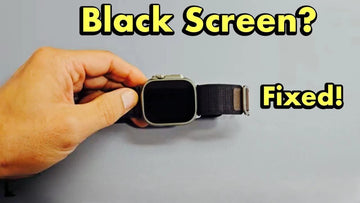
No technology is flawless. Experiencing Apple Watch black screen or not turning on can feel like having a pen in hand with no ink. If you are experiencing the Apple Watch black screen issue or you know someone, then this article is for you.

How to Fix Apple Watch Black Screen?
  • Why is My Apple Watch Screen Black?
    • 1.1 Apple Watch Black Screen of Death
    • 1.2 Apple Watch Screen Black but Still Vibrates
    • 1.3 Apple Watch Screen Not Turning on
    • 1.4 Apple Watch Charged but Not Turning on
    • 1.5 Apple Watch Black Screen With Apple
    • 1.6 Apple Watch Won’t Force Restart Black Screen
  • How to Fix Apple Watch Black Screen of Death?

Why is My Apple Watch Screen Black?

Numerous factors can cause your Apple Watch to become stuck on a black screen. Some include:

  • A low battery or a completely drained battery.
  • Overheating Hazards
  • Complex settings of the Apple Watch can sometimes cause it to become unresponsive, display a black screen, or appear to be non-functional.
  • A black screen could indicate a strong likelihood of a problem either in the hardware or software components of your Apple Watch.
  • Apple Watch’s black screen could also be a sign that your Watch may need an IOS update due to the presence of certain bugs affecting its performance.
  • If you have recently updated your Watch, be sure to double-check the update as it could be the cause of the complication.
  • Water or moisture could be the culprit. While Apple products are generally advertised as waterproof, they may not always be completely resistant to moisture, leaving the possibility of water damage.  
  • The hardware may have accumulated dirt or dust. This could lead to the infiltration of the particles into your Apple Watch and cause disruptions and malfunction.

1.1 Apple Watch Black Screen of Death

The Apple Watch black screen of death, also known as the death screen, is a problem that impacts many Apple Watch users. It can occur due to various factors such as a drained battery, complex settings, or other issues with the hardware or software. Thankfully, there is a simple and effective solution to this problem which involves attempting a forced restart. To initiate this restart, one must simultaneously press and hold both the Digital Crown and the Side button for about 30 seconds. Once the Apple logo appears on the screen, release the buttons and patiently wait for the watch to restart in its usual manner.

1.2 Apple Watch Screen Black but Still Vibrates

In a situation where your watch is vibrating but not displaying notifications, your watch could be in Theater Mode. To resolve this, try restarting both your watch and iPhone. If you have tried that and it doesn’t work, additionally adjusting the brightness and text size settings on your Apple Watch may help resolve any display issues. If your Apple Watch suddenly goes black but continues to vibrate, you can attempt a force restart by pressing and holding the side button and crown simultaneously. If this doesn’t solve the issue, you may need to unpair and then re-pair your watch with your iPhone.

1.3 Apple Watch Screen Not Turning on

Another scenario is when your Apple watch screen refuses to turn on. When you experience Apple Watch not turning on, it could be that the battery is completely drained. Also, it may indicate that your battery is running low and as a result, the watch has activated Power Reserve mode. When in this mode, the watch conserves power by only displaying the time when you press the side button. This feature is designed to prolong the battery life as much as possible. To return your watch to its normal functioning mode, you will need to press and hold the side button. However, before doing so, it is advisable to charge your watch fully.

1.4 Apple Watch Charged but Not Turning on

If your Apple Watch is fully charged but still not turning on or unresponsive, you can attempt to force restart it by simultaneously pressing and holding down the Digital Crown and side button for a few seconds. Another option is to press these two buttons in quick succession multiple times to see if that triggers a response from the device.

1.5 Apple Watch Black Screen With Apple

There are several potential reasons for a black screen with the Apple logo on an Apple Watch or Apple Watch stuck on apple logo. These include a drained battery, an inadequate or incompatible charger, the activation of Power Reserve Mode, a frozen display, or stuck buttons. To resolve this issue and restore functionality to the Apple Watch, one can attempt a force restart or repeatedly press the Digital Crown and power button.

1.6 Apple Watch Won’t Force Restart Black Screen

Force restart is a mechanism that is designed to help restore the functionality of your device. Suppose you are unable to resolve the Apple Watch black screen issue by force restart, then you need support from Apple. You’ll probably need to book an appointment at the Apple Store Genius Bar for a thorough assessment and to explore possible solutions.

How to Fix Apple Watch Black Screen of Death?

1. Charge Your Apple Watch

To charge your Apple Watch, simply place the magnetic charging cable beneath the watch and wait for the chime sound, which indicates that the watch is now charging.

2. Do A Force Restart of Your Apple Watch

If you encounter the problem of the Apple Watch screen going black and becoming unresponsive, it is possible that the device has entered a frozen state. Performing a force restart would be handy.

3. Try Charging Your Watch on the Computer

If you intend to charge your Apple Watch using a computer, it is advisable to only connect it to a USB 2.0 or 3.0 port. Otherwise, the likelihood of charging successfully will decrease. Additionally, it is important to ensure that the laptop or computer remains active throughout the charging process.

4. Switch Off the Power Reserve Mode

Confirm whether the power reserve mode is turned off. The power reserve mode on the Apple Watch is specifically created to conserve battery life by shutting down all non-essential functions and processes. In this mode, the Watch essentially becomes a dormant device, saving power for when it is needed most.

5. Update Your iOS Version

Sometimes, simply updating your iOS can fix some bugs and minor problems. To resolve the issue of the Apple Watch being stuck in a non-functional state or displaying a black screen, one potential solution could be to update the device to the most recent iOS software version. This action has the potential to restore the Apple Watch’s functionality and eliminate the occurrence of the black screen problem.

6. Switch Off the Screen Curtain Option

At times, Apple Watch dark screen may appear indicating that you have unknowingly activated the screen curtain Accessibility mode. To deactivate this mode, navigate to the General settings, select Accessibility, then choose Voiceover and disable the screen curtain option. This simple adjustment will restore the normal display on your Apple Watch.

7. Erase All The Settings and Content

If you have tried all the above-mentioned, then you may want to erase all settings and content. In an ideal scenario, this option is not the most desirable solution, but it could potentially assist you in restoring the functionality of your Watch. Since none of the other options seem to be effective, completely wiping all data and settings is likely to provide a solution.

9. Visit The Apple Store

If you have exhausted all possible solutions and still can’t resolve the issue, it is better advised to pay a visit to an Apple Store. This will provide you with the opportunity to have your device thoroughly inspected by knowledgeable technology experts.

Support Resources:

  • Visit Apple Watch Support to explore troubleshooting guides or initiate a service request.

What's more,Find the best protect for your Apple Watch with ESR Apple Watch Protective Cases

You may also like:
1、How to Take a Screenshot on iPad: Apple's Hidden Tricks Revealed
2、Fix iPad Screen Protector Bubbles Fast: Credit Card, Heat & Hacks That Work!
3、Magnetic iPad Screen Protector Buying Guide: Great Gifts to Buy for Yourself In 2024?
4、Best Paper-Feel iPad Screen Protector for iPad Pro/Air/Mini

Stichworte: Apple Watch, Apple Watch Ultra
Vorherige
AirPods Blinken Orange? Warum & Wie Man Es Behebt
Nächste
Wie man das Problem „Apple Watch Touchscreen funktioniert nicht“ behebt

In Verbindung stehende Artikel

AirPods Pro 3 and 2 Protection Guide 2026

AirPods Pro 3 und 2 Schutz-Guide 2026: Intelligente Alltagstipps gegen Herausfallen der Buds

esr find-my magsafe wallet:never worry about the lost your wallet

Wie man sein verlorenes Wallet findet: Von altbewährten Lösungen bis hin zur modernen Technik

10 Fixes to Solve iPad Battery Draining Fast

10 Lösungen für einen schnell entladenden iPad-Akku

keep iPhone Battery health

Die große Wireless-Charging-Debatte: Schadet ein kabelloses Ladegerät dem Handy-Akku?

1 Kommentar

  • Vickie Christian
    Mar 12, 2025 bei 09:46

    My Apple Watch want work . What sure I do.

    Antwort

Hinterlasse einen Kommentar

Deine Email-Adresse wird nicht veröffentlicht.

Recent Post

Apple Watch Kaufberatung 2026: Solltest du auf die Ultra 4 warten, zur Series 12 wechseln...

Apple wird voraussichtlich im September 2026 neue Uhren auf den...

10 Handy-Accessoires, die Papa wirklich benutzt — Vatertags-Geschenkguide

Papa utilise toujours une coque fissurée datant de plusieurs années....

AirPods Ultra vs AirPods 5 vs AirPods Pro 3 Gerüchte: Was 2026 zu erwarten ist

Kameras, KI, eine Verzögerung – und das Modell, auf das...

Wir haben die neue Sommerkollektion von ESR getestet – und so ist es, damit zu...

ESR hat sich traditionell auf funktionelles Zubehör statt auf ausdrucksstarkes...

Die besten Zeichen-Apps für das iPad Pro 2026: Vom Hobbykünstler zum Profi

2026 fühlt sich Zeichnen auf dem iPad weniger wie Tablet-Nutzung...

Die besten Zubehörteile für das M4 iPad Air (2026): ESR Shift Tastatur-Cases für ultimative Produktivität

Wenn du dir Zubehör für das iPad Air 2026 anschaust,...

Get 20% off with code: BLOG20

Company

  • Über ESR
  • Unser Blog
  • Pressebereich
  • Händler werden

Products

  • Schutzhüllen
  • iPhone Cases
  • iPad-Hüllen
  • Entwickelt für MagSafe
  • iPad-Produktivität
  • Schutzfolien
  • Kabelloses Laden
  • Geldbörse und Zubehör
  • Weitere Zubehörteile

Community

  • Mein Konto
  • Freunde empfehlen, CashBack verdienen
  • Werde ESR Super User
  • Affiliate Programm
  • Student Discount

Support

  • Kontaktieren Sie uns
  • Einrichtungsvideos und FAQs
  • Bestellstatus
  • Rückgabe und Rückerstattung
  • Garantiebestimmungen
  • Versandbedingungen
  • Zahlungsmethoden
  • Product Recalls

Zahlungsmöglichkeiten:
  • American Express
  • JCB
  • Mastercard
  • PayPal
  • Visa
  • Klarna Klarna
  • Afterpay
Excellent 4.6 out of 5 - Review :2579 •

© 2026 ESR All rights reserved.

  • Nutzungsbedingungen
  • Datenschutzrichtlinie
  • Rechtliche Erklärung
  • Cookie-Richtlinie
  • Versand Politik
  • Rückgabe und Rückerstattung
  • Track Your Order

Einkaufswagen

Get a 15% off coupon when you

sign up

for free shipping!

$38.00
You're $38.00 away from Free Shipping!

$50.00
You're $50.00 away from Free Shipping!

Benefits applied automatically at checkout

Your Cart is Empty

Sign In / Register to view saved cart items
Shop Now
ESR_IMG

Protect Your iPhone's Camera Control

ESR_IMG

Always Find Your Wallet

ESR_IMG

Drop-Proof FlickLlock, Effortless MagSafe

ESR_IMG

Qi2 Fast Charging on the Go

Zwischensumme $0.00
Warenkorb ansehen

Thank you for choosing to transfer to a human service.

Sorry! The previous responses were from our AI customer service. Since it didn't satisfy you, you've been transferred to a human agent. We'll reply within 24 hours from Mon to Fri and 48 hours on weekends for further help.

Please select the reason for transfer