

Unleash the Full Power of Galaxy S26 series Shop now
Free shipping on all orders over $50
Wagen 0
  • Entwickelt für MagSafe
    • Alle MagSafe-Produkte
      • Kabelloses Laden
      • Autoladegeräte und Halterungen
      • Ladeständer
      • MagSafe-Hüllen
      • MagSafe-Geldbörsen
      • Powerbanks
      • MagSafe Ringe & Wandhalterungen
      • Beste MagSafe Bündel
    • MagSafe für den Alltag
      • Desktop-Ladegeräte
      • Autoladegeräte
      • Reise-Essentials
      • Arbeitsplatz-Ladegeräte
      • Wo ist?-Technologie
      • Geschenk Guide
  • Schutz nach Gerät
    • Alle Hüllen
      • iPhone🔥
      • iPad🔥
      • AirPods
      • Samsung🔥
    • Displayschutz
      • iPhone
      • iPad🔥
      • Apple Watch
      • Samsung🔥
    • Produktivität mit iPad
      • Tastaturen
      • Eingabestifte
    • Zubehör
      • Alle Zubehörteile
      • iPhone 17🔥
      • iPhone 2026e🔥
      • iPhone 17 Pro Max🔥
      • iPhone 17 Pro🔥
      • iPhone Air🔥
      • iPhone 17🔥
      • iPhone 16
      • iPhone 16e
      • iPhone 16 Pro Max
      • iPhone 16 Pro
      • iPhone 16 Plus
      • iPhone 16
      • iPhone 15
      • iPhone 15 Pro Max
      • iPhone 15 Pro
      • iPhone 15 Plus
      • iPhone 15
      • iPhone 14
      • iPhone 14 Pro Max
      • iPhone 14 Pro
      • iPhone 14 Plus
      • iPhone 14
      • iPhone 13
      • iPhone 13 Pro Max
      • iPhone 13 Pro
      • iPhone 13
      • Wählen Sie Ihr Gerät
      • iPad Pro 13 (2025)🔥
      • iPad Pro 11 (2025)🔥
      • iPad 11th Gen (2025)
      • iPad Air 13 (2025)
      • iPad Air 11 (2025)
      •  
      • iPad Pro 13 (2024)
      • iPad Pro 11 (2024)
      • iPad Air 13 (2024)
      • iPad Air 11 (2024)
      • iPad mini 7 (2024)
      •  
      • iPad Pro 12.9 (2022)
      • iPad Pro 11 (2022)
      • iPad Air 5/4 (2022)
      • iPad 10th Gen (2022)
      •  
      • iPad mini 6 (2021)
      • iPad Pro 12.9 (2021)
      • iPad Pro 11 (2021)
      • iPad Pro 11 (2020)
      • Wählen Sie Ihr Gerät
      • AirPods Pro 3🔥
      • AirPods 4
      • AirPods Pro (2023/2022/2019)
      • Galaxy S26🔥
      • Galaxy S26 Ultra🔥
      • Galaxy S26 Plus🔥
      • Galaxy S26🔥
      • Galaxy S25
      • Galaxy S25 Ultra
      • Galaxy S25+
      • Galaxy S24
      • Galaxy S24 Ultra
      • Galaxy S24+
      • Galaxy S24
      • Galaxy S23
      • Galaxy S23 Ultra
      • Galaxy S23
      • iPhone 17🔥
      • iPhone 2026e🔥
      • iPhone 17 Pro Max🔥
      • iPhone 17 Pro🔥
      • iPhone Air🔥
      • iPhone 17🔥
      • iPhone 16
      • iPhone 16e
      • iPhone 16 Pro Max
      • iPhone 16 Pro
      • iPhone 16 Plus
      • iPhone 16
      • iPhone 15
      • iPhone 15 Pro Max
      • iPhone 15 Pro
      • iPhone 15 Plus
      • iPhone 15
      • iPhone 14
      • iPhone 14 Pro Max
      • iPhone 14 Pro
      • iPhone 14 Plus
      • iPhone 14
      • iPhone 13
      • iPhone 13 Pro Max
      • iPhone 13/13 Pro
      • Wählen Sie Ihr Gerät
      • iPad Pro 13 (2025)🔥
      • iPad Pro 11 (2025)🔥
      • iPad 11th Gen (2025)
      • iPad Air 13 (2025)
      • iPad Air 11 (2025)
      •  
      • iPad Pro 13 (2024)
      • iPad Pro 11 (2024)
      • iPad Air 13 (2024)
      • iPad Air 11 (2024)
      •  
      • iPad Pro 12.9 (6th/5th/4th/3rd Gen)
      • iPad Pro 11 (4th/3rd/2nd/1st Gen)
      • iPad Air 5/4 (2022)
      • iPad 10th Gen (2022)
      •  
      •  
      • Apple Watch🔥
      • Galaxy S26🔥
      • Galaxy S26 Ultra🔥
      • Galaxy S25
      • Galaxy S25 Ultra
      • Galaxy S24
      • Galaxy S24 Ultra
      • Galaxy S23
      • Galaxy S23 Ultra
      • Galaxy S23+
      • Galaxy S23
      • Galaxy S22
      • Galaxy S22 Ultra
      • Wählen Sie Ihr Gerät
      • iPad Pro 13 (2025)🔥
      • iPad Pro 11 (2025)🔥
      • iPad 11th Gen (2025)
      • iPad Air 13 (2025)
      • iPad Air 11 (2025)
      •  
      • iPad Pro 13 (2024)
      • iPad Pro 11 (2024)
      • iPad Air 13 (2024)
      • iPad Air 11 (2024)
      •  
      • iPad Pro 12.9 (6th/5th/4th/3rd)
      • iPad Pro 11 (4th/3rd/2nd/1st)
      • iPad Air 5/4 (2022)
      • iPad 10th Gen (2022)
      •  
      • Eingabestifte
      •  
      • Magnetische Geldbörse
      • MagSafe Ringe & Halterungen
      • Weitere Zubehörteile
  • Tastatur
    • iPad Pro 13 (2025)🔥
    • iPad Pro 11 (2025)🔥
    • iPad 11th Gen (2025)
    • iPad Air 13 (2025)
    • iPad Air 11 (2025)
    • iPad Pro 13 (2024)
    • iPad Pro 11 (2024)
    • iPad Air 13 (2024)
    • iPad Air 11 (2024)
    • iPad Pro 12.9 (6th/5th/4th/3rd)
    • iPad Pro 11 (4th/3rd/2nd/1st)
    • iPad Air 5/4 (2022)
    • iPad 10th Gen (2022)
    • Eingabestifte
    • Wireless Mouse🔥
  • Neuheiten
    • Galaxy S26 Serie🔥
    • iPhone 2026e🔥
    • iPad Pro 2025 🔥
    • 15W Qi2 Kabelloses Laden
    • iPhone 17 Serie
    • AirPods Pro 3
    • iPad 2025
  • Angebote
  • Super-Nutzer
    • Werden Sie ein ESR Super-Nutzer
    • Exklusive Angebote für Mitglieder
    • Freunde empfehlen, CashBack verdienen
    • Meine Bestellungen
  • Support
    • Kontakt
    • Produktvideos und FAQs
    • Allgemeine FAQs
    • Bestellstatus
    • Rückgabe & Erstattungsrichtlinie
    • Garantie Politik
    • Versand Politik
  • Entdecken
    • Über ESR
    • ESR Blog
    • Nachrichtenbereich
    • Werden Sie Händler
  • Product Recalls
Mein Konto
Anmeldung Registrieren
North America
Europe
Asia Pacific
Middle East
Australien
USD $
Bahrain
USD $
Belgien
USD $
Bulgarien
USD $
Dänemark
USD $
Deutschland
USD $
Estland
USD $
Finnland
USD $
Frankreich
USD $
Griechenland
USD $
Indonesien
USD $
Irland
USD $
Italien
USD $
Japan
USD $
Jordanien
USD $
Kanada
USD $
Katar
USD $
Kroatien
USD $
Lettland
USD $
Litauen
USD $
Luxemburg
USD $
Malaysia
USD $
Mexiko
USD $
Neuseeland
USD $
Niederlande
USD $
Norwegen
USD $
Österreich
USD $
Oman
USD $
Philippinen
USD $
Polen
USD $
Portugal
USD $
Rumänien
USD $
Saudi-Arabien
USD $
Schweden
USD $
Schweiz
USD $
Singapur
USD $
Slowakei
USD $
Slowenien
USD $
Spanien
USD $
Südkorea
USD $
Taiwan
USD $
Thailand
USD $
Tschechien
USD $
Ungarn
USD $
Vereinigte Arabische Emirate
USD $
Vereinigte Staaten
USD $
Vereinigtes Königreich
USD $
Vietnam
USD $
English
Deutsch
français
  • Entwickelt für MagSafe
    • Alle MagSafe-Produkte
      • Kabelloses Laden
      • Autoladegeräte und Halterungen
      • Ladeständer
      • MagSafe-Hüllen
      • MagSafe-Geldbörsen
      • Powerbanks
      • MagSafe Ringe & Wandhalterungen
      • Beste MagSafe Bündel
    • MagSafe für den Alltag
      • Desktop-Ladegeräte
      • Autoladegeräte
      • Reise-Essentials
      • Arbeitsplatz-Ladegeräte
      • Wo ist?-Technologie
      • Geschenk Guide
    • Kabelloses Laden
      • CryoBoost 3-in-1 Magnetische Ladestation (25W, Qi2.2) - US Plug–Black

      • OmniLock Magnet-Autoladegerät (25W, CryoBoost, Lüftungsschlitz) - Black

      • 15W kabelloses Autoladegerät mit CryoBoost (HaloLock) - Black

      • ESR CryoBoost Klappbare 3-in-1 Magnet-Ladestation (25W) – US Plug-Black

      • All Kabelloses Laden >
      Autoladegeräte und Halterungen
      • OmniLock Magnet-Autoladegerät (25W, CryoBoost, Lüftungsschlitz) - Black

      • 15W kabelloses Autoladegerät mit CryoBoost (HaloLock) - Black

      • Magnetisches kabelloses 15W Autoladegerät (HaloLock) - Black

      • OmniLock Magnet-Autohalterung (Saugnapf) - Black

      • All Autoladegeräte und Halterungen >
      Ladeständer
      • CryoBoost 3-in-1 Magnetische Ladestation (25W, Qi2.2) - US Plug–White

      • OmniLock Magnet-Autoladegerät (25W, CryoBoost, Lüftungsschlitz) - Black

      • 15W 3 in 1 kabellose Ladestation mit CryoBoost (HaloLock) - Black - US Plug

      • 25W 3 in 1 kabelloses Ladegerät mit MagSafe + CryoBoost - US Plug

      • All Ladeständer >
      MagSafe-Hüllen
      • iPhone 17 Pro Max Classic Hybrid Magnet-Hülle (Kamerasteuerung, Stash-Ständer) - Clear

      • iPhone 17 Pro Max Bundle: Classic Hybrid Magnet-Hülle (Kamerasteuerung, Stash-Ständer) & Armorite Pro Panzerglas - Clear

      • iPhone 17 Pro Max Bundle – Classic Hybrid MagSafe Hülle (Stash-Ständer) & Armorite Pro Privacy Schutzfolie - Clear

      • iPhone 17 Pro Max Bundle Classic Hybrid Magnet-Hülle (Kamerasteuerung, Stash Ständer) & Armorite Displayschutz - Frosted Green

      • All MagSafe-Hüllen >
      MagSafe-Geldbörsen
      • Geo Magnet-Wallet-Ständer (Grip) - Midnight Black

      • Geo Wallet Boost (HaloLock) - Black

      • Geo Magnet-Wallet-Ständer - Black

      • ESR Classic Magnet-Wallet-Ständer - Midnight Black

      • All MagSafe-Geldbörsen >
      Powerbanks
      • HaloLock MagSlim 15W kabellose Powerbank (10.000 mAh, mit Ständer) - Black

      • All Powerbanks >
      MagSafe Ringe & Wandhalterungen
      • Universal Ring (HaloLock) - Black/Silver-4 Pack

      • Universal Ring 360 (HaloLock) - White-2 Pack

      • All MagSafe Ringe & Wandhalterungen >
      Beste MagSafe Bündel
      • iPhone 16 Pro Alltägliches Bundle - Clear

      • iPhone 16 Pro Max Alltägliches Bundle - Clear

      • Cyber FlickLock Everyday Carry Bündel für AirPods 4 - Black

      • Cyber FlickLock Everyday Carry Bündel für AirPods 4 - Dark Purple

      • All Beste MagSafe Bündel >
      Desktop-Ladegeräte
      • 100W 6 in 1 GaN Ladestation mit MagSafe + CryoBoost - US Plug

      • CryoBoost 3-in-1 Magnetische Ladestation (25W, Qi2.2) - US Plug–Black

      • 25W 3 in 1 kabelloses Ladegerät mit MagSafe + CryoBoost - US Plug

      • ESR CryoBoost Klappbare 3-in-1 Magnet-Ladestation (25W) – US Plug-Black

      • All Desktop-Ladegeräte >
      Autoladegeräte
      • OmniLock Magnet-Autoladegerät (25W, CryoBoost, Lüftungsschlitz) - Black

      • 15W kabelloses Autoladegerät mit CryoBoost (HaloLock) - Black

      • Magnetisches kabelloses 15W Autoladegerät (HaloLock) - Black

      • OmniLock Magnet-Autohalterung (Saugnapf) - Black

      • All Autoladegeräte >
      Reise-Essentials
      • ESR CryoBoost Klappbare 3-in-1 Magnet-Ladestation (25W) – US Plug-Black

      • OmniLock Magnet-Autoladegerät (25W, CryoBoost, Lüftungsschlitz) - Black

      • 15W kabelloses Autoladegerät mit CryoBoost (HaloLock) - Black

      • 15W Kabelloses Armaturenbrett Autoladegerät (HaloLock) - Black

      • All Reise-Essentials >
      Arbeitsplatz-Ladegeräte
      • iPad Air 11" (2024) Rebound Magnetische Tastatur Hülle 360 - US Layout-Black

      • 25W 3 in 1 kabelloses Ladegerät mit MagSafe + CryoBoost - US Plug

      • iPad Pro 13" (2024) Rebound Magnetische Tastatur Hülle 360 - US Layout-Black

      • iPad 11" (A16) 2025 Flexible Tastaturhülle (abnehmbar) - US Layout-Pink

      • All Arbeitsplatz-Ladegeräte >
      Wo ist?-Technologie
      • Geo Wallet mit „Wo ist?“ - Black Carbon Fiber

      • Geo Kartenhalter - Black Carbon Fiber

      • Geo Magnet-Wallet-Ständer - Black

      • Geo Magnet-Wallet-Ständer (Grip) - Midnight Black

      • All Wo ist?-Technologie >
      Geschenk Guide
      • Geo Magnet-Wallet-Ständer (Grip) - Midnight Black

      • Geo Wallet Boost (HaloLock) - Brown

      • ESR CryoBoost Klappbare 3-in-1 Magnet-Ladestation (25W) – US Plug-Black

      • OmniLock Magnet-Autoladegerät (25W, CryoBoost, Lüftungsschlitz) - Black

      • All Geschenk Guide >
  • Schutz nach Gerät
    • Alle Hüllen
      • iPhone🔥
      • iPad🔥
      • AirPods
      • Samsung🔥
    • Displayschutz
      • iPhone
      • iPad🔥
      • Apple Watch
      • Samsung🔥
    • Produktivität mit iPad
      • Tastaturen
      • Eingabestifte
    • Zubehör
      • Alle Zubehörteile
      • iPhone 17🔥
      • iPhone 2026e🔥
      • iPhone 17 Pro Max🔥
      • iPhone 17 Pro🔥
      • iPhone Air🔥
      • iPhone 17🔥
      • iPhone 16
      • iPhone 16e
      • iPhone 16 Pro Max
      • iPhone 16 Pro
      • iPhone 16 Plus
      • iPhone 16
      • iPhone 15
      • iPhone 15 Pro Max
      • iPhone 15 Pro
      • iPhone 15 Plus
      • iPhone 15
      • iPhone 14
      • iPhone 14 Pro Max
      • iPhone 14 Pro
      • iPhone 14 Plus
      • iPhone 14
      • iPhone 13
      • iPhone 13 Pro Max
      • iPhone 13 Pro
      • iPhone 13
      • Wählen Sie Ihr Gerät
      • iPad Pro 13 (2025)🔥
      • iPad Pro 11 (2025)🔥
      • iPad 11th Gen (2025)
      • iPad Air 13 (2025)
      • iPad Air 11 (2025)
      •  
      • iPad Pro 13 (2024)
      • iPad Pro 11 (2024)
      • iPad Air 13 (2024)
      • iPad Air 11 (2024)
      • iPad mini 7 (2024)
      •  
      • iPad Pro 12.9 (2022)
      • iPad Pro 11 (2022)
      • iPad Air 5/4 (2022)
      • iPad 10th Gen (2022)
      •  
      • iPad mini 6 (2021)
      • iPad Pro 12.9 (2021)
      • iPad Pro 11 (2021)
      • iPad Pro 11 (2020)
      • Wählen Sie Ihr Gerät
      • AirPods Pro 3🔥
      • AirPods 4
      • AirPods Pro (2023/2022/2019)
      • Galaxy S26🔥
      • Galaxy S26 Ultra🔥
      • Galaxy S26 Plus🔥
      • Galaxy S26🔥
      • Galaxy S25
      • Galaxy S25 Ultra
      • Galaxy S25+
      • Galaxy S24
      • Galaxy S24 Ultra
      • Galaxy S24+
      • Galaxy S24
      • Galaxy S23
      • Galaxy S23 Ultra
      • Galaxy S23
      • iPhone 17🔥
      • iPhone 2026e🔥
      • iPhone 17 Pro Max🔥
      • iPhone 17 Pro🔥
      • iPhone Air🔥
      • iPhone 17🔥
      • iPhone 16
      • iPhone 16e
      • iPhone 16 Pro Max
      • iPhone 16 Pro
      • iPhone 16 Plus
      • iPhone 16
      • iPhone 15
      • iPhone 15 Pro Max
      • iPhone 15 Pro
      • iPhone 15 Plus
      • iPhone 15
      • iPhone 14
      • iPhone 14 Pro Max
      • iPhone 14 Pro
      • iPhone 14 Plus
      • iPhone 14
      • iPhone 13
      • iPhone 13 Pro Max
      • iPhone 13/13 Pro
      • Wählen Sie Ihr Gerät
      • iPad Pro 13 (2025)🔥
      • iPad Pro 11 (2025)🔥
      • iPad 11th Gen (2025)
      • iPad Air 13 (2025)
      • iPad Air 11 (2025)
      •  
      • iPad Pro 13 (2024)
      • iPad Pro 11 (2024)
      • iPad Air 13 (2024)
      • iPad Air 11 (2024)
      •  
      • iPad Pro 12.9 (6th/5th/4th/3rd Gen)
      • iPad Pro 11 (4th/3rd/2nd/1st Gen)
      • iPad Air 5/4 (2022)
      • iPad 10th Gen (2022)
      •  
      •  
      • Apple Watch🔥
      • Galaxy S26🔥
      • Galaxy S26 Ultra🔥
      • Galaxy S25
      • Galaxy S25 Ultra
      • Galaxy S24
      • Galaxy S24 Ultra
      • Galaxy S23
      • Galaxy S23 Ultra
      • Galaxy S23+
      • Galaxy S23
      • Galaxy S22
      • Galaxy S22 Ultra
      • Wählen Sie Ihr Gerät
      • iPad Pro 13 (2025)🔥
      • iPad Pro 11 (2025)🔥
      • iPad 11th Gen (2025)
      • iPad Air 13 (2025)
      • iPad Air 11 (2025)
      •  
      • iPad Pro 13 (2024)
      • iPad Pro 11 (2024)
      • iPad Air 13 (2024)
      • iPad Air 11 (2024)
      •  
      • iPad Pro 12.9 (6th/5th/4th/3rd)
      • iPad Pro 11 (4th/3rd/2nd/1st)
      • iPad Air 5/4 (2022)
      • iPad 10th Gen (2022)
      •  
      • Eingabestifte
      •  
      • Magnetische Geldbörse
      • MagSafe Ringe & Halterungen
      • Weitere Zubehörteile
  • Tastatur
    • iPad Pro 13 (2025)🔥
    • iPad Pro 11 (2025)🔥
    • iPad 11th Gen (2025)
    • iPad Air 13 (2025)
    • iPad Air 11 (2025)
    • iPad Pro 13 (2024)
    • iPad Pro 11 (2024)
    • iPad Air 13 (2024)
    • iPad Air 11 (2024)
    • iPad Pro 12.9 (6th/5th/4th/3rd)
    • iPad Pro 11 (4th/3rd/2nd/1st)
    • iPad Air 5/4 (2022)
    • iPad 10th Gen (2022)
    • Eingabestifte
    • Wireless Mouse🔥
  • Neuheiten
    • Galaxy S26 Serie🔥
    • iPhone 2026e🔥
    • iPad Pro 2025 🔥
    • 15W Qi2 Kabelloses Laden
    • iPhone 17 Serie
    • AirPods Pro 3
    • iPad 2025
  • Angebote
  • Super-Nutzer
    • Werden Sie ein ESR Super-Nutzer
    • Exklusive Angebote für Mitglieder
    • Freunde empfehlen, CashBack verdienen
    • Meine Bestellungen
  • Support
    • Kontakt
    • Produktvideos und FAQs
    • Allgemeine FAQs
    • Bestellstatus
    • Rückgabe & Erstattungsrichtlinie
    • Garantie Politik
    • Versand Politik
  • Entdecken
    • Über ESR
    • ESR Blog
    • Nachrichtenbereich
    • Werden Sie Händler
  • Product Recalls
Konto Wagen 0
North America
Europe
Asia Pacific
Middle East
Australien
USD $
Bahrain
USD $
Belgien
USD $
Bulgarien
USD $
Dänemark
USD $
Deutschland
USD $
Estland
USD $
Finnland
USD $
Frankreich
USD $
Griechenland
USD $
Indonesien
USD $
Irland
USD $
Italien
USD $
Japan
USD $
Jordanien
USD $
Kanada
USD $
Katar
USD $
Kroatien
USD $
Lettland
USD $
Litauen
USD $
Luxemburg
USD $
Malaysia
USD $
Mexiko
USD $
Neuseeland
USD $
Niederlande
USD $
Norwegen
USD $
Österreich
USD $
Oman
USD $
Philippinen
USD $
Polen
USD $
Portugal
USD $
Rumänien
USD $
Saudi-Arabien
USD $
Schweden
USD $
Schweiz
USD $
Singapur
USD $
Slowakei
USD $
Slowenien
USD $
Spanien
USD $
Südkorea
USD $
Taiwan
USD $
Thailand
USD $
Tschechien
USD $
Ungarn
USD $
Vereinigte Arabische Emirate
USD $
Vereinigte Staaten
USD $
Vereinigtes Königreich
USD $
Vietnam
USD $
English
Deutsch
français

Durchsuchen Sie unseren Shop

Konto Wagen 0
beliebte Suchanfragen:
iPad 2025 iPhone 16 camera control Qi2 Wireless Charging Magnetic Wallet
ESR Valentine's Day Sale in 2026,get the best tech gift for him or her! ESR Valentine's Day Sale in 2026,get the best tech gift for him or her!
Tipps & Guides

How Can You Use “Find My iPhone” To Track A Lost iPhone 11?

von Jessica An Jan 03, 2020
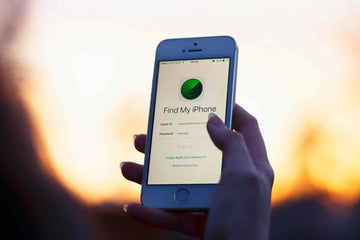
How Can You Use “Find My iPhone” To Track A Lost iPhone 11? - ESR

Losing an iPhone is very painful for anybody. The moment you realize the phone is lost, you will think about your personal information stored in it. If you lose it in the middle of the road, then stress gets increases with the fact that now you are cut off from the outside world.

Today, most people use their phones to pay bills. So losing a phone is not going to be less stressful. It is also an expensive replacement. But Apple has come up with a solution for this. When you lose your phone, you must first check Apple’s feature “Find MY iPhone”. You can use this feature for all Apple devices. You can call Apple’s service to secure and recover your lost phone.

But one thing you must make sure that you have a passcode and “Find My iPhone” enabled. It is the only way to track my iPhone back.

How to be Prepared?

  1. Set a Passcode

Some people think Face ID or Touch ID as an unwanted step while using an iPhone. They are wrong. To set a passcode or using a fingerprint or face ID will protect all the information available on the phone. It is an important part of keeping your personal information secured. You must think about all the information your phone has like a bank app, private conversation, home location, office location, contact details, emails, photos, and lots more.

If you do not want a random person of keeping, then go through all these details. Secure it in your device by opening the Settings feature, select Face ID or Touch ID and Passcode. Follow the prompts and scan your finger or let the Face ID do the magic, which can be a little inconvenience. After some days, this extra step may become a part of your routine and will not even notice.


  1. Next to Enable Find My iPhone

After you set up the passcode, next is to check whether you find my iPhone turned on or not. It must enable by default, so to disable, you have to do it manually. But it is good to double-check ones.

On your iPhone, first, open the Settings and tap your name on the top of the screen. Next, you select iCloud and scroll down to find “Find My iPhone.” Tap it ones. If both the switches are looking on position then you are all set. If not means you have to turn on both the options and leave that setting app.


  1. Take advantages of Family Sharing

The Family Sharing Service available on all Apple devices not only helps you to save the money by letting your family install this paid app, but it also connects with “Find My iPhone.” When you set up Family Sharing, you can see the location of all those devices linked to the Apple ID of the family members. It means you can check your lost phone immediately by asking your family members.


  1. Creating good Habits

You can keep you secured in the best possible way, especially when you travel out or visit an unfamiliar place. You must always keep a close eye on your phone and never relax. Be cautious or even overly cautious, and do not keep your phone here and there. People can easily grab your phone if you are carrying it carelessly. In an event you can lose your phone then do not panic. Just remember to use “Find My iPhone.”


How to recover your lost iPhone 11?

Every iOS device comes with Find My iPhone feature in the settings managed by the iCloud account. Once you have found that you have lost your phone, then first you must visit the iCloud account on your computer.

If you cannot reach out to a computer, do not worry, there are some other options to access find my iPhone app. Otherwise either borrow your family member or friend’s iOS device and sign in to the app “Find My iPhone.” Or your Family Sharing setting is on; then your family member can view where your lost device is through their “Find My iPhone” app on an iOS device.

When you access the app through the website or another device, then you must sign into the same iCloud account linked with the lost iPhone. After you sign in, select your device from the lost to view its current location. And if the device is turned off then you can check the last location.

When you check the location of the device, select the Actions option available at the bottom. You can scroll down to see the option, followed by Lost Mode. There you can enter your phone number then a message will appear on the lock screen. It asks whoever is handling the device now shall get back to you. If passcode was not used on your phone that helps you in Lost Mode, then you will ask to create a one to enable Lost Mode.

When the Lost Mode gets enabled, it will lock your device, prevent all messages and notifications from being shown up on the lock screen and track my iPhone location. Still, your phone will ring to take incoming calls and FaceTime calls. This also can help you to track down the phone from a nearby place. Or you can be lucky enough that the phone who has your phone talk the call and get it back to you.

If your lost phone is turned off, but Lost Mode is enabled then you will receive an alert while it is turned back on. You can still check the current location and assume it has a data connection.

When you recover your lost phone, you should enter your passcode that created by enabling Lost Mode. Then sign in to the iCloud account.


Conclusion!

You can enjoy this extra level of security an iPhone offers you by turning on “Find My iPhone” before you lose your phone. Apple is going to merge the “Find My iPhone” with the “Find My Friends” app on iOS 13. These two tools are going to be in one app called “Find Me.”

Vorherige
How Can You Speed Up Your Android Phone?
Nächste
Which Screen Protector is the Best for Android Phones? Glass Screen Protector VS Liquid Screen Protector

In Verbindung stehende Artikel

what-is-the-ipad-wallpaper-size

Größentabelle für iPad-Hintergrundbilder – Alle Modelle ab 2026 (Air, Pro, Standard-iPad (Einsteigermodell))

iPad Not Charging Properly? Here’s What You’re Missing Today

iPad lädt nicht richtig? Das könnten Sie übersehen

Why ESR Qi2 is the Safest and Fastest Choice for Samsung

Der Mythos vom Galaxy Charger: Warum Qi2 von Drittanbietern die sicherste und schnellste Wahl für Samsung-Geräte ist

How to connect AirPods to your Apple or Android device

So verbinden Sie AirPods mit Mac, iPhone und anderen Geräten

Hinterlasse einen Kommentar

Deine Email-Adresse wird nicht veröffentlicht.

Recent Post

Beste iPhone-Reise- und Outdoor-Accessoires: Kompakt, leicht – ESR-Picks für unterwegs

Mit dem iPhone zu reisen, sollte easy sein. Egal, ob...

Beste iPhone-Reise- und Outdoor-Accessoires: Kompakt, leicht – ESR-Picks für unterwegs

Seit der Veröffentlichung des iPhone 17 – und angesichts der...

So wählst du die beste Auto-Handyhalterung für iPhone & Android (Nie wieder das Handy fallen...

Heutige Auto-Handyhalter unterstützen eine breite Palette an Geräten, von iPhone...

iPhone 17 + Apple Watch Ultra 3 + AirPods Pro 3: Die 6 besten Qi2.2...

Für jedes Gerät ein eigenes Ladegerät, einen eigenen Stecker und...

Die ultimative Entscheidung: Handyhülle mit Wallet oder separates Case-&-Wallet-Duo? (Gelöst)

Ein Handy und ein herkömmliches Portemonnaie gleichzeitig mit sich herumzutragen,...

Mehr als nur iPad-Schutzfolien: Das beste iPad-Zubehör für Homeoffice und Unterhaltung zu Hause

Wenn dein iPad sowohl dein Arbeitsplatz als auch dein Unterhaltungszentrum...

Get 20% off with code: BLOG20

Company

  • Über ESR
  • Unser Blog
  • Pressebereich
  • Händler werden

Products

  • Schutzhüllen
  • Samsung Cases
  • Entwickelt für MagSafe
  • iPad-Hüllen
  • Schutzfolien
  • Kabelloses Laden
  • iPad-Produktivität
  • Geldbörse und Zubehör
  • Weitere Zubehörteile

Community

  • Mein Konto
  • Freunde empfehlen, CashBack verdienen
  • Werde ESR Super User
  • Affiliate Programm
  • Student Discount

Support

  • Kontaktieren Sie uns
  • Einrichtungsvideos und FAQs
  • Bestellstatus
  • Rückgabe und Rückerstattung
  • Garantiebestimmungen
  • Versandbedingungen
  • Zahlungsmethoden
  • Product Recalls

Zahlungsmöglichkeiten:
  • American Express
  • Diners Club
  • JCB
  • Mastercard
  • PayPal
  • Visa
  • Klarna Klarna
  • Afterpay
Reviews:2438 •
© 2026 ESR All rights reserved.
  • Nutzungsbedingungen
  • Datenschutzrichtlinie
  • Rechtliche Erklärung
  • Cookie-Richtlinie
  • Versand Politik
  • Rückgabe und Rückerstattung
  • Track Your Order

Einkaufswagen

Get a 15% off coupon when you

sign up

for free shipping!

$38.00
You're $38.00 away from Free Shipping!

$50.00
You're $50.00 away from Free Shipping!

Benefits applied automatically at checkout

Your Cart is Empty

Sign In / Register to view saved cart items
Shop Now
ESR_IMG

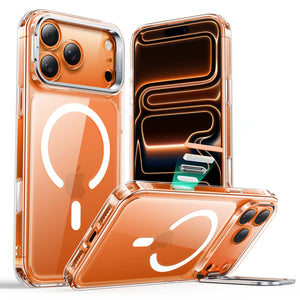
Protect Your iPhone's Camera Control

ESR_IMG

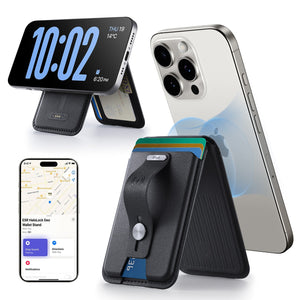
Always Find Your Wallet

ESR_IMG

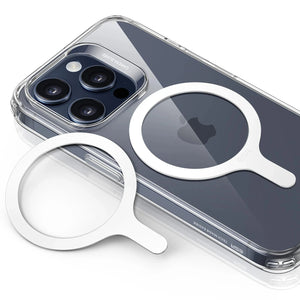
Drop-Proof FlickLlock, Effortless MagSafe

ESR_IMG

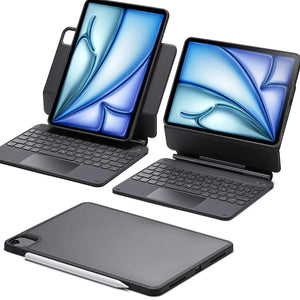
Qi2 Fast Charging on the Go

Zwischensumme $0.00
Warenkorb ansehen

Thank you for choosing to transfer to a human service.

Sorry! The previous responses were from our AI customer service. Since it didn't satisfy you, you've been transferred to a human agent. We'll reply within 24 hours from Mon to Fri and 48 hours on weekends for further help.

Please select the reason for transfer