
Nouveau : des imprimés d’été pour votre téléphone et votre portefeuille. Acheter
Économisez jusqu’à 70 % sur une sélection d’essentiels tech. Acheter
Livraison gratuite pour les commandes de plus de $50
Chariot 0
  • Coques
    • iPhone
    • iPad
    • AirPods
    • Samsung
      iPhone 17🔥
    • iPhone 17e🔥
    • iPhone 17 Pro Max🔥
    • iPhone 17 Pro🔥
    • iPhone Air🔥
    • iPhone 17🔥
    • iPhone 16
    • iPhone 16e
    • iPhone 16 Pro Max
    • iPhone 16 Pro
    • iPhone 16 Plus
    • iPhone 16
    • iPhone 15
    • iPhone 15 Pro Max
    • iPhone 15 Pro
    • iPhone 15 Plus
    • iPhone 15
    • iPhone 14
    • iPhone 14 Pro Max
    • iPhone 14 Pro
    • iPhone 14 Plus
    • iPhone 14
    • iPhone 13
    • iPhone 13 Pro Max
    • iPhone 13 Pro
    • iPhone 13
       
    • iPad Air 13 (2026)🔥
    • iPad Air 11 (2026)🔥
    •  
    • iPad Pro 13 (2025)
    • iPad Pro 11 (2025)
    • iPad 11th Gen (2025)
    • iPad Air 13 (2025)
    • iPad Air 11 (2025)
    •  
    • iPad Pro 13 (2024)
    • iPad Pro 11 (2024)
    • iPad Air 13 (2024)
    • iPad Air 11 (2024)
    • iPad mini 7 (2024)
    •  
    • iPad Pro 12.9 (2022)
    • iPad Pro 11 (2022)
    • iPad Air 5/4 (2022)
    • iPad 10th Gen (2022)
    •  
    • iPad mini 6 (2021)
    • iPad Pro 12.9 (2021)
    • iPad Pro 11 (2021)
    • iPad Pro 11 (2020)
       
    • AirPods Pro 3🔥
    • AirPods 4
    • AirPods Pro (2023/2022/2019)
      Galaxy S26🔥
    • Galaxy S26 Ultra🔥
    • Galaxy S26 Plus🔥
    • Galaxy S26🔥
    • Galaxy S25
    • Galaxy S25 Ultra
    • Galaxy S25+
    • Galaxy S24
    • Galaxy S24 Ultra
    • Galaxy S24+
    • Galaxy S24
    • Galaxy S23
    • Galaxy S23 Ultra
    • Galaxy S23
  • Protecteurs d’écran
    • iPhone
    • iPad
    • Apple Watch
    • Samsung
      iPhone 17🔥
    • iPhone 17e🔥
    • iPhone 17 Pro Max🔥
    • iPhone 17 Pro🔥
    • iPhone Air🔥
    • iPhone 17🔥
    • iPhone 16
    • iPhone 16e
    • iPhone 16 Pro Max
    • iPhone 16 Pro
    • iPhone 16 Plus
    • iPhone 16
    • iPhone 15
    • iPhone 15 Pro Max
    • iPhone 15 Pro
    • iPhone 15 Plus
    • iPhone 15
    • iPhone 14
    • iPhone 14 Pro Max
    • iPhone 14 Pro
    • iPhone 14 Plus
    • iPhone 14
    • iPhone 13
    • iPhone 13 Pro Max
    • iPhone 13/13 Pro
       
    • iPad Air 13 (2026)🔥
    • iPad Air 11 (2026)🔥
    •  
    • iPad Pro 13 (2025)
    • iPad Pro 11 (2025)
    • iPad 11th Gen (2025)
    • iPad Air 13 (2025)
    • iPad Air 11 (2025)
    •  
    • iPad Pro 13 (2024)
    • iPad Pro 11 (2024)
    • iPad Air 13 (2024)
    • iPad Air 11 (2024)
    •  
    • iPad Pro 12.9 (6th/5th/4th/3rd Gen)
    • iPad Pro 11 (4th/3rd/2nd/1st Gen)
    • iPad Air 5/4 (2022)
    • iPad 10th Gen (2022)
       
    • Apple Watch🔥
      Galaxy S26🔥
    • Galaxy S26 Ultra🔥
    • Galaxy S25
    • Galaxy S25 Ultra
    • Galaxy S24
    • Galaxy S24 Ultra
    • Galaxy S23
    • Galaxy S23 Ultra
    • Galaxy S23+
    • Galaxy S23
    • Galaxy S22
    • Galaxy S22 Ultra
  • Claviers iPad & stylets
    • Claviers pour iPad
    • Stylets & souris
      Choisissez votre appareil
    • iPad Air 13 (2026)🔥
    • iPad Air 11 (2026)🔥
    •  
    • iPad Pro 13 (2025)
    • iPad Pro 11 (2025)
    • iPad 11e génération (2025)
    • iPad Air 13 (2025)
    • iPad Air 11 (2025)
    •  
    • iPad Pro 13 (2024)
    • iPad Pro 11 (2024)
    • iPad Air 13 (2024)
    • iPad Air 11 (2024)
    •  
    • iPad Pro 12.9 (6e/5e/4e/3e génération)
    • iPad Pro 11 (4e/3e/2e/1er)
    • iPad Air 5/4 (2022)
    • iPad 10e génération (2022)
       
    • Stylets numériques
    • Souris
  • Chargeurs
    • Chargeurs sans fil & supports
    • Chargeurs voiture et Supports
    Chargeurs sans fil & supports
    • Station de charge magnétique pliable 3-en-1 CryoBoost (25 W) – US Plug-Black

      Station de charge magnétique pliable 3-en-1 CryoBoost (25 W) – US Plug-Black

    • Set de recharge sans fil pour Watch Qi2 3 en 1 (HaloLock) - Grey - US PLUG

      Set de recharge sans fil pour Watch Qi2 3 en 1 (HaloLock) - Grey - US PLUG

    • Station de charge magnétique pliable 3-en-1 CryoBoost (25 W) – US Plug-Black

      Station de charge magnétique pliable 3-en-1 CryoBoost (25 W) – US Plug-Black

    • Pack chargeur magnétique pliable 3-en-1 25 W CryoBoost et chargeur voiture (grille d’aération) – Prise US – Noir

      Pack chargeur magnétique pliable 3-en-1 25 W CryoBoost et chargeur voiture (grille d’aération) – Prise US – Noir

    • Station de charge avec CryoBoost 3-en-1 (25 W, Qi2.2)  - US Plug–Black

      Station de charge avec CryoBoost 3-en-1 (25 W, Qi2.2) - US Plug–Black

    • All Chargeurs sans fil & supports >
    Chargeurs voiture et Supports
    • Chargeur magnétique de voiture OmniLock (25W, CryoBoost, Grille d'aération)  - Black

      Chargeur magnétique de voiture OmniLock (25W, CryoBoost, Grille d'aération) - Black

    • Chargeur de voiture magnétique sans fil 15W (HaloLock) - Black

      Chargeur de voiture magnétique sans fil 15W (HaloLock) - Black

    • Chargeur de voiture sans fil 15W avec CryoBoost (HaloLock)  - Black

      Chargeur de voiture sans fil 15W avec CryoBoost (HaloLock) - Black

    • Chargeur de voiture sans fil pour tableau de bord 15W (HaloLock) - Black

      Chargeur de voiture sans fil pour tableau de bord 15W (HaloLock) - Black

    • ESR Chargeur de Voiture 15W avec MagSafe + CryoBoost - Cool Grey

      ESR Chargeur de Voiture 15W avec MagSafe + CryoBoost - Cool Grey

    • All Chargeurs voiture et Supports >
  • Porte-cartes
  • 🔥Nouveautés🔥
    • 🏝️Collection imprimée d’été🏝️
    • Série Galaxy S26
    • iPhone 17e🔥
    • Série iPad Air 2026
    • Chargement sans fil Qi2 15 W
  • Promotions
  • Support
    • Contactez-nous
    • Rappels de produits
    • Vidéos de configuration et FAQs
    • FAQ générales
    • Statut de la commande
    • Politique de retour et de remboursement
    • Politique de garantie
    • Politique d'expédition
  • Explorer
    • Notre Histoire
    • ESR Blog
    • Salle de presse
Avantages Super User
  • Devenez un Super Utilisateur ESR
  • Offres exclusives Super Utilisateur
  • Parrainez des amis et recevez du Cashback
Mon compte
Se connecter Registre
North America
Europe
Asia Pacific
Middle East
Allemagne
USD $
Arabie saoudite
USD $
Australie
USD $
Autriche
USD $
Bahreïn
USD $
Belgique
USD $
Bulgarie
USD $
Canada
USD $
Corée du Sud
USD $
Croatie
USD $
Danemark
USD $
Émirats arabes unis
USD $
Espagne
USD $
Estonie
USD $
États-Unis
USD $
Finlande
USD $
France
USD $
Grèce
USD $
Hongrie
USD $
Indonésie
USD $
Irlande
USD $
Italie
USD $
Japon
USD $
Jordanie
USD $
Lettonie
USD $
Lituanie
USD $
Luxembourg
USD $
Malaisie
USD $
Mexique
USD $
Norvège
USD $
Nouvelle-Zélande
USD $
Oman
USD $
Pays-Bas
USD $
Philippines
USD $
Pologne
USD $
Portugal
USD $
Qatar
USD $
Roumanie
USD $
Royaume-Uni
USD $
Singapour
USD $
Slovaquie
USD $
Slovénie
USD $
Suède
USD $
Suisse
USD $
Taïwan
USD $
Tchéquie
USD $
Thaïlande
USD $
Viêt Nam
USD $
français
English
  • Coques
    • iPhone
    • iPad
    • AirPods
    • Samsung
      iPhone 17🔥
    • iPhone 17e🔥
    • iPhone 17 Pro Max🔥
    • iPhone 17 Pro🔥
    • iPhone Air🔥
    • iPhone 17🔥
    • iPhone 16
    • iPhone 16e
    • iPhone 16 Pro Max
    • iPhone 16 Pro
    • iPhone 16 Plus
    • iPhone 16
    • iPhone 15
    • iPhone 15 Pro Max
    • iPhone 15 Pro
    • iPhone 15 Plus
    • iPhone 15
    • iPhone 14
    • iPhone 14 Pro Max
    • iPhone 14 Pro
    • iPhone 14 Plus
    • iPhone 14
    • iPhone 13
    • iPhone 13 Pro Max
    • iPhone 13 Pro
    • iPhone 13
       
    • iPad Air 13 (2026)🔥
    • iPad Air 11 (2026)🔥
    •  
    • iPad Pro 13 (2025)
    • iPad Pro 11 (2025)
    • iPad 11th Gen (2025)
    • iPad Air 13 (2025)
    • iPad Air 11 (2025)
    •  
    • iPad Pro 13 (2024)
    • iPad Pro 11 (2024)
    • iPad Air 13 (2024)
    • iPad Air 11 (2024)
    • iPad mini 7 (2024)
    •  
    • iPad Pro 12.9 (2022)
    • iPad Pro 11 (2022)
    • iPad Air 5/4 (2022)
    • iPad 10th Gen (2022)
    •  
    • iPad mini 6 (2021)
    • iPad Pro 12.9 (2021)
    • iPad Pro 11 (2021)
    • iPad Pro 11 (2020)
       
    • AirPods Pro 3🔥
    • AirPods 4
    • AirPods Pro (2023/2022/2019)
      Galaxy S26🔥
    • Galaxy S26 Ultra🔥
    • Galaxy S26 Plus🔥
    • Galaxy S26🔥
    • Galaxy S25
    • Galaxy S25 Ultra
    • Galaxy S25+
    • Galaxy S24
    • Galaxy S24 Ultra
    • Galaxy S24+
    • Galaxy S24
    • Galaxy S23
    • Galaxy S23 Ultra
    • Galaxy S23
  • Protecteurs d’écran
    • iPhone
    • iPad
    • Apple Watch
    • Samsung
      iPhone 17🔥
    • iPhone 17e🔥
    • iPhone 17 Pro Max🔥
    • iPhone 17 Pro🔥
    • iPhone Air🔥
    • iPhone 17🔥
    • iPhone 16
    • iPhone 16e
    • iPhone 16 Pro Max
    • iPhone 16 Pro
    • iPhone 16 Plus
    • iPhone 16
    • iPhone 15
    • iPhone 15 Pro Max
    • iPhone 15 Pro
    • iPhone 15 Plus
    • iPhone 15
    • iPhone 14
    • iPhone 14 Pro Max
    • iPhone 14 Pro
    • iPhone 14 Plus
    • iPhone 14
    • iPhone 13
    • iPhone 13 Pro Max
    • iPhone 13/13 Pro
       
    • iPad Air 13 (2026)🔥
    • iPad Air 11 (2026)🔥
    •  
    • iPad Pro 13 (2025)
    • iPad Pro 11 (2025)
    • iPad 11th Gen (2025)
    • iPad Air 13 (2025)
    • iPad Air 11 (2025)
    •  
    • iPad Pro 13 (2024)
    • iPad Pro 11 (2024)
    • iPad Air 13 (2024)
    • iPad Air 11 (2024)
    •  
    • iPad Pro 12.9 (6th/5th/4th/3rd Gen)
    • iPad Pro 11 (4th/3rd/2nd/1st Gen)
    • iPad Air 5/4 (2022)
    • iPad 10th Gen (2022)
       
    • Apple Watch🔥
      Galaxy S26🔥
    • Galaxy S26 Ultra🔥
    • Galaxy S25
    • Galaxy S25 Ultra
    • Galaxy S24
    • Galaxy S24 Ultra
    • Galaxy S23
    • Galaxy S23 Ultra
    • Galaxy S23+
    • Galaxy S23
    • Galaxy S22
    • Galaxy S22 Ultra
  • Claviers iPad & stylets
    • Claviers pour iPad
    • Stylets & souris
      Choisissez votre appareil
    • iPad Air 13 (2026)🔥
    • iPad Air 11 (2026)🔥
    •  
    • iPad Pro 13 (2025)
    • iPad Pro 11 (2025)
    • iPad 11e génération (2025)
    • iPad Air 13 (2025)
    • iPad Air 11 (2025)
    •  
    • iPad Pro 13 (2024)
    • iPad Pro 11 (2024)
    • iPad Air 13 (2024)
    • iPad Air 11 (2024)
    •  
    • iPad Pro 12.9 (6e/5e/4e/3e génération)
    • iPad Pro 11 (4e/3e/2e/1er)
    • iPad Air 5/4 (2022)
    • iPad 10e génération (2022)
       
    • Stylets numériques
    • Souris
  • Chargeurs
    • Chargeurs sans fil & supports
    • Chargeurs voiture et Supports
    Chargeurs sans fil & supports
    • Station de charge magnétique pliable 3-en-1 CryoBoost (25 W) – US Plug-Black

      Station de charge magnétique pliable 3-en-1 CryoBoost (25 W) – US Plug-Black

    • Set de recharge sans fil pour Watch Qi2 3 en 1 (HaloLock) - Grey - US PLUG

      Set de recharge sans fil pour Watch Qi2 3 en 1 (HaloLock) - Grey - US PLUG

    • Station de charge magnétique pliable 3-en-1 CryoBoost (25 W) – US Plug-Black

      Station de charge magnétique pliable 3-en-1 CryoBoost (25 W) – US Plug-Black

    • Pack chargeur magnétique pliable 3-en-1 25 W CryoBoost et chargeur voiture (grille d’aération) – Prise US – Noir

      Pack chargeur magnétique pliable 3-en-1 25 W CryoBoost et chargeur voiture (grille d’aération) – Prise US – Noir

    • Station de charge avec CryoBoost 3-en-1 (25 W, Qi2.2)  - US Plug–Black

      Station de charge avec CryoBoost 3-en-1 (25 W, Qi2.2) - US Plug–Black

    • All Chargeurs sans fil & supports >
    Chargeurs voiture et Supports
    • Chargeur magnétique de voiture OmniLock (25W, CryoBoost, Grille d'aération)  - Black

      Chargeur magnétique de voiture OmniLock (25W, CryoBoost, Grille d'aération) - Black

    • Chargeur de voiture magnétique sans fil 15W (HaloLock) - Black

      Chargeur de voiture magnétique sans fil 15W (HaloLock) - Black

    • Chargeur de voiture sans fil 15W avec CryoBoost (HaloLock)  - Black

      Chargeur de voiture sans fil 15W avec CryoBoost (HaloLock) - Black

    • Chargeur de voiture sans fil pour tableau de bord 15W (HaloLock) - Black

      Chargeur de voiture sans fil pour tableau de bord 15W (HaloLock) - Black

    • ESR Chargeur de Voiture 15W avec MagSafe + CryoBoost - Cool Grey

      ESR Chargeur de Voiture 15W avec MagSafe + CryoBoost - Cool Grey

    • All Chargeurs voiture et Supports >
  • Porte-cartes
  • 🔥Nouveautés🔥
    • 🏝️Collection imprimée d’été🏝️
    • Série Galaxy S26
    • iPhone 17e🔥
    • Série iPad Air 2026
    • Chargement sans fil Qi2 15 W
  • Promotions
  • Support
    • Contactez-nous
    • Rappels de produits
    • Vidéos de configuration et FAQs
    • FAQ générales
    • Statut de la commande
    • Politique de retour et de remboursement
    • Politique de garantie
    • Politique d'expédition
  • Explorer
    • Notre Histoire
    • ESR Blog
    • Salle de presse
Avantages Super User
  • Devenez un Super Utilisateur ESR
  • Offres exclusives Super Utilisateur
  • Parrainez des amis et recevez du Cashback

Devenez Super User et profitez de récompenses exclusives

  • * 15 % de remise de bienvenue
  • * Gagnez des points à chaque achat
  • * Avantages exclusifs réservés aux membres
Rejoindre maintenant Se connecter
Chariot 0
North America
Europe
Asia Pacific
Middle East
Allemagne
USD $
Arabie saoudite
USD $
Australie
USD $
Autriche
USD $
Bahreïn
USD $
Belgique
USD $
Bulgarie
USD $
Canada
USD $
Corée du Sud
USD $
Croatie
USD $
Danemark
USD $
Émirats arabes unis
USD $
Espagne
USD $
Estonie
USD $
États-Unis
USD $
Finlande
USD $
France
USD $
Grèce
USD $
Hongrie
USD $
Indonésie
USD $
Irlande
USD $
Italie
USD $
Japon
USD $
Jordanie
USD $
Lettonie
USD $
Lituanie
USD $
Luxembourg
USD $
Malaisie
USD $
Mexique
USD $
Norvège
USD $
Nouvelle-Zélande
USD $
Oman
USD $
Pays-Bas
USD $
Philippines
USD $
Pologne
USD $
Portugal
USD $
Qatar
USD $
Roumanie
USD $
Royaume-Uni
USD $
Singapour
USD $
Slovaquie
USD $
Slovénie
USD $
Suède
USD $
Suisse
USD $
Taïwan
USD $
Tchéquie
USD $
Thaïlande
USD $
Viêt Nam
USD $
français
English

Rechercher notre magasin

Devenez Super User et profitez de récompenses exclusives

  • * 15 % de remise de bienvenue
  • * Gagnez des points à chaque achat
  • * Avantages exclusifs réservés aux membres
Rejoindre maintenant Se connecter
Chariot 0
Recherches populaires:
iPad 2026 Case iPhone 17e Galaxy S26 iPad Keyboard
Conseils & Guides

5 Easy Ways to Fix iPhone Black Screen of Death(2025 Updated)

par Jessica sur Jul 20, 2020
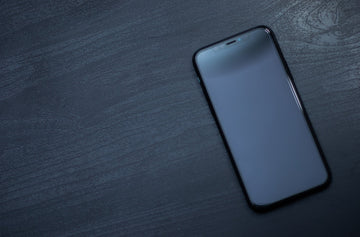
iPhone Black Screen of Death

If you’re an iPhone user, you’re bound to be aware of one thing; the iPhone is most definitely a very durable smartphone. If you buy an iPhone once, it’ll definitely last you in the years to come making it in all honesty, a worthwhile investment.

However, even if the iPhone is a durable device in itself, longevity lies in good maintenance of the device. You can stretch out the functional duration of the phone if you actually look after it with care. This doesn’t mean in any way that taking care of your device will result in life-lasting performance of the phone. Eventually, most smartphones end up with one issue or the other due to the wear and tear that comes from its usage.

Fix iPhone Black Screen of Death

One such issue that sometimes springs up is the iPhone Black Screen of Death, where the iPhone screen goes black but still running. Sometimes, the screen might be off too and regardless of trying, the screen remains off. From what we’ve seen, this issue is not too uncommon and it can happen due to multiple reasons. Why’s my iPhone screen black? A few of these reasons include:

  • Hardware issues
  • Software Issues
  • Breakage
  • Issue with a particular app
  • Low battery

Luckily, there’s no need to panic. At least not yet.

Before you start losing your mind and stressing out, there are a number of things you can do to try and resolve the issue while sitting at home. Even though there’s a probability that there’s a hardware issue at play here, we recommend you try some troubleshooting first. If nothing else, you’ll have a fairly better idea of why you’ve been cursed with the iPhone Black Screen of Death.

Some things that you can do to get the phone working again, are discussed below:

1. A Drained Battery

iPhone black screen


This is probably the first and the most obvious thing that came to your mind and you did it already. Regardless, it’s still important for us to mention this. This is usually the case if not just the screen but the phone is off altogether. For this problem, as simple as it seems, just plug your iPhone into a charger and press the home button. If the Apple logo appears, you’re safe and have just averted a rather uncomfortable experience.

2. Software issues


If you’re experiencing a situation where your iPhone’s screen is black but the iPhone still works, there’s still something you can do. You’ll know your iPhone is turned on because you’ll be able to hear notifications from text messages or calls, but the screen will be pitch black with darkness and also be unresponsive. This is not an uncommon problem and has been reported by many iPhone X users in particular. The problem has been experienced in other iPhone models as well.

If you’re stuck where the screen is black but the iPhone still works, a potential reason for this to be happening could be because of a software issue. This problem usually suggests that the iPhone is frozen or is crashing. Luckily what you can do here is reboot your device. What’s even better is that rebooting an iPhone is a very simple task with almost non-existent difficulty. Restarting your iPhone will depend on the model you have. Methods for force restarting all models have been explained below:

The Complete iPhone Shutdown & Restart Guide (w/ iPhone 16/17 Rumors)

▸ Basic Shutdown
• Full-Screen Models (X to 16):
→ Buttons: Hold side + volume buttons → slide power-off slider
→ Settings: Settings > General > Shut Down
• Home Button Models (8/earlier): Hold top/side button → slide slider

▸ Force Restart (Frozen Fix!)
→ iPhone 8/16+: Tap vol up → tap vol down → hold side button ’til Apple logo
→ iPhone 7: Hold vol down + power 10 sec
→ Older/SE: Hold Home + power 10 sec

⚠️ Special Cases
• Broken power button: Mash side button 5x fast → emergency slider
• Unresponsive screen: Use AssistiveTouch (floating button) → Device → Long-press virtual power
• Dead battery/cold: Charge 10+ mins before retry

🔥 iPhone 16 Confirmed
→ Identical shutdown steps as iPhone 15
→ Stronger haptic feedback on presses

🚨 iPhone 17 Rumors
• No physical buttons! Solid-state touch controls for volume/power
• Force restart? Triple-click Action Button
• AI-powered optimization to prevent freezes

💡 Pro Tips
• Save unsaved work before restarting!
• Store long-term at ~50% battery
• Frequent crashes? Visit Apple Support

👉 Official guides: support.apple.com

If this tactic works, then congratulations! You’ve just solved the problem.

  • iphone 14

3. Issues with an App


If you’re experiencing the iPhone screen black but still works then there’s a high probability that this is an isolated software issue with the app you are using. The other possibility is that the app could be loading something. This happens many times with streaming apps like Netflix or YouTube, particularly if you have a slow internet connection. In such a situation, the best thing to do would be the following:

    1. Exit the app, close it, and go to the home screen.
    2. Open the App Store and tap on the Updates section. If there are any available updates specifically for the app that is crashing on you, install them.
    3. Restart your iPhone.

In most cases, doing this will fix the issue. If the problem persists, we advise you to contact the developer of that app or uninstall the app to maintain your device’s health.

4. DFU recovery mode


DFU (Device Firmware Update) restore is a more advanced troubleshooting step that can help fix iPhone screen turned black. Here’s how you can perform a DFU restore to fix the iPhone black screen problem:
  1. Connect Your iPhone to the Computer with a cable.
  2. Put Your iPhone into DFU Mode: Quickly press and release the Volume Up button. Quickly press and release the Volume Down button. Press and hold the Side button until the screen goes black. Keep holding the Side button and start holding the Volume Down button for 5 seconds.
  3. iTunes or Finder will detect your iPhone in recovery mode and prompt you to restore or update. Choose “Restore.”
If the DFU restore is successful, your iPhone should no longer be stuck on the black screen.

5. Repair the iPhone


If you’ve tried all of the above and it hasn’t helped, then we suggest you contact an expert to handle the problem. In this case, the most probable cause for the iPhone Black Screen of Death could be a hardware issue on the inside. It could be a result of wreckage in case you dropped your phone. There’s a chance the LCD cable has been dislodged due to the physical impact. If that is the case, you don’t need to worry because the repair procedure is fairly simple. However, if the damage is more extensive such as the LCD breaking, it could take a heavy toll on your wallet. Sometimes, both these situations can occur from water damage as well.

Under no circumstances, do we advise you to try and repair your iPhone by yourself. We don’t advise it because you’ll probably end up doing more harm than good without the proper tools or knowledge. Don’t make things worse by attempting self-repair just so you can save money on repairs by an expert. However, if you’re a rebel and wish to challenge the system, we recommend you use a repair guide. You can find a lot of those online. Most of them are excellent too.

We still, recommend you to reach out to an expert. If you’re worried about the costs, you don’t have to be too worried. Luckily, there are many experts out there in the market who can repair your iPhone for considerably less cost. Regardless of what issue it is, they’ll deliver quality work and it won’t be too heavy on your wallet either. These days, there are some repair companies who’ll come to your doorstep within an hour or two after you call them and repair the phone right there and then. That way, you won’t be too worried about privacy concerns either!

We acknowledge that reading this article may not have magically worked in fixing your iPhone’s black screen because the issue is in most cases, driven by a hardware fault. We still hope that you found this article helpful.

How do I get rid of the black background on my iPhone?

To prevent iPhone black screen of death issue, you can do the following:

  • Keep iOS updated to prevent software-related glitches.
  • Avoid jailbreaking or your iPhone will be vulnerable.
  • Use official apps to avoid security risks and software conflicts.
  • Protect your device physically, such as using a Phone case or screen protector.
  • Back up data so iTunes or DFU recovery can help you.
  • Restart regularly to clear memory and refresh the system process.
  • Beware of malware.
  • Seek professional help if needed.
  • Avoiding overheating

How much does it cost to fix a black screen of death on an iPhone?

It depends on the cause of your iPhone black screen of death and where you go for help. For example, if you seek help from an Apple Store, you may pay between $199 and $329.

You May Also Like to Read:

Is Charging Your iPhone Overnight Bad For the Battery? 

How Long Does the MagSafe Battery Pack Last?

Does MagSafe Charging Damage Battery – Your Questions Answered


Mots clés: iPhone Tips & Tricks
Précédent
How to make a vlog with your iPhone?
Suivant
Die 6 besten Möglichkeiten zum Schutz des iPad Pro 2020

Articles Liés

Why Are There No Outlets in College Classrooms? How Students Can Stay Charged

Pourquoi n'y a-t-il pas de prises électriques dans les salles de cours universitaires ? Guide de l'étudiant pour rester chargé

Should You Buy the First iPhone Ultra/Fold — or Wait for Generation Two?

Faut-il acheter le premier iPhone Ultra/Fold, ou attendre la deuxième génération ?

Samsung Wallpaper Size Guide: How to Download, Customize, and Protect Your Perfect Phone Wallpaper

Guide des tailles de fond d'écran Samsung : Comment télécharger, personnaliser et protéger le fond d'écran parfait pour votre téléphone

The Complete Director’s Vlogging Kit: Best Smartphone Setups for Every Budget (2026 Guide)

Le kit de vlogging complet du réalisateur : Les meilleures configurations de smartphone pour tous les budgets (Guide 2026)

1 commentaire

  • Indigoliang
    May 06, 2026 à 13:28

    With TunesKit iOS System Repair software, you can fix any common iOS/iPadOS issue by yourself without seeking help from an Apple technical specialist. No matter whether your device is stuck in recovery mode, DFU mode, white Apple logo, or has a black, blue, frozen, disabled screen, this smart iOS repair tool will get you out of the trouble and recover your device back to normal quickly.

    Répondre

Laissez un commentaire

Votre adresse email ne sera pas publiée.

Recent Post

Guide d'achat Apple Watch 2026 : devriez-vous attendre l'Ultra 4, passer à la Série 12,...

Apple devrait lancer de nouvelles Watch en septembre 2026, et...

10 accessoires téléphone que papa utilisera vraiment — guide cadeaux pour la Fête des Pères

Papa utilise toujours une coque fissurée datant de plusieurs années....

Rumeurs sur les AirPods Ultra, AirPods 5 et AirPods Pro 3 : À quoi s'attendre...

Caméras, IA, retard — et le modèle que la plupart...

Nous avons testé la nouvelle collection d’été ESR — voici ce que cela donne réellement...

ESR s’est historiquement concentré sur des accessoires fonctionnels plutôt que...

Meilleures applications de dessin pour iPad Pro en 2026 : de l'amateur au professionnel

En 2026, dessiner sur un iPad ressemble moins à l’utilisation...

Meilleurs accessoires pour iPad Air M4 (2026) : Étuis-claviers ESR Shift pour une productivité optimale

Si vous cherchez des accessoires pour l’iPad Air 2026, le...

Get 20% off with code: BLOG20

product.title

Protecteur d'objectif d'appareil photo pour iPad Pro 13"/11" (2024) et 12,9”/ 11” (2022/2021/2020) - 2 Pack

$9.80
Learn More
product.title

Protecteurs de Lentilles de Caméra en Verre trempé pour iPhone 14 Pro/14 Pro Max - 1 Set

$10.89
Learn More
product.title

Coque souple Zero pour iPad Air 11 (2025/2024), Air 10,9 (5e/4e Gén) - Clear

$10.89
Learn More

Entreprise

  • À propos de nous
  • Notre blog
  • Salle de presse
  • Devenir revendeur

Produits

  • Coques de téléphone
  • iPhone Cases
  • Coques pour iPad
  • Conçu pour MagSafe
  • Productivité
  • Protections d’Écran
  • Chargement sans fil
  • Portefeuilles magnétiques
  • Autres accessoires

Communauté

  • Mon Compte
  • Référer vos amis, gagnez du CashBack
  • Devenir un Super Utilisateur ESR
  • Programme d’Affiliation
  • Réduction étudiante

Assistance

  • Contactez-nous
  • Vidéos d'installation et FAQ
  • Statut de la commande
  • Retour et remboursement
  • Politique de garantie
  • Politique d'expédition
  • Modes de paiement
  • Product Recalls

Options de paiement:
  • American Express
  • JCB
  • Mastercard
  • PayPal
  • Visa
  • Klarna Klarna
  • Afterpay

© 2026 ESR All rights reserved.

  • Conditions d'utilisation
  • politique de confidentialité
  • Déclaration légale
  • Politique de cookies
  • Politique d'expédition
  • Retour et remboursement
  • Track Your Order

Panier

Get a 15% off coupon when you

sign up

for free shipping!

$38.00
You're $38.00 away from Free Shipping!

$50.00
You're $50.00 away from Free Shipping!

Benefits applied automatically at checkout

Your Cart is Empty

Sign In / Register to view saved cart items
Shop Now
ESR_IMG

Protect Your iPhone's Camera Control

ESR_IMG

Always Find Your Wallet

ESR_IMG

Drop-Proof FlickLlock, Effortless MagSafe

ESR_IMG

Qi2 Fast Charging on the Go

Total $0.00
Voir le panier

Thank you for choosing to transfer to a human service.

Sorry! The previous responses were from our AI customer service. Since it didn't satisfy you, you've been transferred to a human agent. We'll reply within 24 hours from Mon to Fri and 48 hours on weekends for further help.

Please select the reason for transfer