Kostenloser Versand bei qualifizierten Bestellungen
30 Tage Geld-zurück-Garantie
Lebenslanger Kundenservice
Sichere, einfache Zahlungen
Kompatibilität: Nur für iPad Air 11ʺ (2024)
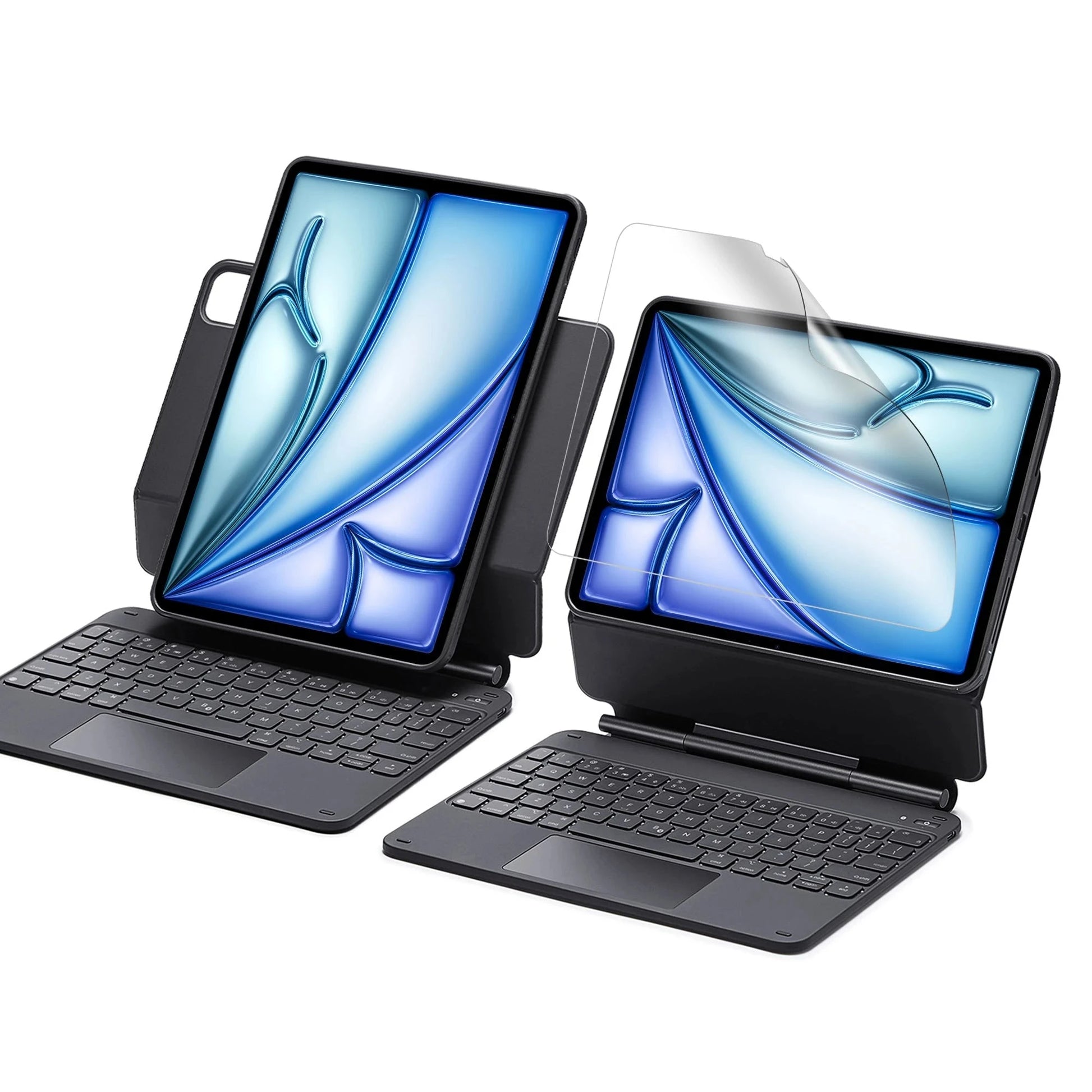
Arbeite von überall aus: Rüste dein iPad auf den Erledigungsmodus auf
Quick-Set Magnetständer: Ultrastarke Magnete verbinden Hülle und Tablet nahtlos miteinander, sodass du den Ständer ganz einfach in den perfekten Winkel zum Tippen oder Surfen öffnen kannst
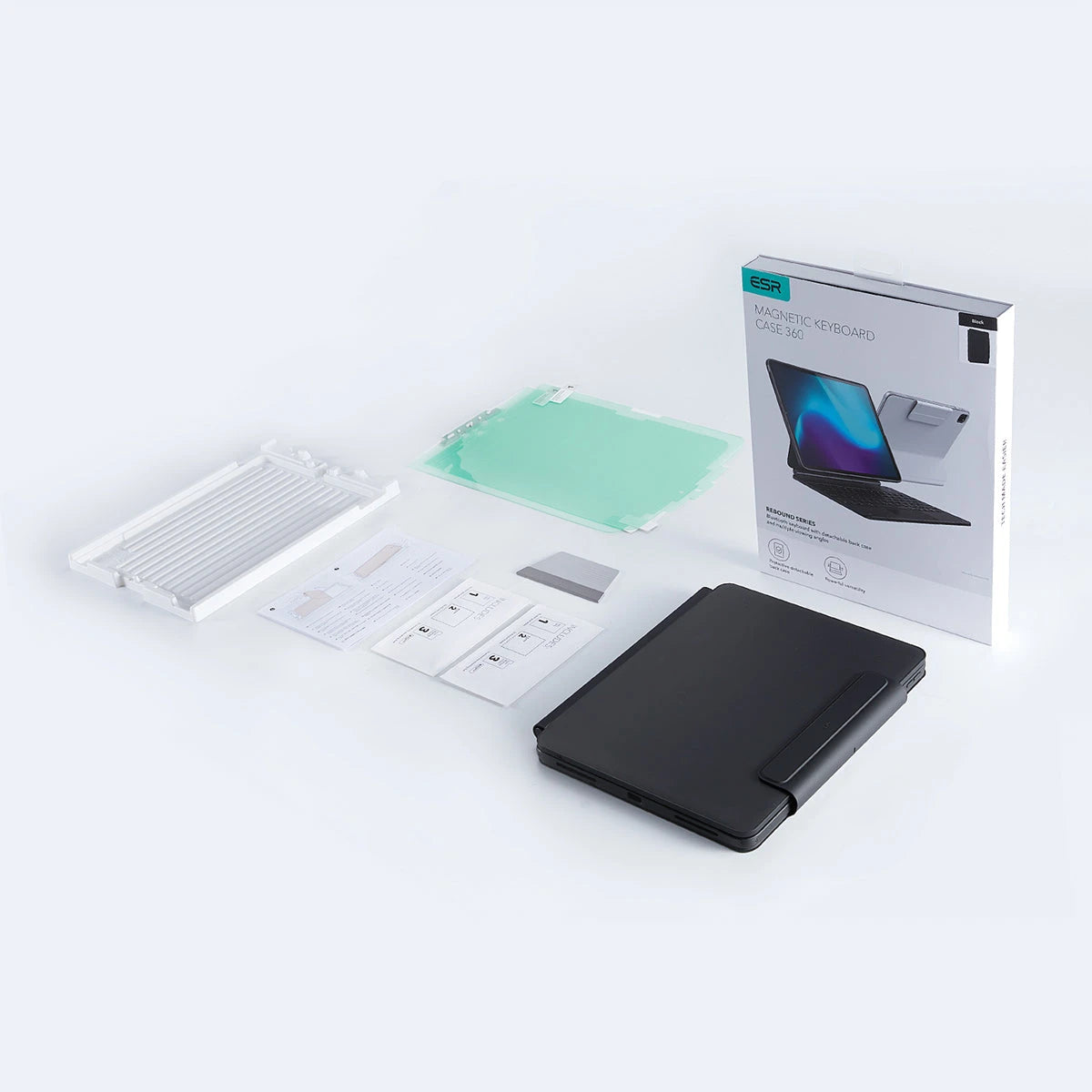
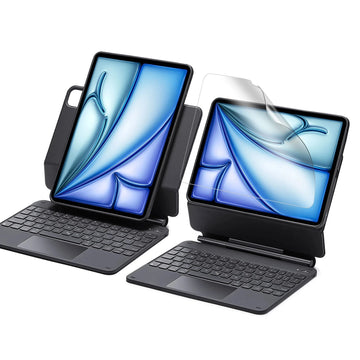
Was ist inbegriffen: Tastaturhülle und 2 Paper Feel Displayschutzfolien
iPad Air 11ʺ (2024) Rebound Magnetische Tastaturhülle 360 Paper-Feel Bundle - US Layout-Black
easy to apply and works perfectly nice that it comes with two
A
Asif hasan
Best for those who want to practice writing or drawing.
J
James Harris
For the price this has been a great purchase. After 2 years still works like new and looks good.
K
Kanishq mahida
Nice matte finish keyboard case for iPad. Love the product fit and material. If someone doesn’t mind a slightly bulky cover then this is the one to go for. It is bulky because it has superb utility since the iPad has a detachable cover which stays on the iPad when it’s detached from Keyboard, so if u want protection over sleek aesthetic, this is the cover and overall it has a good feel to it.
D
Dobbs
This is a pretty good keyboard. I was very surprised with how good it was, to be honest. However, I did send it back and ordered the next higher-up model from the same manufacturer as it has strong magnets and allows you to work in Portrait mode as well. However, this is at the expense of weight. Though this keyboard is not light and adds considerable weight to your iPad, it is much less heavy than the one I upgraded to.If you can afford an extra ten dollars and do not care about weight, I’d say upgrade to the next higher up model. However, this keyboard is certainly worth the money and I do recommend it. If I didn’t know the other one existed, I would be perfectly happy with this one.
Glatte, vollständige Linien mit perfekter Präzision. beim Erstellen
Glatte, vollständige Linien mit perfekter Präzision. beim Erstellen
Eine klarere Sicht
Eine klarere Sicht
Behalte ursprüngliche Klarheit des Displays bei & genieße zugleich ein natürliches Zeichenerlebnis.
Behalte ursprüngliche Klarheit des Displays bei & genieße zugleich ein natürliches Zeichenerlebnis.
Beständig gegen Fingerabärücke
Beständig gegen Fingerabärücke
Die matte Oberfläche ist resistent gegen Fingerabdrücke und erleichtert die Reingung
Die matte Oberfläche ist resistent gegen Fingerabdrücke und erleichtert die Reingung
Halte Kratzer fern
Halte Kratzer fern
Schütze Display vor Kratzern durch Schlüssel, Kabel und andere scharfe Gegenstände.
Schütze Display vor Kratzern durch Schlüssel, Kabel und andere scharfe Gegenstände.
FAQ
Can I use the stand without the case that it comes with on?
Yes. You can attach a caseless iPad in standard landscape orientation to enjoy a comfortable angle to get stuff done at. To enjoy raised screen view or portrait orientation, you’ll need to use the included back case.
Does it have a back case for the ipad?
Yes. The detachable back case attaches magnetically to the back cover of the keyboard. It features a hard polycarbonate back, shock-absorbing flexible sides, and reinforced corners to keep your tablet safe with or without the keyboard.
If I have my own case on my ipad can I attach it the keyboard stand?
No. The keyboard case is designed to be used with a caseless iPad or the included magnetic back case. It cannot be used with an iPad with another case.
If I use it in portrait will it be as stable as in landscape?
Yes. The keyboard case supports landscape, portrait, and raised screen view. Strong magnets in the back cover line up with those in your iPad and back case to ensure a secure lock and a stable stand. When using your iPad in portrait or raised screen view modes, it must have the included back case on; only landscape mode supports use with a caseless iPad.
How do I connect the bluetooth?
First short press right/left option + B to put the keyboard into pairing mode. Once in pairing mode, go to Settings > Bluetooth > Other Devices and connect to “ESR Keyboard”. Check out the video for full instructions on how to connect your keyboard.
Can I change the brightness of the backlight?
Yes. Press right/left option + backlight key (in top left corner) to turn the backlight on or off and adjust the brightness level (low, medium, high).
My trackpad won’t work. Help!
When AssistiveTouch is enabled, it can cause the trackpad to become unresponsive. To fix this issue, disable AssistiveTouch by going to Settings > Accessibility > Touch > AssistiveTouch > Turn off “AssistiveTouch”.
Free shipping on qualified orders
30-Day Money-Back Guarantee
Lifetime Customer Support
Secure, Easy Payments
Secure, Easy Payments
Free shipping on qualified orders
30-Day Money-Back Guarantee
Lifetime Customer Support
Secure, Easy Payments
Free shipping on qualified orders
Einkaufswagen
Holen Sie sich einen 15%-Rabattcoupon, wenn Sie sich
Thank you for choosing to transfer to a human service.
Sorry! The previous responses were from our AI customer service. Since it didn't satisfy you, you've been
transferred to a human agent. We'll reply within 24 hours from Mon to Fri and 48 hours on weekends for
further help.