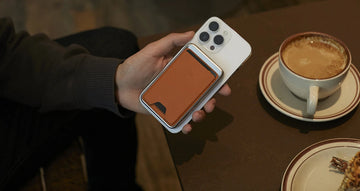
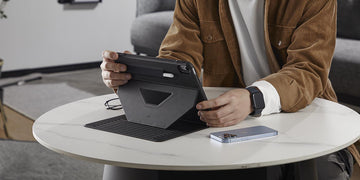
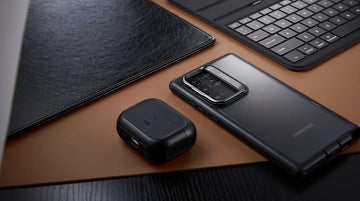
Since MagSafe arrived with the iPhone 12 — and now with Qi2 available across a wider range of third-party chargers — attaching an iPhone hands-free has become genuinely reliable. The magnets built into MagSafe-compatible and Qi2-compatible accessories are strong enough to hold even a large iPhone on a stand, tripod, or car vent mount, including on rough roads.
Magnetic attachment isn't the only benefit, though. MagSafe and Qi2 also deliver meaningfully faster wireless charging than the older Qi standard, which was capped at 7.5 W on iPhones. On iPhone 12 through 15, MagSafe tops out at 15 W. With iPhone 16 and iOS 26 or later, that ceiling rose to 25 W, and the iPhone 17 lineup keeps that same 25 W limit — except the iPhone 17 Air, which caps at 20 W. On the third-party side, Qi2 (the Wireless Power Consortium's open standard based on the same magnetic alignment technology) delivers up to 15 W on iPhone 12 and newer. The newer Qi2.2 standard goes further, reaching 25 W on iPhone 16 and 17 models running iOS 26 or later, using a certified Qi2.2 charger.
The other practical benefit is how quickly you can switch between charging and actually using your phone. If a call comes in while you're charging, you snap the phone off the puck, take the call, then place it back — the magnets re-align it automatically, without any fiddling.
This guide is for users who already own a non-MagSafe case they'd like to keep using a bit longer. We'll walk through how to add magnetic alignment with an aftermarket ring, and we'll also cover when it makes more sense to simply upgrade to a native MagSafe or Qi2 case.

Why MagSafe Cases?
A good case lets you carry your iPhone with more confidence — protection against drops, scratches, and the small impacts that happen constantly. The problem with older non-MagSafe cases is that if you want to use a MagSafe or Qi2 charger or accessory properly, you often have to remove the case first. Do that enough times and even well-made materials start to loosen.
That's why MagSafe-compatible cases have become the default for new iPhone buyers. The magnets are built in, the alignment is tested, and you don't have to take anything off. You get protection and the full MagSafe or Qi2 experience without compromise.
For most people shopping for a case today, buying a native MagSafe or Qi2 case is the simplest path. This guide, though, is for two more specific situations:
You already own a non-MagSafe case you really like and aren't ready to replace yet
You want to try out MagSafe-style accessories before committing to a case upgrade
If you use MagSafe or Qi2 accessories every day — chargers, power banks, car mounts, wallets — a native MagSafe or Qi2 case is still the better long-term choice. But if you're in either of the situations above, a magnetic ring is a practical bridge.
What Happens When Your Case Isn't MagSafe Compatible?
Most non-MagSafe cases let some magnetic field pass through them, so you might get a weak snap onto a charger, and basic wireless charging may still work. But because these cases weren't designed around magnetic alignment, the connection tends to be unreliable, and charging can be slower or inconsistent.
That doesn't necessarily mean the case has to go. In many situations, you can add a magnetic ring to the back of the case to bring it much closer to a MagSafe-style experience — better alignment, more secure snap, and more stable charging.
Which Cases Work Well — and Which Don't
Not every case is a good candidate for a ring conversion. Here's how to think about it:
Good candidates:
- Slim TPU or smooth polycarbonate cases
- Cases with a flat, even back surface
- Cases that already work reasonably well with standard Qi wireless charging
Cases to avoid converting:
- Very thick or heavy-duty cases that already struggle with wireless charging
- Metal-backed cases, which can interfere with both wireless charging and magnets
- Old, loose, or worn cases — a ring doesn't fix fit or protection issues
Adding a ring improves alignment and attachment, but it doesn't change the charging limits set by your iPhone model or charger. A magnetic ring on a non-MagSafe case won't unlock 25 W speeds on a device that doesn't support them. It's a convenience and stability upgrade — the charging ceiling stays exactly where it was before.
Limitations to Keep in Mind
Before installing a ring on your existing case, there are a few things worth knowing.
First, non-Apple MagSafe-style cases don't have Apple's internal NFC element, which is what triggers the MagSafe animation on your iPhone's screen. Even with a well-installed ring, you won't see that confirmation animation or get the full system-level MagSafe identity. What you gain is practical magnetic alignment — not a certified Apple MagSafe experience.
Second, charging speed is determined by your iPhone model, the charger itself, and which standard it uses (MagSafe, Qi2.2, Qi2, or standard Qi). A ring on a third-party case doesn't change any of those factors.
Placement matters more than people expect. If the ring ends up too high, too low, or off-center:
- Charging may be slower or less efficient
- The charger may cycle on and off
- The phone may run warmer than usual while charging
Always use the included alignment guide and follow the installation steps carefully. Before plugging in the charger, test the physical alignment first — place the phone on the unpowered charger and check that the snap feels centered. Then plug in and watch for any unexpected heat or unstable behavior over the first few minutes.
One more note: modifying non-ESR cases or using third-party rings is at your own discretion. For the most consistent results, ESR cases and ESR rings are designed and tested together.
Recommended Ring For Making Any iPhone Case MagSafe Compatible
-
HaloLock™ Universal Ring 360 – 20% off with code: ESRBLOG
Price: $15.99

The HaloLock™ Universal Ring 360 is the more capable of the two options here. It's designed for iPhone 12 and newer, as well as recent Galaxy devices that support wireless charging, and it snaps reliably onto MagSafe and Qi2 accessories once installed.
What sets this version apart is the locking tail, which holds the ring in position while you press it into place — something that makes a real difference if you've ever tried to center a ring by feel alone. Each box includes two rings, an alignment frame, and installation tools.
Why this ring stands out:
Strong magnets built for firm, day-to-day attachment to MagSafe and Qi2 chargers and mounts
Two rings per box — convert two cases or keep a spare
Locking tail design keeps the ring from shifting during installation
Slim enough to add minimal thickness to your case
Does not interfere with standard Qi wireless charging when properly installed
Compatibility: Best used with TPU or smooth PC cases up to 4 mm thick. Not recommended for leather or metal-backed cases.
2. HaloLock™ Universal Ring – 20% off with code: ESRBLOG
Price: $9.99

The standard HaloLock™ Universal Ring covers the same core use case at a lower price. It works with iPhone 12 and newer and many recent Galaxy phones that support wireless charging, and it delivers the same magnetic performance for everyday attachment to chargers and mounts. The main trade-off compared to the 360 version is the absence of a locking tail, so the installation requires a bit more care to get centered correctly.
Key details:
Accessible starting price at $9.99 per two-pack; also available in a four-pack
Strong magnets for reliable attachment to MagSafe and Qi2 chargers and mounts
Ultra-thin profile that adds very little bulk to your case
Compatible with both iPhone and many Samsung cases that support wireless charging
Does not interfere with regular Qi wireless charging when installed correctly
Includes an alignment guide and installation tools
Compatibility: Like the 360 version, this ring works best with TPU and smooth PC cases up to 4 mm thick. Not suitable for leather or metal-backed cases.
Wrapping Up
Adding a magnetic ring to a non-MagSafe case isn't complicated, and for the right case, it works well. Either HaloLock ring can bring the day-to-day benefits of magnetic attachment — more secure charging, hands-free mounting, easy snap-on accessories — to a case you already own and like.
The limitations are real but manageable: no MagSafe animation, no change to your iPhone's built-in charging limits, and placement precision matters. Within those constraints, a ring is a smart way to extend a favorite case without replacing it immediately.
Between the two options here, the choice comes down to how much you care about installation precision. If you want the smoothest setup experience and the extra confidence of a locking tail, the HaloLock™ Universal Ring 360 is worth the extra few dollars. If you just want to test magnetic alignment on a case you already own, the standard HaloLock™ Universal Ring delivers solid performance at a lower price.
When a Ring Isn't Enough
Magnetic rings are a clever way to give a favorite case a second life. But if MagSafe or Qi2 is part of your daily routine — especially for charging, car mounts, or a magnetic wallet — there's a point where a native case makes more sense.
ESR's MagSafe and Qi2 cases for iPhone 12 and newer integrate the magnets directly into the case construction. That means consistent alignment without installation, designs tested specifically for both protection and wireless charging performance, and a cleaner look with no visible add-on rings.
If a ring works for you now, that's a reasonable choice. When you're ready to upgrade, a native MagSafe or Qi2 case brings everything together without the workarounds.