










Charging cables look simple enough until you need a specific one. Chargers come in more varieties than most people expect — the flat rectangular USB-A that fills most junk drawers, the small oval USB-C now standard on new phones, the square one on office printers, and several others in between. The differences between phone charger types aren't just cosmetic; each one has different speed limits and compatibility rules. Get the wrong one and your phone will charge, just not at the speed it's actually capable of. Here's what all seven look like and what they're for.


Charger terminology
Before getting into types: the part that plugs into the wall is the adapter or charging head. The wire is the cable or cord. The small piece at the cable's end that plugs into your phone is the connector, tip, or plug — these terms are used interchangeably depending on who's writing the manual. The socket on your phone or charger that accepts the connector is the port.
1. USB Type-A Charger

Looks like: a large flat rectangle — one wider side, one narrower side, only fits one way.
The rectangular port that's been on virtually every laptop, desktop, and wall adapter for the past 25 years. If someone says "USB port" without specifying which kind, this is almost certainly what they mean.
USB-A became ubiquitous because it was everywhere first. Phones, cameras, game controllers, keyboards — everything charged through it for years, and most households still have a drawer full of USB-A adapters from devices long since replaced. They still work. The issue is that USB-A is a fixed-voltage standard: it pushes 5V regardless of what's plugged in. On older adapters, that translates to around 5W.
Better ones can reach 12W. Neither figure is enough to fast-charge a modern smartphone, because fast charging runs on a protocol called Power Delivery (PD) — and PD requires a USB-C port on the charger side to work. USB-A has no way to run it.
This catches people off guard after upgrading. You buy a USB-A to USB-C cable to use your old charger with a new iPhone, and the phone charges, but barely. The cable isn't defective — it's the charger. USB-A sockets in cars, planes, train seats, and hotel room hubs all hit the same 5V ceiling. For earbuds, older phones, and anything that doesn't need speed, USB-A adapters are perfectly functional. For daily use on an iPhone 15 or later, they're the wrong tool.
A note on USB Type-B
The square-ish connector with angled top corners — common on office printers and desktop scanners, rare everywhere else. Type-B was designed specifically for peripherals to prevent accidentally connecting two computers together. The Type-B end goes into the printer; the Type-A end goes into the computer. New peripherals have mostly moved to USB-C, but printers are slow to change. Worth checking the port before assuming you have the right cable.

2. GaN Chargers (Gallium Nitride)

Looks like: a compact wall plug, often barely larger than the plug prongs themselves.
Standard wall chargers get warm because silicon — the material inside — isn't efficient at converting AC power to DC. A portion of electricity is lost as heat, and managing that heat requires extra internal components, which is why traditional chargers tend to be bulky.
GaN chargers replace silicon with Gallium Nitride, a semiconductor that loses far less energy to heat. Fewer components needed means a smaller housing — a 65W GaN charger is typically the size of a standard phone plug, while a 65W silicon charger is a considerably heavier brick.
GaN chargers use USB-C ports and support USB Power Delivery (PD) — more on how PD works in the USB-C section below. The short version: one GaN charger with the right cable fast-charges any current iPhone, Android phone, or laptop.
Most models include both USB-C and USB-A ports. One thing to check: total wattage is shared across active ports, so a 65W dual-port model won't deliver 65W through each port simultaneously. If you're charging two high-draw devices, look at the per-port output in the spec sheet rather than the headline number.
For wattage: 40W covers fast-charging iPhone 17 Pro and Pro Max at full speed. 20W handles iPhone Air and iPhone 17e. Go 65W or above if the same charger also needs to handle a laptop.
3. USB Type-C Charger

Looks like: a small oval connector, symmetrical top and bottom — no wrong way to plug it in.
USB-C landed around 2015 and gradually took over everything. The connector is oval and symmetrical, and it's now the default on Android phones, iPhones (from iPhone 15 onward), laptops, tablets, earbuds, and most accessories bought in the last few years.
The physical convenience is real, but the more significant shift was capability. USB-C supports Power Delivery, the protocol that makes fast charging possible. Samsung standardised on it first; Apple held out until 2023. Either way, USB-C is where things are now, and any phone purchased in the past two or three years almost certainly uses it.
One thing worth knowing: USB-C is the connector shape, not a guarantee of speed. A cheap USB-C wall adapter might not support PD at all, in which case it defaults to 5V — the same output as an old USB-A brick. The charger's specs matter as much as the port.
PD fast charging needs three things to work: a USB-C charger with PD support (check the specs — not all have it), a USB-C to USB-C cable (USB-A to USB-C bypasses PD entirely because the charger end isn't USB-C), and a phone that supports PD. iPhone 15, 16, and 17 all do. According to Apple's own specifications, the iPhone 17 Pro and Pro Max can reach 50% in around 20 minutes with a 40W adapter or higher. iPhone Air and 17e hit 50% in 30 minutes with a 20W adapter or higher.
4. Lightning Charger
Looks like: a small flat rectangular connector, slightly thinner than USB-C, reversible — Apple devices only.
Apple's own connector, used on every iPhone from the 5 (2012) to the 14 (2022). Smaller than USB-A and reversible, it was a genuine improvement over the 30-pin dock connector it replaced — the wide rectangular port found on iPhones and iPads before 2012, sometimes called the "30-pin Apple connector" or simply "the old Apple charger." Lightning was smaller and reversible; the 30-pin was neither.
Apple was the only company that used Lightning, which made it a constant point of friction for anyone in a mixed-device household.
For fast charging on Lightning iPhones, you need a USB-C PD charger on the wall end and a USB-C to Lightning cable connecting it to the phone. That combination gets compatible iPhones to around 20W. The ceiling is set by the iPhone's internal charging hardware, not the cable or the charger — plugging in a 30W or 45W adapter won't push it any faster.
If you're still on an iPhone 14 or earlier, or using Lightning accessories like older AirPods cases or iPads, the standard is still relevant. For any new Apple hardware purchased after 2023, it isn't — Lightning and USB-C cables are not interchangeable. When buying Lightning cables, look for MFi certification (Made for iPhone/iPad), which indicates the cable has passed Apple's electrical and compatibility requirements. Uncertified cables occasionally cause charging errors or popup warnings on Apple devices.

5. Mini-USB Charger

The connector that dominated the early 2000s before smartphones existed in their current form. Digital cameras, early MP3 players, GPS units, and feature phones all used it. Smaller than USB-A, with a recognisable trapezoid shape.
It's obsolete now — nothing being manufactured today uses Mini-USB. If you come across one, it belongs to something old: a backup camera, a decade-old portable speaker, a device that predates the smartphone era. Cables are still available, but there's no practical reason to seek one out unless you need to retrieve something from legacy hardware.
6. Micro-USB Charger

Micro-USB took over from Mini-USB around 2010 and became the Android standard for roughly a decade. It's smaller, added OTG (On-The-Go) support so devices could act as both host and peripheral, and hit data transfer speeds up to 480 Mbps.
For a long time it was everywhere — Samsung, Sony, LG, Motorola, and dozens of other manufacturers shipped it as the default. That era is effectively over for phones; USB-C replaced it across the Android market starting around 2017–2018. Micro-USB lingers in accessories: Bluetooth speakers, budget earbuds, older e-readers, and various gadgets that haven't been updated. The connector is directional, so there's a right side up, which is one of the small reasons nobody misses it.
7. USB 3.0 Charger

USB 3.0 — sometimes labelled SuperSpeed USB — was primarily a data transfer upgrade, jumping from USB 2.0's 480 Mbps ceiling to 5 Gbps. On the power side, it increased output to 900mA at 5V (4.5W), a modest step up from USB 2.0's 500mA, though well below what any current fast-charging standard requires.
The blue plastic insert inside the connector is how most people identify a USB 3.0 port, though this is a manufacturer convention rather than a requirement — some manufacturers skip it. USB 3.1 and 3.2 followed with higher data speeds (10 Gbps and 20 Gbps respectively), and these version numbers apply to both Type-A and Type-C connectors.
Data transfer speed and charging speed are separate specifications and don't affect each other. A USB-C charger delivering 30W of power through PD might only use USB 2.0-level data speeds internally — that's normal, and it doesn't affect how fast the phone charges.
Why Your New iPhone Charges Slowly on Your Old Charger
Nearly everyone who upgrades from an older iPhone to an iPhone 15, 16, or 17 runs into this. Same thing happens to people switching from Android. You grab the closest cable, plug into the adapter you've been using for years, and the phone trickle-charges for three hours.
The port changed. The charger didn't. And the charger is where the speed actually comes from.
Every iPhone through the 14 used a Lightning port, which worked adequately with USB-A chargers — the fast-charging ceiling on those models was low enough that USB-A could get partway there. iPhone 15 onward uses USB-C and requires PD to fast-charge. USB-A can't run PD. Neither can a USB-A to USB-C cable, because PD negotiation happens on the charger side, and if the charger side is USB-A, it can't happen at all.
The same gap catches people coming from Android. USB-C has been standard on Android phones for years, but plenty of Android users were still running USB-A wall adapters — the port on the phone was USB-C, but the charger was still the old standard. Switching to an iPhone doesn't fix that.
Getting the right setup isn't expensive or complicated. You need one USB-C PD charger rated at 20W or above, and a USB-C to USB-C cable. That covers daily charging at the speed the phone is designed for. The USB-A adapters can stay — they're still useful for earbuds, older tablets, and travel accessories that aren't in a hurry.
What to do, by situation:
| Where you're charging | Speed | What to do |
|---|---|---|
| USB-A wall adapter | 5–12W | Replace with a USB-C PD charger for daily use |
| USB-A car charger | ~5W | Swap for USB-C PD, or keep as backup |
| Airplane / train USB-A socket | ~5W | Bring a PD power bank; charge it from the plane's AC outlet |
| USB-C PD charger + USB-C cable | Up to ~30W | The right daily setup for iPhone 15 and later |
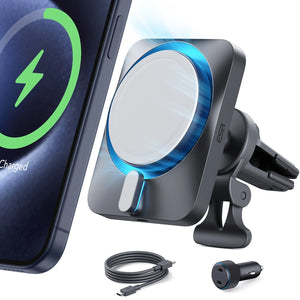
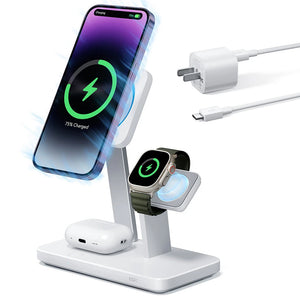
| Qi2 wireless charging | Fast wireless | Desk or bedside, no cables needed |
For travel, a GaN multi-port charger with one USB-C PD port handles everything without needing multiple bricks. Most support 100–240V input, so only a plug adapter is needed internationally.
More detail on charger and cable compatibility by iPhone model:iPhone 17 Series Charger Guide: Compatibility and Buying Tips
People Also Ask
What is the old Android charger called?
Micro-USB. It was the standard connector on Android phones from around 2010 to 2018 before USB-C became the standard. When people refer to the “old Android charger” or “small Android charger,” they usually mean Micro-USB.
How do I know what type of charger I have?
Check the connector shape. USB-C is small, oval, and reversible. Lightning is small, flat, and reversible, used only on Apple devices such as iPhone 5 through iPhone 14. Micro-USB is small and D-shaped with a correct insertion direction. USB-A is the large rectangular port commonly found on older chargers and computers. A blue insert inside the port usually indicates USB 3.0.
I switched from Android to iPhone 15, 16, or 17 and charging is slower. Why?
In most cases, the charger is the reason. Older USB-A chargers do not support USB Power Delivery (PD), which iPhone 15 and later models use for fast charging. Switching to a USB-C PD charger rated at 20W or higher will significantly improve charging speed.
Does the cable type matter?
Yes. A USB-A to USB-C cable cannot support USB Power Delivery (PD), regardless of cable quality, because PD requires USB-C on the charger side. For fast charging, you need a USB-C to USB-C cable paired with a USB-C PD charger.
Do I have to replace all my USB-A chargers?
No. You only need one USB-C PD charger at your main charging location for fast charging. Existing USB-A chargers still work well for accessories like earbuds and devices that do not require high charging speeds.
Which charger do I need for iPhone 15, 16, or 17?
For iPhone 15, iPhone 16, and iPhone Air models, a USB-C PD charger rated at 20W or higher is recommended. For iPhone 17 Pro and Pro Max, Apple specifications indicate that 40W or higher can charge the battery to 50% in about 20 minutes. Lower wattage chargers such as 20W or 30W will still work but at slower speeds. For wireless charging, Qi2 or MagSafe chargers are recommended.
Conclusion
Seven phone charger types, and in daily life most people only need to know two or three. USB-A is still everywhere and still works, just slowly for anything modern. USB-C with PD is where new phones live. Lightning covers anyone still on iPhone 14 or earlier. Everything else is either legacy hardware or specialised peripherals.
If you've been running a new iPhone on old USB-A adapters and wondering why it never seems fully charged, that's the whole story. One USB-C PD charger changes it.
And if wired charging feels like one thing too many to deal with:
1、Qi2 Wireless Charging Vs MagSafe: Which One is Better?
2、Lightning-Fast Showdown: Qi2 Wireless Charging vs. Magsafe iPhone Charging Speed!
3、Top ESR MagSafe Accessories of 2024: Which ones are your favorite?
4、Boost Your Phone's Charging Speed: Quick Tips You Need to Know Now!
What's Coming — Replaceable Batteries and the Charger Question After 2027
Ten years of phone design went in one direction: thinner, sealed, glued shut. That's about to change, at least for new models sold in Europe from 2027 onward.
EU rules taking effect February 18, 2027 require that batteries in portable devices be removable using standard tools — screwdrivers, removal picks — without professional help. Glues that require heat to remove are largely prohibited. Replacement batteries must remain available for at least five years after a model is discontinued. Manufacturers can't use software to penalise third-party battery replacements through performance limits or warning popups. The batteries themselves need to retain 80% of their original capacity after 1,000 charge cycles, which is a higher bar than most batteries currently clear.
The regulation is European, but manufacturers almost never build separate hardware for individual markets. USB-C started the same way — an EU mandate that became the de facto global standard within a few years because it wasn't worth producing two versions of the same phone.
This won't look like the old pop-off plastic back. Replacing the battery will take a tool and a few minutes — not a technician, but not a one-second swap. Phones will likely be 1–2mm thicker than today's designs to accommodate the mechanism, and waterproofing will require new engineering approaches. There's a technical exemption available for manufacturers who can prove their battery hits the 1,000-cycle threshold at IP67, so not every manufacturer will go the full mechanical route.
The more interesting downstream question is what happens to accessories. When removable batteries were the norm in the early 2010s, external battery chargers were a common purchase — small cradles that charged a bare battery directly while the phone ran on a spare. It was especially common in Asian markets, where carrying a second battery was standard practice. If battery formats standardise across manufacturers over time (the way USB-C connector shapes did), that accessory category becomes viable again. That's speculative for now — the regulation doesn't require a common battery format — but worth watching.
What doesn't change: USB-C PD and Qi2 are the relevant standards for every phone on the market today. The 2027 rules apply to new models from that date forward and don't affect anything already sold.


Couldn’t understand what cord would work with my Samsung
Galaxy A26 5 G
Anything like a “ stand “ to put the phone into ?