

Exploitez de tout le potentiel l'série Galaxy S26 Acheter
Libérez toute la puissance de l’iPad 2026 Acheter
Livraison gratuite pour les commandes de plus de $50
Wagen 0
  • Schutz nach Gerät
    • Alle Hüllen
      • iPhone🔥
      • iPad🔥
      • AirPods
      • Samsung🔥
    • Displayschutz
      • iPhone
      • iPad🔥
      • Apple Watch et Airtag
      • Samsung🔥
    • Produktivität mit iPad
      • Tastaturen
      • Eingabestifte
    • Zubehör
      • Alle Zubehörteile
      • iPhone 17🔥
      • iPhone 17e🔥
      • iPhone 17 Pro Max🔥
      • iPhone 17 Pro🔥
      • iPhone Air🔥
      • iPhone 17🔥
      • iPhone 16
      • iPhone 16e
      • iPhone 16 Pro Max
      • iPhone 16 Pro
      • iPhone 16 Plus
      • iPhone 16
      • iPhone 15
      • iPhone 15 Pro Max
      • iPhone 15 Pro
      • iPhone 15 Plus
      • iPhone 15
      • iPhone 14
      • iPhone 14 Pro Max
      • iPhone 14 Pro
      • iPhone 14 Plus
      • iPhone 14
      • iPhone 13
      • iPhone 13 Pro Max
      • iPhone 13 Pro
      • iPhone 13
      • Wählen Sie Ihr Gerät
      • iPad Air 13 (2026)🔥
      • iPad Air 11 (2026)🔥
      •  
      • iPad Pro 13 (2025)
      • iPad Pro 11 (2025)
      • iPad 11th Gen (2025)
      • iPad Air 13 (2025)
      • iPad Air 11 (2025)
      •  
      • iPad Pro 13 (2024)
      • iPad Pro 11 (2024)
      • iPad Air 13 (2024)
      • iPad Air 11 (2024)
      • iPad mini 7 (2024)
      •  
      • iPad Pro 12.9 (2022)
      • iPad Pro 11 (2022)
      • iPad Air 5/4 (2022)
      • iPad 10e génération (2022)
      •  
      • iPad mini 6 (2021)
      • iPad Pro 12.9 (2021)
      • iPad Pro 11 (2021)
      • iPad Pro 11 (2020)
      • Wählen Sie Ihr Gerät
      • AirPods Pro 3🔥
      • AirPods 4
      • AirPods Pro (2023/2022/2019)
      • Galaxy S26🔥
      • Galaxy S26 Ultra🔥
      • Galaxy S26 Plus🔥
      • Galaxy S26🔥
      • Galaxy S25
      • Galaxy S25 Ultra
      • Galaxy S25+
      • Galaxy S24
      • Galaxy S24 Ultra
      • Galaxy S24+
      • Galaxy S24
      • Galaxy S23
      • Galaxy S23 Ultra
      • Galaxy S23
      • iPhone 17🔥
      • iPhone 17e🔥
      • iPhone 17 Pro Max🔥
      • iPhone 17 Pro🔥
      • iPhone Air🔥
      • iPhone 17🔥
      • iPhone 16
      • iPhone 16e
      • iPhone 16 Pro Max
      • iPhone 16 Pro
      • iPhone 16 Plus
      • iPhone 16
      • iPhone 15
      • iPhone 15 Pro Max
      • iPhone 15 Pro
      • iPhone 15 Plus
      • iPhone 15
      • iPhone 14
      • iPhone 14 Pro Max
      • iPhone 14 Pro
      • iPhone 14 Plus
      • iPhone 14
      • iPhone 13
      • iPhone 13 Pro Max
      • iPhone 13/13 Pro
      • Wählen Sie Ihr Gerät
      • iPad Air 13 (2026)🔥
      • iPad Air 11 (2026)🔥
      •  
      • iPad Pro 13 (2025)
      • iPad Pro 11 (2025)
      • iPad 11th Gen (2025)
      • iPad Air 13 (2025)
      • iPad Air 11 (2025)
      •  
      • iPad Pro 13 (2024)
      • iPad Pro 11 (2024)
      • iPad Air 13 (2024)
      • iPad Air 11 (2024)
      •  
      • iPad Pro 12,9 (6e/5e/4e/3e génération)
      • iPad Pro 11 (4e/3e/2e/1re génération)
      • iPad Air 5/4 (2022)
      • iPad 10e génération (2022)
      •  
      •  
      • Apple Watch et Airtag
      • Galaxy S26🔥
      • Galaxy S26 Ultra🔥
      • Galaxy S25
      • Galaxy S25 Ultra
      • Galaxy S24
      • Galaxy S24 Ultra
      • Galaxy S23
      • Galaxy S23 Ultra
      • Galaxy S23+
      • Galaxy S23
      • Galaxy S22
      • Galaxy S22 Ultra
      • Wählen Sie Ihr Gerät
      • iPad Air 13 (2026)🔥
      • iPad Air 11 (2026)🔥
      •  
      • iPad Pro 13 (2025)
      • iPad Pro 11 (2025)
      • iPad 11th Gen (2025)
      • iPad Air 13 (2025)
      • iPad Air 11 (2025)
      •  
      • iPad Pro 13 (2024)
      • iPad Pro 11 (2024)
      • iPad Air 13 (2024)
      • iPad Air 11 (2024)
      •  
      • iPad Pro 12,9 (6e/5e/4e/3e)
      • iPad Pro 11 (4e/3e/2e/1er)
      • iPad Air 5/4 (2022)
      • iPad 10e génération (2022)
      •  
      • Eingabestifte
      •  
      • Magnetische Geldbörse
      • MagSafe Ringe & Halterungen
      • Weitere Zubehörteile
  • Entwickelt für MagSafe
    • Alle MagSafe-Produkte
      • Kabelloses Laden
      • Autoladegeräte und Halterungen
      • Ladeständer
      • MagSafe-Hüllen
      • MagSafe-Geldbörsen
      • Powerbanks
      • MagSafe Ringe & Wandhalterungen
      • Beste MagSafe Bündel
    • MagSafe für den Alltag
      • Desktop-Ladegeräte
      • Autoladegeräte
      • Reise-Essentials
      • Arbeitsplatz-Ladegeräte
      • Wo ist?-Technologie
      • Geschenk Guide
  • Neuankömmling
    • Série Galaxy S26🔥
    • iPhone 17e 🔥
    • iPad Pro 2025🔥
    • iPhone 17 Series
    • AirPods Pro 3🔥
    • 15W Qi2 Kabelloses Laden
    • iPad 2025 Serie
  • Angebote
  • Super-Nutzer
    • Werden Sie ein ESR Super-Nutzer
    • Exklusive Angebote für Mitglieder
    • Freunde empfehlen, CashBack verdienen
    • Meine Bestellungen
  • Unterstützung
    • Kontakt
    • Produktvideos und FAQs
    • Allgemeine FAQ
    • Bestellstatus
    • Rückgabe & Erstattungsrichtlinie
    • Garantie Politik
    • Versand Politik
  • Entdecken
    • Über uns
    • ESR Blog
    • Nachrichtenbereich
    • Werden Sie Händler
Mein Konto
Anmeldung Registrieren
North America
Europe
Asia Pacific
Middle East
Australien
USD $
Bahrain
USD $
Belgien
USD $
Bulgarien
USD $
Dänemark
USD $
Deutschland
USD $
Estland
USD $
Finnland
USD $
Frankreich
USD $
Griechenland
USD $
Indonesien
USD $
Irland
USD $
Italien
USD $
Japan
USD $
Jordanien
USD $
Kanada
USD $
Katar
USD $
Kroatien
USD $
Lettland
USD $
Litauen
USD $
Luxemburg
USD $
Malaysia
USD $
Mexiko
USD $
Neuseeland
USD $
Niederlande
USD $
Norwegen
USD $
Österreich
USD $
Oman
USD $
Philippinen
USD $
Polen
USD $
Portugal
USD $
Rumänien
USD $
Saudi-Arabien
USD $
Schweden
USD $
Schweiz
USD $
Singapur
USD $
Slowakei
USD $
Slowenien
USD $
Spanien
USD $
Südkorea
USD $
Taiwan
USD $
Thailand
USD $
Tschechien
USD $
Ungarn
USD $
Vereinigte Arabische Emirate
USD $
Vereinigte Staaten
USD $
Vereinigtes Königreich
USD $
Vietnam
USD $
français
Deutsch
English
  • Schutz nach Gerät
    • Alle Hüllen
      • iPhone🔥
      • iPad🔥
      • AirPods
      • Samsung🔥
    • Displayschutz
      • iPhone
      • iPad🔥
      • Apple Watch et Airtag
      • Samsung🔥
    • Produktivität mit iPad
      • Tastaturen
      • Eingabestifte
    • Zubehör
      • Alle Zubehörteile
      • iPhone 17🔥
      • iPhone 17e🔥
      • iPhone 17 Pro Max🔥
      • iPhone 17 Pro🔥
      • iPhone Air🔥
      • iPhone 17🔥
      • iPhone 16
      • iPhone 16e
      • iPhone 16 Pro Max
      • iPhone 16 Pro
      • iPhone 16 Plus
      • iPhone 16
      • iPhone 15
      • iPhone 15 Pro Max
      • iPhone 15 Pro
      • iPhone 15 Plus
      • iPhone 15
      • iPhone 14
      • iPhone 14 Pro Max
      • iPhone 14 Pro
      • iPhone 14 Plus
      • iPhone 14
      • iPhone 13
      • iPhone 13 Pro Max
      • iPhone 13 Pro
      • iPhone 13
      • Wählen Sie Ihr Gerät
      • iPad Air 13 (2026)🔥
      • iPad Air 11 (2026)🔥
      •  
      • iPad Pro 13 (2025)
      • iPad Pro 11 (2025)
      • iPad 11th Gen (2025)
      • iPad Air 13 (2025)
      • iPad Air 11 (2025)
      •  
      • iPad Pro 13 (2024)
      • iPad Pro 11 (2024)
      • iPad Air 13 (2024)
      • iPad Air 11 (2024)
      • iPad mini 7 (2024)
      •  
      • iPad Pro 12.9 (2022)
      • iPad Pro 11 (2022)
      • iPad Air 5/4 (2022)
      • iPad 10e génération (2022)
      •  
      • iPad mini 6 (2021)
      • iPad Pro 12.9 (2021)
      • iPad Pro 11 (2021)
      • iPad Pro 11 (2020)
      • Wählen Sie Ihr Gerät
      • AirPods Pro 3🔥
      • AirPods 4
      • AirPods Pro (2023/2022/2019)
      • Galaxy S26🔥
      • Galaxy S26 Ultra🔥
      • Galaxy S26 Plus🔥
      • Galaxy S26🔥
      • Galaxy S25
      • Galaxy S25 Ultra
      • Galaxy S25+
      • Galaxy S24
      • Galaxy S24 Ultra
      • Galaxy S24+
      • Galaxy S24
      • Galaxy S23
      • Galaxy S23 Ultra
      • Galaxy S23
      • iPhone 17🔥
      • iPhone 17e🔥
      • iPhone 17 Pro Max🔥
      • iPhone 17 Pro🔥
      • iPhone Air🔥
      • iPhone 17🔥
      • iPhone 16
      • iPhone 16e
      • iPhone 16 Pro Max
      • iPhone 16 Pro
      • iPhone 16 Plus
      • iPhone 16
      • iPhone 15
      • iPhone 15 Pro Max
      • iPhone 15 Pro
      • iPhone 15 Plus
      • iPhone 15
      • iPhone 14
      • iPhone 14 Pro Max
      • iPhone 14 Pro
      • iPhone 14 Plus
      • iPhone 14
      • iPhone 13
      • iPhone 13 Pro Max
      • iPhone 13/13 Pro
      • Wählen Sie Ihr Gerät
      • iPad Air 13 (2026)🔥
      • iPad Air 11 (2026)🔥
      •  
      • iPad Pro 13 (2025)
      • iPad Pro 11 (2025)
      • iPad 11th Gen (2025)
      • iPad Air 13 (2025)
      • iPad Air 11 (2025)
      •  
      • iPad Pro 13 (2024)
      • iPad Pro 11 (2024)
      • iPad Air 13 (2024)
      • iPad Air 11 (2024)
      •  
      • iPad Pro 12,9 (6e/5e/4e/3e génération)
      • iPad Pro 11 (4e/3e/2e/1re génération)
      • iPad Air 5/4 (2022)
      • iPad 10e génération (2022)
      •  
      •  
      • Apple Watch et Airtag
      • Galaxy S26🔥
      • Galaxy S26 Ultra🔥
      • Galaxy S25
      • Galaxy S25 Ultra
      • Galaxy S24
      • Galaxy S24 Ultra
      • Galaxy S23
      • Galaxy S23 Ultra
      • Galaxy S23+
      • Galaxy S23
      • Galaxy S22
      • Galaxy S22 Ultra
      • Wählen Sie Ihr Gerät
      • iPad Air 13 (2026)🔥
      • iPad Air 11 (2026)🔥
      •  
      • iPad Pro 13 (2025)
      • iPad Pro 11 (2025)
      • iPad 11th Gen (2025)
      • iPad Air 13 (2025)
      • iPad Air 11 (2025)
      •  
      • iPad Pro 13 (2024)
      • iPad Pro 11 (2024)
      • iPad Air 13 (2024)
      • iPad Air 11 (2024)
      •  
      • iPad Pro 12,9 (6e/5e/4e/3e)
      • iPad Pro 11 (4e/3e/2e/1er)
      • iPad Air 5/4 (2022)
      • iPad 10e génération (2022)
      •  
      • Eingabestifte
      •  
      • Magnetische Geldbörse
      • MagSafe Ringe & Halterungen
      • Weitere Zubehörteile
  • Entwickelt für MagSafe
    • Alle MagSafe-Produkte
      • Kabelloses Laden
      • Autoladegeräte und Halterungen
      • Ladeständer
      • MagSafe-Hüllen
      • MagSafe-Geldbörsen
      • Powerbanks
      • MagSafe Ringe & Wandhalterungen
      • Beste MagSafe Bündel
    • MagSafe für den Alltag
      • Desktop-Ladegeräte
      • Autoladegeräte
      • Reise-Essentials
      • Arbeitsplatz-Ladegeräte
      • Wo ist?-Technologie
      • Geschenk Guide
    • Kabelloses Laden
      • CryoBoost 3-in-1 Magnetische Ladestation (25W, Qi2.2) - US Plug–Black

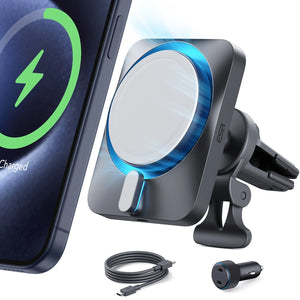
      • OmniLock Magnet-Autoladegerät (25W, CryoBoost, Lüftungsschlitz) - Black

      • 15W kabelloses Autoladegerät mit CryoBoost (HaloLock) - Black

      • ESR CryoBoost Klappbare 3-in-1 Magnet-Ladestation (25W) – US Plug-Black

      • All Kabelloses Laden >
      Autoladegeräte und Halterungen
      • OmniLock Magnet-Autoladegerät (25W, CryoBoost, Lüftungsschlitz) - Black

      • 15W kabelloses Autoladegerät mit CryoBoost (HaloLock) - Black

      • Magnetisches kabelloses 15W Autoladegerät (HaloLock) - Black

      • 15W Autoladegerät mit MagSafe + CryoBoost - Cool Grey

      • All Autoladegeräte und Halterungen >
      Ladeständer
      • 15W 3 in 1 kabellose Ladestation mit CryoBoost (HaloLock) - Black - US Plug

      • 25W 3 in 1 kabelloses Ladegerät mit MagSafe + CryoBoost - US Plug

      • 100W 6 in 1 GaN Ladestation mit MagSafe + CryoBoost - US Plug

      • 3-in-1 Magnetische Ladestation (15W) - Black - EU PLUG

      • All Ladeständer >
      MagSafe-Hüllen
      • Galaxy S26 Ultra Classic Hybrid Magnet-Hülle (Stash-Ständer) - Clear

      • AirPods 4 Cyber FlickLock Hülle (HaloLock) - Black

      • AirPods Pro (2023/2022/2019) Cyber FlickLock Hülle (HaloLock) - Midnight Black

      • AirPods 4 Orbit Hybrid Hülle (HaloLock) - Black

      • All MagSafe-Hüllen >
      MagSafe-Geldbörsen
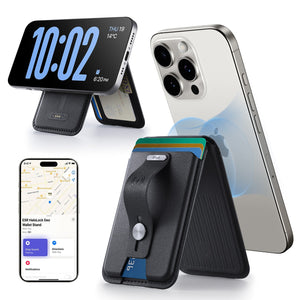
      • Geo Magnet-Wallet-Ständer (Grip) - Midnight Black

      • Geo Wallet Boost (HaloLock) - Black

      • Geo Magnet-Wallet-Ständer - Black

      • ESR Classic Magnet-Wallet-Ständer - Midnight Black

      • All MagSafe-Geldbörsen >
      Powerbanks
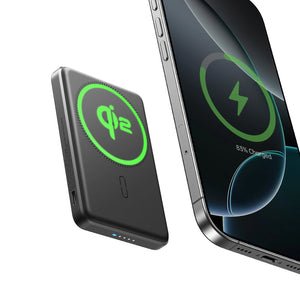
      • 15W MagSlim Powerbank (5K) - Black

      • All Powerbanks >
      MagSafe Ringe & Wandhalterungen
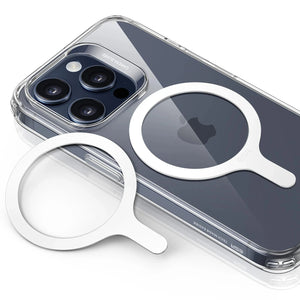
      • Universal Ring (HaloLock) - Black/Silver-4 Pack

      • Universal Ring 360 (HaloLock) - White-2 Pack

      • All MagSafe Ringe & Wandhalterungen >
      Beste MagSafe Bündel
      • iPhone 16 Pro Max Alltägliches Bundle - Clear

      • iPhone 16 Pro Alltägliches Bundle - Clear

      • Cyber FlickLock Everyday Carry Bündel für AirPods Pro (2023/2022/2019) - Black

      • Kabelloses mini Ladegerät (HaloLock) - Titanium

      • All Beste MagSafe Bündel >
      Desktop-Ladegeräte
      • 100W 6 in 1 GaN Ladestation mit MagSafe + CryoBoost - US Plug

      • CryoBoost 3-in-1 Magnetische Ladestation (25W, Qi2.2) - US Plug–Black

      • 25W 3 in 1 kabelloses Ladegerät mit MagSafe + CryoBoost - US Plug

      • ESR CryoBoost Klappbare 3-in-1 Magnet-Ladestation (25W) – US Plug-Black

      • All Desktop-Ladegeräte >
      Autoladegeräte
      • OmniLock Magnet-Autoladegerät (25W, CryoBoost, Lüftungsschlitz) - Black

      • 15W kabelloses Autoladegerät mit CryoBoost (HaloLock) - Black

      • Magnetisches kabelloses 15W Autoladegerät (HaloLock) - Black

      • 15W Autoladegerät mit MagSafe + CryoBoost - Cool Grey

      • All Autoladegeräte >
      Reise-Essentials
      • ESR CryoBoost Klappbare 3-in-1 Magnet-Ladestation (25W) – US Plug-Black

      • OmniLock Magnet-Autoladegerät (25W, CryoBoost, Lüftungsschlitz) - Black

      • 15W kabelloses Autoladegerät mit CryoBoost (HaloLock) - Black

      • 15W Kabelloses Armaturenbrett Autoladegerät (HaloLock) - Black

      • All Reise-Essentials >
      Arbeitsplatz-Ladegeräte
      • iPad Air 11" (2024) Rebound Magnetische Tastatur Hülle 360 - US Layout-Black

      • 25W 3 in 1 kabelloses Ladegerät mit MagSafe + CryoBoost - US Plug

      • iPad Pro 13" (2024) Rebound Magnetische Tastatur Hülle 360 - US Layout-Black

      • iPad Air 11" (M2) 2024 Shift Tastaturhülle (abnehmbar) -US Layout-Dark Gray

      • All Arbeitsplatz-Ladegeräte >
      Wo ist?-Technologie
      • Geo Wallet mit „Wo ist?“ - Black Carbon Fiber

      • Geo Kartenhalter - Black Carbon Fiber

      • Geo Magnet-Wallet-Ständer - Black

      • Geo Magnet-Wallet-Ständer (Grip) - Midnight Black

      • All Wo ist?-Technologie >
      Geschenk Guide
      • Geo Magnet-Wallet-Ständer (Grip) - Midnight Black

      • Geo Wallet Boost (HaloLock) - Brown

      • ESR CryoBoost Klappbare 3-in-1 Magnet-Ladestation (25W) – US Plug-Black

      • OmniLock Magnet-Autoladegerät (25W, CryoBoost, Lüftungsschlitz) - Black

      • All Geschenk Guide >
  • Neuankömmling
    • Série Galaxy S26🔥
    • iPhone 17e 🔥
    • iPad Pro 2025🔥
    • iPhone 17 Series
    • AirPods Pro 3🔥
    • 15W Qi2 Kabelloses Laden
    • iPad 2025 Serie
  • Angebote
  • Super-Nutzer
    • Werden Sie ein ESR Super-Nutzer
    • Exklusive Angebote für Mitglieder
    • Freunde empfehlen, CashBack verdienen
    • Meine Bestellungen
  • Unterstützung
    • Kontakt
    • Produktvideos und FAQs
    • Allgemeine FAQ
    • Bestellstatus
    • Rückgabe & Erstattungsrichtlinie
    • Garantie Politik
    • Versand Politik
  • Entdecken
    • Über uns
    • ESR Blog
    • Nachrichtenbereich
    • Werden Sie Händler
Konto Wagen 0
North America
Europe
Asia Pacific
Middle East
Australien
USD $
Bahrain
USD $
Belgien
USD $
Bulgarien
USD $
Dänemark
USD $
Deutschland
USD $
Estland
USD $
Finnland
USD $
Frankreich
USD $
Griechenland
USD $
Indonesien
USD $
Irland
USD $
Italien
USD $
Japan
USD $
Jordanien
USD $
Kanada
USD $
Katar
USD $
Kroatien
USD $
Lettland
USD $
Litauen
USD $
Luxemburg
USD $
Malaysia
USD $
Mexiko
USD $
Neuseeland
USD $
Niederlande
USD $
Norwegen
USD $
Österreich
USD $
Oman
USD $
Philippinen
USD $
Polen
USD $
Portugal
USD $
Rumänien
USD $
Saudi-Arabien
USD $
Schweden
USD $
Schweiz
USD $
Singapur
USD $
Slowakei
USD $
Slowenien
USD $
Spanien
USD $
Südkorea
USD $
Taiwan
USD $
Thailand
USD $
Tschechien
USD $
Ungarn
USD $
Vereinigte Arabische Emirate
USD $
Vereinigte Staaten
USD $
Vereinigtes Königreich
USD $
Vietnam
USD $
français
Deutsch
English

Durchsuchen Sie unseren Shop

Konto Wagen 0
beliebte Suchanfragen:
iPad 2026 Case iPhone 17e Galaxy S26 iPad Keyboard
Célébrez la nouvelle année avec des offres exclusives Célébrez la nouvelle année avec des offres exclusives

Célébrez la nouvelle année avec des offres exclusives

Code NYWT20

Code NYWT20

Achetez maintenant
How Tos

How to Download Movies on iPhone? (4 Ways)

von Adam An Jul 14, 2020
DOWNLOAD MOVIES ON IPHONE

Hey there, just got into the league of iPhone users, yeah? Yay! Welcome on board! Guess you’re pretty elated just as many of us were.

First off, you’ve got yourself a powerful tool for taking those stunning JPEGS that would leave your homes starring for almost forever, yeah!

Plus, you are ravished with that feeling of being a great photographer! Well, we both know you aren’t but we’d keep that as our little secret (lol), all thanks to the little magic wand in your possession! (wave it for a magical feel).

Apparently, you have learned how to maneuver your way learning how your phone works but come on, you’ve got to learn about other functions too but you’ve got to go to places, hang out with buddies, go on that date with that special someone, you know (winks).

You need to hit the gym to burn that fat, plus you need to complete your appointment with the dentist, …arrgh! And you know you can’t always go out with your computer but you’ve got to download those blockbuster movies that recently premiered but here you are sulking and beating yourself over for not being able to download those movies on your iPhone.

Hey! Worry no more as I got you covered on this. All you need do is grab some hamburger and smoothie as we take a ride on a journey on ways on how to download movies on iPhone and hey, carefully reading in between the lines and you just get to earn yourself a little something for being such a meticulous reader!

  • iphone 14

METHOD 1: HOW TO DOWNLOAD MOVIE ON IPHONE WITHOUT A COMPUTER


So, here is the first way in which you can get a movie downloaded on your iPhone without having to connect to a computer or sync via iTunes or any other online video downloader.

However, If the latter seems preferable to you that is, downloading from the website, you just need to take a chill pill and follow through as it will be fully explained later on. With that, let’s begin as you’re just about to get schooled with the following steps!

Step 1: Connect your iPhone to Wi-Fi or mobile network

Before anything, the first criterion for downloads of any kind is the availability of internet connection either a wi-Fi or a mobile network.

Whichever you settle for, just make sure you are connected to an internet connection.

Connect your iPhone to wi-Fi

Step 2: Launch into the google play movies and TV app

Seated somewhere in your apps is a little friend of ours, called the google play movies and tv app. Gently tap on it to open it.

Launch into the google play movies and TV app

Step 3: Search

Search the movie you would like to download 

 Search the movie you would like to download

Step 4: Download

There’s a download icon that pops up almost immediately. Click on it

Voila! You are downloading that movie already!

(ding ding!) An incoming email notification…

Finally! You heaved a sigh of relief thinking it’s that email you’ve been waiting for and of course, adrenaline rush at work and you are eager to open and read it which you did. Only to find out it’s a reminder from the animal store to get Billy’s food at the mart by noon.

Heck! I never did forget in the first place, you said to yourself.

Now you are back at where you started. So how do I get to see my downloaded movie?

Don’t fret, just follow the same steps up until step 3, library, then tap on the menu and click on “downloaded only.” There you have it!


Well, this is just one of 4 ways in which you can download a movie on iPhone and the simplest at that. So, here is the second way in which you can download movies on iPhone from websites.


METHOD 2: HOW TO DOWNLOAD MOVIES ON IPHONE VIA WEBSITES


Most of the online video download services are easily spotted on google search engines that is, they are absolutely easy to find and also easy to use at that. You’ve got some of them like download 6, video grabby, etc. but for the purpose of this article, download 6 will be used as an illustration for a more straightforward way to download movies directly on your iPhone using the following steps

DOWNLOAD MOVIES ON IPHONE VIA WEBSITES

Step 1: First off, you need to download the “download 6” app from your phone’s app store; install and launch it.

download 6 app

Step 2: To open the browser, tap on the blue round button on the lower right

To open the browser

Step 3: Go to IO transfer online video downloader and paste the YouTube movie’s link to the given box. Then click on “download to iPhone.”

download to iPhone

Step 4: You’ll be required to choose the desired output quality and a video format. Then click on the download button to continue.

Step 5: However, there will be prompt to pre-set a name for the file. An output path will be set by default. Tap on “save” to start the movie download.

Finally,

Step 6: After the download is complete, go back to the main interface of document 6 and choose “downloads.” Long press on the movie you have just downloaded, then choose “camera roll” to save the movie.

…Arrgh! This second method seems like rocket science to me, isn’t there something easier than this? Plus, this would cost me a buck especially when my network speed sucks. Of course, there is something way easier that could save you from paying any extra fees to download or rent movies from iTunes or any other online movie services.

Let me introduce you to a very effective third party that can assist you to download your movies

METHOD 3


Ever seen those pop-up notifications on app download? Well, yeah, I have. One of them is the “Freemake video downloader.”

Worry less, as downloading this app costs nothing. Pro bono! It’s free! Just follow the few steps below

 notifications on app download

Step 1: Download the app via the apple play store. After a successful download and installation, move on to the next step.

Step 2: Find the movie you want to download or watch, copy and paste its URL in the downloader and match to the next step.

Step 3: Here, you will need to select the movie resolution and MP4 format after which you proceed to the next step

Step 4: Choose convert to iPhone as the action. This push up step 5

Step 5: Check the “export to iTunes” box next to the action. This gets you ready for the next step

Step 6: click the download and convert button. The program will upload the movie into your video library

Step 7: a download icon pops up almost immediately. Click on it and voila! There you have it!

METHOD 4


The last but definitely not the least of the methods from which you can download movies from websites is via Netflix… yay! I could feel that excitement. Of course, you would nod in affirmation as Netflix is the top provider of digital media content.

The Netflix movie app for iOS runs on the iPhone where you could stream movies and also download them for later watch. It’s best to get a demo (free trial) first before subscribing to a plan afterward.

Some of the exclusive features you get to enjoy include TV shows and movies, all you need to do is to “browse” or “search” for your favorite movie(s) and just so you know, you can instantly stream on your device. Winks!

You want to know how, well it’s in the 5 steps below.

Netflix movie app

Step 1: Firstly, you have to download the Netflix app from your apple play store (that’s if you don’t have it yet), install and proceed to launch it and if you have the app already, just launch it right away.

download the Netflix app

Step 2: Click on “available for download”
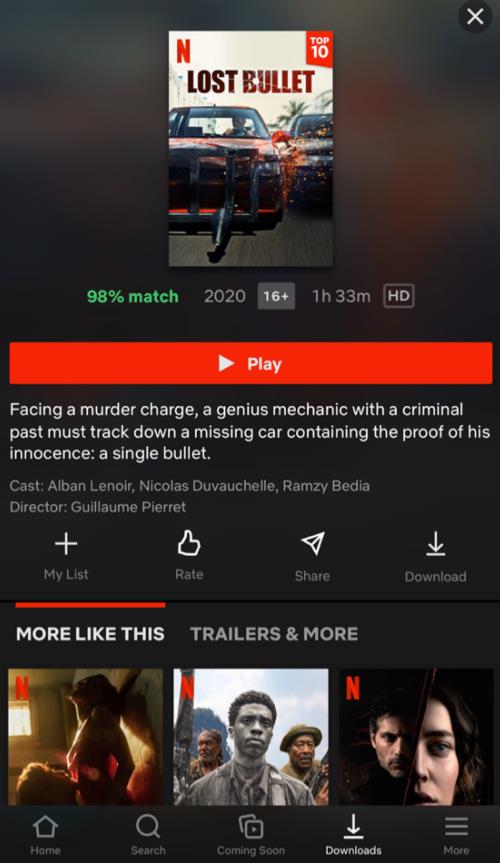
Click on “available for download”

Step 3: Click on your preferred movie

Step 4: Finally, tap the “download” button next to your preferred movie (it looks like an arrow) and then you are good to go!

There you have it! It is as simple as eating those ham-burgers all along only if you would be patient to follow the methods step by step.

And yeah, I did promise a reward for being a meticulous reader? So here it is.

On one of those occasions where Billy wouldn’t let you be while downloading a movie and by mistake, you downloaded something entirely different from what you wanted and you are like, Heck! No! this isn’t the movie I intend to download, what do I do now? let me say, It never was her intention anyway, she only needed some more attention so, go easy on the poor soul.

So, you are stuck on how to stop a download? Well, it is so easy. Simply tap “download” to remove or stop a download in progress.

Hope you enjoyed the ride? There you go, apparently, you did as you’re unconsciously nodding in affirmation.

Looking forward to riding with you again.

Cheers!

Vorherige
4 Simple Ways to Fix Your iPhone Cannot Connect to WiFi
Nächste
What Should I Do If My iPhone is Frozen and Won’t Turn Off or Reset?

In Verbindung stehende Artikel

esr find-my magsafe wallet:never worry about the lost your wallet

Wie man sein verlorenes Wallet findet: Von altbewährten Lösungen bis hin zur modernen Technik

10 Fixes to Solve iPad Battery Draining Fast

10 Lösungen für einen schnell entladenden iPad-Akku

keep iPhone Battery health

Die große Wireless-Charging-Debatte: Schadet ein kabelloses Ladegerät dem Handy-Akku?

Why Keyboard Cases matter for College Students?

Der ultimative Studenten-Guide: So wählst du das beste iPad Pro Keyboard Case fürs College

Hinterlasse einen Kommentar

Deine Email-Adresse wird nicht veröffentlicht.

Recent Post

Die besten Zubehörteile für das M4 iPad Air (2026): ESR Shift Tastatur-Cases für ultimative Produktivität

Wenn du dir Zubehör für das iPad Air 2026 anschaust,...

Premium-Schutz, Studenten-Budget: Warum ESR die smarte Alternative für dein iPad Air M4 ist

Mit der Einführung des neuen iPad Air M4 sind viele...

Die besten Displayschutzfolien für das iPhone 17e: Kompatibilität, Datenschutz und Ratgeber für gehärtetes Glas

Das iPhone 17e bietet ein elegantes Design und ein hochwertiges...

Die besten Samsung-Displayschutzfolien für das Galaxy S26 Ultra: Corning-Glas, Blickschutzfolien und Komplettschutz-Sets

Das Samsung Galaxy S26 Ultra verfügt über das fortschrittlichste Display,...

Die 5 besten unzerbrechlichen iPad Air M4 Displayschutzfolien, die Sie 2026 brauchen!

Viele iPad Air-Besitzer lassen ihr Gerät fallen und merken, dass...

Beste iPhone-Reise- und Outdoor-Accessoires: Kompakt, leicht – ESR-Picks für unterwegs

Mit dem iPhone zu reisen, sollte easy sein. Egal, ob...

Get 20% off with code: BLOG20

Entreprise

  • Über ESR
  • Unser Blog
  • Pressebereich
  • Händler werden

Produits

  • Schutzhüllen
  • Schutzfolien
  • Entwickelt für MagSafe
  • iPad-Hüllen
  • Kabelloses Laden
  • iPad-Produktivität
  • Geldbörse und Zubehör
  • Weitere Zubehörteile

Communauté

  • Mein Konto
  • Freunde empfehlen, CashBack verdienen
  • Werde ESR Super User
  • Affiliate Programm
  • Réduction étudiante

Assistance

  • Kontaktieren Sie uns
  • Einrichtungsvideos und FAQs
  • Bestellstatus
  • Rückgabe und Rückerstattung
  • Garantiebestimmungen
  • Versandbedingungen
  • Zahlungsmethoden
  • Product Recalls

Zahlungsmöglichkeiten:
  • American Express
  • Diners Club
  • JCB
  • Mastercard
  • PayPal
  • Visa
  • Klarna Klarna
  • Afterpay
Reviews:2516 •

© 2026 ESR All rights reserved.

  • Nutzungsbedingungen
  • Datenschutzrichtlinie
  • Rechtliche Erklärung
  • Cookie-Richtlinie
  • Versand Politik
  • Rückgabe und Rückerstattung
  • Track Your Order

Einkaufswagen

Get a 15% off coupon when you

sign up

for free shipping!

$38.00
You're $38.00 away from Free Shipping!

$50.00
You're $50.00 away from Free Shipping!

Benefits applied automatically at checkout

Your Cart is Empty

Sign In / Register to view saved cart items
Shop Now
ESR_IMG

Protect Your iPhone's Camera Control

ESR_IMG

Always Find Your Wallet

ESR_IMG

Drop-Proof FlickLlock, Effortless MagSafe

ESR_IMG

Qi2 Fast Charging on the Go

Zwischensumme $0.00
Warenkorb ansehen

Thank you for choosing to transfer to a human service.

Sorry! The previous responses were from our AI customer service. Since it didn't satisfy you, you've been transferred to a human agent. We'll reply within 24 hours from Mon to Fri and 48 hours on weekends for further help.

Please select the reason for transfer