
❤️15% Off for 1 With Code VDAY15 | 20% Off Any 2 or More With Code VDAY20❤️ Shop now
Free shipping on all orders over $50
Wagen 0
  • Entwickelt für MagSafe
    • Alle MagSafe-Produkte
      • Kabelloses Laden
      • Autoladegeräte und Halterungen
      • Ladeständer
      • MagSafe-Hüllen
      • MagSafe-Geldbörsen
      • Powerbanks
      • MagSafe Ringe & Wandhalterungen
      • Beste MagSafe Bündel
    • MagSafe für den Alltag
      • Desktop-Ladegeräte
      • Autoladegeräte
      • Reise-Essentials
      • Arbeitsplatz-Ladegeräte
      • Wo ist?-Technologie
      • Geschenk Guide
  • Schutz nach Gerät
    • Alle Hüllen
      • iPhone🔥
      • iPad🔥
      • AirPods🔥
      • Samsung
    • Displayschutz
      • iPhone🔥
      • iPad🔥
      • Apple Watch🔥
      • Samsung
    • Produktivität mit iPad
      • Tastaturen
      • Eingabestifte
    • Zubehör
      • Alle Zubehörteile
      • iPhone 17🔥
      • iPhone 17e🔥
      • iPhone 17 Pro Max🔥
      • iPhone 17 Pro🔥
      • iPhone Air🔥
      • iPhone 17🔥
      • iPhone 16
      • iPhone 16e
      • iPhone 16 Pro Max
      • iPhone 16 Pro
      • iPhone 16 Plus
      • iPhone 16
      • iPhone 15
      • iPhone 15 Pro Max
      • iPhone 15 Pro
      • iPhone 15 Plus
      • iPhone 15
      • iPhone 14
      • iPhone 14 Pro Max
      • iPhone 14 Pro
      • iPhone 14 Plus
      • iPhone 14
      • iPhone 13
      • iPhone 13 Pro Max
      • iPhone 13 Pro
      • iPhone 13
      • Wählen Sie Ihr Gerät
      • iPad Pro 13 (2025)🔥
      • iPad Pro 11 (2025)🔥
      • iPad 11th Gen (2025)
      • iPad Air 13 (2025)
      • iPad Air 11 (2025)
      •  
      • iPad Pro 13 (2024)
      • iPad Pro 11 (2024)
      • iPad Air 13 (2024)
      • iPad Air 11 (2024)
      • iPad mini 7 (2024)
      •  
      • iPad Pro 12.9 (2022)
      • iPad Pro 11 (2022)
      • iPad Air 5/4 (2022)
      • iPad 10th Gen (2022)
      •  
      • iPad mini 6 (2021)
      • iPad Pro 12.9 (2021)
      • iPad Pro 11 (2021)
      • iPad Pro 11 (2020)
      • Wählen Sie Ihr Gerät
      • AirPods Pro 3🔥
      • AirPods 4
      • AirPods Pro (2023/2022/2019)
      • Galaxy S26🔥
      • Galaxy S26 Ultra🔥
      • Galaxy S26 Plus🔥
      • Galaxy S26🔥
      • Galaxy S25
      • Galaxy S25 Ultra
      • Galaxy S25+
      • Galaxy S24
      • Galaxy S24 Ultra
      • Galaxy S24+
      • Galaxy S24
      • Galaxy S23
      • Galaxy S23 Ultra
      • Galaxy S23
      • iPhone 17🔥
      • iPhone 17e🔥
      • iPhone 17 Pro Max🔥
      • iPhone 17 Pro🔥
      • iPhone Air🔥
      • iPhone 17🔥
      • iPhone 16
      • iPhone 16e
      • iPhone 16 Pro Max
      • iPhone 16 Pro
      • iPhone 16 Plus
      • iPhone 16
      • iPhone 15
      • iPhone 15 Pro Max
      • iPhone 15 Pro
      • iPhone 15 Plus
      • iPhone 15
      • iPhone 14
      • iPhone 14 Pro Max
      • iPhone 14 Pro
      • iPhone 14 Plus
      • iPhone 14
      • iPhone 13
      • iPhone 13 Pro Max
      • iPhone 13/13 Pro
      • Wählen Sie Ihr Gerät
      • iPad Pro 13 (2025)🔥
      • iPad Pro 11 (2025)🔥
      • iPad 11th Gen (2025)
      • iPad Air 13 (2025)
      • iPad Air 11 (2025)
      •  
      • iPad Pro 13 (2024)
      • iPad Pro 11 (2024)
      • iPad Air 13 (2024)
      • iPad Air 11 (2024)
      •  
      • iPad Pro 12.9 (6th/5th/4th/3rd Gen)
      • iPad Pro 11 (4th/3rd/2nd/1st Gen)
      • iPad Air 5/4 (2022)
      • iPad 10th Gen (2022)
      •  
      •  
      • Apple Watch🔥
      • Galaxy S26🔥
      • Galaxy S26 Ultra🔥
      • Galaxy S25
      • Galaxy S25 Ultra
      • Galaxy S24
      • Galaxy S24 Ultra
      • Galaxy S23
      • Galaxy S23 Ultra
      • Galaxy S23+
      • Galaxy S23
      • Galaxy S22
      • Galaxy S22 Ultra
      • Wählen Sie Ihr Gerät
      • iPad Pro 13 (2025)🔥
      • iPad Pro 11 (2025)🔥
      • iPad 11th Gen (2025)
      • iPad Air 13 (2025)
      • iPad Air 11 (2025)
      •  
      • iPad Pro 13 (2024)
      • iPad Pro 11 (2024)
      • iPad Air 13 (2024)
      • iPad Air 11 (2024)
      •  
      • iPad Pro 12.9 (6th/5th/4th/3rd)
      • iPad Pro 11 (4th/3rd/2nd/1st)
      • iPad Air 5/4 (2022)
      • iPad 10th Gen (2022)
      •  
      • Eingabestifte
      •  
      • Magnetische Geldbörse
      • MagSafe Ringe & Halterungen
      • Weitere Zubehörteile
  • Tastatur
    • iPad Pro 13 (2025)🔥
    • iPad Pro 11 (2025)🔥
    • iPad 11th Gen (2025)
    • iPad Air 13 (2025)
    • iPad Air 11 (2025)
    • iPad Pro 13 (2024)
    • iPad Pro 11 (2024)
    • iPad Air 13 (2024)
    • iPad Air 11 (2024)
    • iPad Pro 12.9 (6th/5th/4th/3rd)
    • iPad Pro 11 (4th/3rd/2nd/1st)
    • iPad Air 5/4 (2022)
    • iPad 10th Gen (2022)
    • Eingabestifte
    • Wireless Mouse🔥
  • ❤️Valentinstagsverkauf❤️
  • Neuheiten
    • iPad Pro 2025 🔥
    • 15W Qi2 Kabelloses Laden
    • iPhone 17 Serie🔥
    • AirPods Pro 3🔥
    • iPad 2025
  • Super-Nutzer
    • Werden Sie ein ESR Super-Nutzer
    • Exklusive Angebote für Mitglieder
    • Freunde empfehlen, CashBack verdienen
    • Meine Bestellungen
  • Support
    • Kontakt
    • Produktvideos und FAQs
    • Allgemeine FAQs
    • Bestellstatus
    • Rückgabe & Erstattungsrichtlinie
    • Garantie Politik
    • Versand Politik
  • Entdecken
    • Über ESR
    • ESR Blog
    • Nachrichtenbereich
    • Werden Sie Händler
  • Product Recalls
Mein Konto
Anmeldung Registrieren
North America
Europe
Asia Pacific
Middle East
Australien
USD $
Bahrain
USD $
Belgien
USD $
Bulgarien
USD $
Dänemark
USD $
Deutschland
USD $
Estland
USD $
Finnland
USD $
Frankreich
USD $
Griechenland
USD $
Indonesien
USD $
Irland
USD $
Italien
USD $
Japan
USD $
Jordanien
USD $
Kanada
USD $
Katar
USD $
Kroatien
USD $
Lettland
USD $
Litauen
USD $
Luxemburg
USD $
Malaysia
USD $
Mexiko
USD $
Neuseeland
USD $
Niederlande
USD $
Norwegen
USD $
Österreich
USD $
Oman
USD $
Philippinen
USD $
Polen
USD $
Portugal
USD $
Rumänien
USD $
Saudi-Arabien
USD $
Schweden
USD $
Schweiz
USD $
Singapur
USD $
Slowakei
USD $
Slowenien
USD $
Spanien
USD $
Südkorea
USD $
Taiwan
USD $
Thailand
USD $
Tschechien
USD $
Ungarn
USD $
Vereinigte Arabische Emirate
USD $
Vereinigte Staaten
USD $
Vereinigtes Königreich
USD $
Vietnam
USD $
English
Deutsch
français
  • Entwickelt für MagSafe
    • Alle MagSafe-Produkte
      • Kabelloses Laden
      • Autoladegeräte und Halterungen
      • Ladeständer
      • MagSafe-Hüllen
      • MagSafe-Geldbörsen
      • Powerbanks
      • MagSafe Ringe & Wandhalterungen
      • Beste MagSafe Bündel
    • MagSafe für den Alltag
      • Desktop-Ladegeräte
      • Autoladegeräte
      • Reise-Essentials
      • Arbeitsplatz-Ladegeräte
      • Wo ist?-Technologie
      • Geschenk Guide
    • Kabelloses Laden
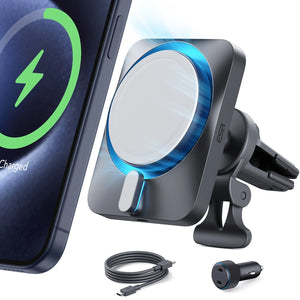
      • OmniLock Magnet-Autoladegerät (25W, CryoBoost, Lüftungsschlitz) - Black

      • 15W kabelloses Autoladegerät mit CryoBoost (HaloLock) - Black

      • ESR CryoBoost Klappbare 3-in-1 Magnet-Ladestation (25W) – US Plug-Black

      • 25W 3 in 1 kabelloses Ladegerät mit MagSafe + CryoBoost - US Plug

      • All Kabelloses Laden >
      Autoladegeräte und Halterungen
      • OmniLock Magnet-Autoladegerät (25W, CryoBoost, Lüftungsschlitz) - Black

      • 15W kabelloses Autoladegerät mit CryoBoost (HaloLock) - Black

      • Magnetisches kabelloses 15W Autoladegerät (HaloLock) - Black

      • 15W Autoladegerät mit MagSafe + CryoBoost - Cool Grey

      • All Autoladegeräte und Halterungen >
      Ladeständer
      • CryoBoost 3-in-1 Magnetische Ladestation (25W, Qi2.2) - US Plug–White

      • OmniLock Magnet-Autoladegerät (25W, CryoBoost, Lüftungsschlitz) - Black

      • 15W 3 in 1 kabellose Ladestation mit CryoBoost (HaloLock) - Black - US Plug

      • 25W 3 in 1 kabelloses Ladegerät mit MagSafe + CryoBoost - US Plug

      • All Ladeständer >
      MagSafe-Hüllen
      • iPhone 17 Pro Max Classic Hybrid Magnet-Hülle (Kamerasteuerung, Stash-Ständer) - Clear

      • iPhone 17 Pro Max Bundle: Classic Hybrid Magnet-Hülle (Kamerasteuerung, Stash-Ständer) & Armorite Pro Panzerglas - Clear

      • iPhone 17 Pro Max Bundle – Classic Hybrid MagSafe Hülle (Stash-Ständer) & Armorite Pro Privacy Schutzfolie - Clear

      • iPhone 17 Pro Max Bundle Classic Hybrid Magnet-Hülle (Kamerasteuerung, Stash Ständer) & Armorite Displayschutz - Frosted Green

      • All MagSafe-Hüllen >
      MagSafe-Geldbörsen
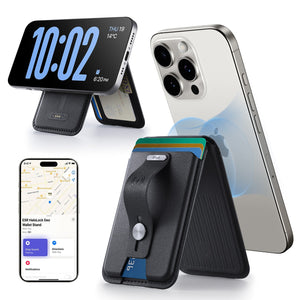
      • Geo Magnet-Wallet-Ständer (Grip) - Midnight Black

      • Geo Wallet Boost (HaloLock) - Black

      • Geo Magnet-Wallet-Ständer - Black

      • ESR Classic Magnet-Wallet-Ständer - Midnight Black

      • All MagSafe-Geldbörsen >
      MagSafe Ringe & Wandhalterungen
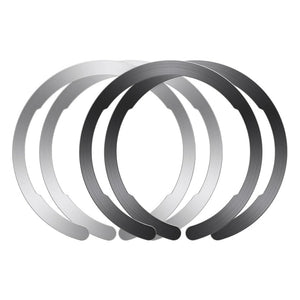
      • Universal Ring (HaloLock) - Black/Silver-4 Pack

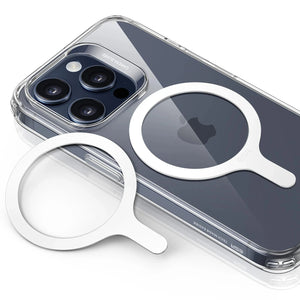
      • Universal Ring 360 (HaloLock) - White-2 Pack

      • All MagSafe Ringe & Wandhalterungen >
      Beste MagSafe Bündel
      • iPhone 16 Pro Alltägliches Bundle - Clear

      • iPhone 16 Pro Max Alltägliches Bundle - Clear

      • iPhone 16 Pro Max kabelloses Ladegerät Bundle - Clear

      • iPhone 16 Pro kabelloses Ladegerät Bundle - Clear

      • All Beste MagSafe Bündel >
      Desktop-Ladegeräte
      • 100W 6 in 1 GaN Ladestation mit MagSafe + CryoBoost - US Plug

      • 25W 3 in 1 kabelloses Ladegerät mit MagSafe + CryoBoost - US Plug

      • ESR CryoBoost Klappbare 3-in-1 Magnet-Ladestation (25W) – US Plug-Black

      • 15W 3 in 1 kabellose Ladestation mit CryoBoost (HaloLock) - Black - US Plug

      • All Desktop-Ladegeräte >
      Autoladegeräte
      • OmniLock Magnet-Autoladegerät (25W, CryoBoost, Lüftungsschlitz) - Black

      • 15W kabelloses Autoladegerät mit CryoBoost (HaloLock) - Black

      • Magnetisches kabelloses 15W Autoladegerät (HaloLock) - Black

      • 15W Autoladegerät mit MagSafe + CryoBoost - Cool Grey

      • All Autoladegeräte >
      Reise-Essentials
      • ESR CryoBoost Klappbare 3-in-1 Magnet-Ladestation (25W) – US Plug-Black

      • OmniLock Magnet-Autoladegerät (25W, CryoBoost, Lüftungsschlitz) - Black

      • 15W kabelloses Autoladegerät mit CryoBoost (HaloLock) - Black

      • 15W Kabelloses Armaturenbrett Autoladegerät (HaloLock) - Black

      • All Reise-Essentials >
      Arbeitsplatz-Ladegeräte
      • iPad Air 11" (2024) Rebound Magnetische Tastatur Hülle 360 - US Layout-Black

      • 25W 3 in 1 kabelloses Ladegerät mit MagSafe + CryoBoost - US Plug

      • iPad Pro 13" (2024) Rebound Magnetische Tastatur Hülle 360 - US Layout-Black

      • iPad 11" (A16) 2025 Flexible Tastaturhülle (abnehmbar) - US Layout-Pink

      • All Arbeitsplatz-Ladegeräte >
      Wo ist?-Technologie
      • Geo Wallet mit „Wo ist?“ - Black Carbon Fiber

      • Geo Kartenhalter - Black Carbon Fiber

      • Geo Magnet-Wallet-Ständer - Black

      • Geo Magnet-Wallet-Ständer (Grip) - Midnight Black

      • All Wo ist?-Technologie >
      Geschenk Guide
      • Geo Magnet-Wallet-Ständer (Grip) - Midnight Black

      • Geo Wallet Boost (HaloLock) - Brown

      • ESR CryoBoost Klappbare 3-in-1 Magnet-Ladestation (25W) – US Plug-Black

      • OmniLock Magnet-Autoladegerät (25W, CryoBoost, Lüftungsschlitz) - Black

      • All Geschenk Guide >
  • Schutz nach Gerät
    • Alle Hüllen
      • iPhone🔥
      • iPad🔥
      • AirPods🔥
      • Samsung
    • Displayschutz
      • iPhone🔥
      • iPad🔥
      • Apple Watch🔥
      • Samsung
    • Produktivität mit iPad
      • Tastaturen
      • Eingabestifte
    • Zubehör
      • Alle Zubehörteile
      • iPhone 17🔥
      • iPhone 17e🔥
      • iPhone 17 Pro Max🔥
      • iPhone 17 Pro🔥
      • iPhone Air🔥
      • iPhone 17🔥
      • iPhone 16
      • iPhone 16e
      • iPhone 16 Pro Max
      • iPhone 16 Pro
      • iPhone 16 Plus
      • iPhone 16
      • iPhone 15
      • iPhone 15 Pro Max
      • iPhone 15 Pro
      • iPhone 15 Plus
      • iPhone 15
      • iPhone 14
      • iPhone 14 Pro Max
      • iPhone 14 Pro
      • iPhone 14 Plus
      • iPhone 14
      • iPhone 13
      • iPhone 13 Pro Max
      • iPhone 13 Pro
      • iPhone 13
      • Wählen Sie Ihr Gerät
      • iPad Pro 13 (2025)🔥
      • iPad Pro 11 (2025)🔥
      • iPad 11th Gen (2025)
      • iPad Air 13 (2025)
      • iPad Air 11 (2025)
      •  
      • iPad Pro 13 (2024)
      • iPad Pro 11 (2024)
      • iPad Air 13 (2024)
      • iPad Air 11 (2024)
      • iPad mini 7 (2024)
      •  
      • iPad Pro 12.9 (2022)
      • iPad Pro 11 (2022)
      • iPad Air 5/4 (2022)
      • iPad 10th Gen (2022)
      •  
      • iPad mini 6 (2021)
      • iPad Pro 12.9 (2021)
      • iPad Pro 11 (2021)
      • iPad Pro 11 (2020)
      • Wählen Sie Ihr Gerät
      • AirPods Pro 3🔥
      • AirPods 4
      • AirPods Pro (2023/2022/2019)
      • Galaxy S26🔥
      • Galaxy S26 Ultra🔥
      • Galaxy S26 Plus🔥
      • Galaxy S26🔥
      • Galaxy S25
      • Galaxy S25 Ultra
      • Galaxy S25+
      • Galaxy S24
      • Galaxy S24 Ultra
      • Galaxy S24+
      • Galaxy S24
      • Galaxy S23
      • Galaxy S23 Ultra
      • Galaxy S23
      • iPhone 17🔥
      • iPhone 17e🔥
      • iPhone 17 Pro Max🔥
      • iPhone 17 Pro🔥
      • iPhone Air🔥
      • iPhone 17🔥
      • iPhone 16
      • iPhone 16e
      • iPhone 16 Pro Max
      • iPhone 16 Pro
      • iPhone 16 Plus
      • iPhone 16
      • iPhone 15
      • iPhone 15 Pro Max
      • iPhone 15 Pro
      • iPhone 15 Plus
      • iPhone 15
      • iPhone 14
      • iPhone 14 Pro Max
      • iPhone 14 Pro
      • iPhone 14 Plus
      • iPhone 14
      • iPhone 13
      • iPhone 13 Pro Max
      • iPhone 13/13 Pro
      • Wählen Sie Ihr Gerät
      • iPad Pro 13 (2025)🔥
      • iPad Pro 11 (2025)🔥
      • iPad 11th Gen (2025)
      • iPad Air 13 (2025)
      • iPad Air 11 (2025)
      •  
      • iPad Pro 13 (2024)
      • iPad Pro 11 (2024)
      • iPad Air 13 (2024)
      • iPad Air 11 (2024)
      •  
      • iPad Pro 12.9 (6th/5th/4th/3rd Gen)
      • iPad Pro 11 (4th/3rd/2nd/1st Gen)
      • iPad Air 5/4 (2022)
      • iPad 10th Gen (2022)
      •  
      •  
      • Apple Watch🔥
      • Galaxy S26🔥
      • Galaxy S26 Ultra🔥
      • Galaxy S25
      • Galaxy S25 Ultra
      • Galaxy S24
      • Galaxy S24 Ultra
      • Galaxy S23
      • Galaxy S23 Ultra
      • Galaxy S23+
      • Galaxy S23
      • Galaxy S22
      • Galaxy S22 Ultra
      • Wählen Sie Ihr Gerät
      • iPad Pro 13 (2025)🔥
      • iPad Pro 11 (2025)🔥
      • iPad 11th Gen (2025)
      • iPad Air 13 (2025)
      • iPad Air 11 (2025)
      •  
      • iPad Pro 13 (2024)
      • iPad Pro 11 (2024)
      • iPad Air 13 (2024)
      • iPad Air 11 (2024)
      •  
      • iPad Pro 12.9 (6th/5th/4th/3rd)
      • iPad Pro 11 (4th/3rd/2nd/1st)
      • iPad Air 5/4 (2022)
      • iPad 10th Gen (2022)
      •  
      • Eingabestifte
      •  
      • Magnetische Geldbörse
      • MagSafe Ringe & Halterungen
      • Weitere Zubehörteile
  • Tastatur
    • iPad Pro 13 (2025)🔥
    • iPad Pro 11 (2025)🔥
    • iPad 11th Gen (2025)
    • iPad Air 13 (2025)
    • iPad Air 11 (2025)
    • iPad Pro 13 (2024)
    • iPad Pro 11 (2024)
    • iPad Air 13 (2024)
    • iPad Air 11 (2024)
    • iPad Pro 12.9 (6th/5th/4th/3rd)
    • iPad Pro 11 (4th/3rd/2nd/1st)
    • iPad Air 5/4 (2022)
    • iPad 10th Gen (2022)
    • Eingabestifte
    • Wireless Mouse🔥
  • ❤️Valentinstagsverkauf❤️
  • Neuheiten
    • iPad Pro 2025 🔥
    • 15W Qi2 Kabelloses Laden
    • iPhone 17 Serie🔥
    • AirPods Pro 3🔥
    • iPad 2025
  • Super-Nutzer
    • Werden Sie ein ESR Super-Nutzer
    • Exklusive Angebote für Mitglieder
    • Freunde empfehlen, CashBack verdienen
    • Meine Bestellungen
  • Support
    • Kontakt
    • Produktvideos und FAQs
    • Allgemeine FAQs
    • Bestellstatus
    • Rückgabe & Erstattungsrichtlinie
    • Garantie Politik
    • Versand Politik
  • Entdecken
    • Über ESR
    • ESR Blog
    • Nachrichtenbereich
    • Werden Sie Händler
  • Product Recalls
Konto Wagen 0
North America
Europe
Asia Pacific
Middle East
Australien
USD $
Bahrain
USD $
Belgien
USD $
Bulgarien
USD $
Dänemark
USD $
Deutschland
USD $
Estland
USD $
Finnland
USD $
Frankreich
USD $
Griechenland
USD $
Indonesien
USD $
Irland
USD $
Italien
USD $
Japan
USD $
Jordanien
USD $
Kanada
USD $
Katar
USD $
Kroatien
USD $
Lettland
USD $
Litauen
USD $
Luxemburg
USD $
Malaysia
USD $
Mexiko
USD $
Neuseeland
USD $
Niederlande
USD $
Norwegen
USD $
Österreich
USD $
Oman
USD $
Philippinen
USD $
Polen
USD $
Portugal
USD $
Rumänien
USD $
Saudi-Arabien
USD $
Schweden
USD $
Schweiz
USD $
Singapur
USD $
Slowakei
USD $
Slowenien
USD $
Spanien
USD $
Südkorea
USD $
Taiwan
USD $
Thailand
USD $
Tschechien
USD $
Ungarn
USD $
Vereinigte Arabische Emirate
USD $
Vereinigte Staaten
USD $
Vereinigtes Königreich
USD $
Vietnam
USD $
English
Deutsch
français

Durchsuchen Sie unseren Shop

Konto Wagen 0
beliebte Suchanfragen:
iPad 2025 iPhone 16 camera control Qi2 Wireless Charging Magnetic Wallet
ESR Valentine's Day Sale in 2026,get the best tech gift for him or her! ESR Valentine's Day Sale in 2026,get the best tech gift for him or her!
How Tos

White Dots on iPad Screen? Why and How to Fix It

von Javeria Salam An Apr 25, 2024
ipad display

If you have bothersome white dots on iPad screen, don’t fret! Before you panic about a broken screen, it’s important to figure out if you're looking at a permanent hardware failure or just a temporary software hiccup. Here’s the breakdown of why those spots appear:

  • What Are the Two White Dots on My iPad Screen?
  • Why is There a White Dot on My iPad Screen?
  • How Do I Get Rid of the White Dot on My iPad Screen?

What Are the Two White Dots on My iPad Screen?

white dots on iPad screen

Before addressing potential solutions, it is important to understand the nature and causes of iPad Air white spot or iPad Pro bright spot. These spots are small areas where the pixels do not function correctly and can come in different sizes and shapes. They are often caused by issues with the device’s hardware or software.

The presence of white dots on iPad screen may indicate a dead or stuck pixel, which is a small dot that remains the same color on the display. This issue can be caused by physical damage or manufacturing defects. Attempt to fix it by using pixel-fixing programs or gently rubbing the affected area. If the problem persists, particularly if the device is still covered by warranty, contact Apple Support for further assistance.

Why is There a White Dot on My iPad Screen?

There are multiple explanations for why an iPad screen could display a white dot.

  • A dead pixel can cause an iPad white spot, which can be annoying if it appears in a frequently displayed area.
  • A software problem could be causing a white dot on my iPad screen. This happens when a program or app doesn’t work properly, affecting how the screen shows pictures. Sometimes, this can cause a pixel to show up as a white dot or some other strange image.
  • Physical damage is one of the reasons why white dots on iPad screen. If the iPad is dropped, hit, or subjected to pressure, it can cause damage to a pixel, resulting in a white dot on the screen. For added protection, we strongly recommend the iPad Armorite Screen Protector.Shop now with $20 off – use code: BLOG20
  • A hardware malfunction with the logic board of an iPad Air/iPad Pro can cause white spots on the screen. This occurs when the logic board overheats, leading to the separation of the backlight layer on the screen.

How Do I Get Rid of the White Dot on My iPad Screen?

If you notice a white spot on display, it could be caused by a dead pixel, dust or debris, or a hardware issue. You can try troubleshooting methods to resolve the issue.

Carefully examine the affected sections of the screen for any signs of physical damage, especially if you have recently dropped the iPad or applied pressure to the screen. In some cases, it may be necessary to seek professional assistance for a proper assessment.

1. Restart iPad

Restarting the system is a common troubleshooting method for resolving issues on mobile devices and computers, including iPhones and iPads. This simple action can clear bugs and temporary glitches that may be causing white dots to appear on the screen.

2. Update Your iPad

Outdated software could be the reason for any abnormalities in the display. As such, updating the iOS version can potentially resolve minor software problems. Updating the iOS software on your iPhone or iPad can help fix white dots on the screen. Apple regularly releases updates to address bugs and improve their products for users. It is important to install these updates promptly to prevent white dots from appearing on your device’s screen.

3. Check for Dust and Debris

To remove white spots on the screen caused by dust or debris, use a soft microfiber cloth and gently wipe the surface. Avoid applying excessive pressure as it could worsen the situation. That’s why an iPad screen protector is necessary.

4. Boot Your iPad in Safe Mode

Starting your iPad Air/iPad Pro in safe mode can assist in determining if any third-party applications are responsible for the issue. If the white dots disappear in Safe Mode, it is possible that an unreliable program is the cause.

5. Factory Reset Your iPad

If all other solutions fail, consider doing a factory reset as a last resort. Remember to back up your data beforehand as this process will erase everything on your device. If the white spots on your iPad Air/iPad Pro persist after a factory reset, it is likely a hardware problem.

6. Contact Apple Support

If you are still seeing white dots on your iPad screen, the best solution is to contact Apple Support. You can visit any nearby Apple store and report the issue to their team, who will be able to fix the white dots on your iPhone or iPad screen.

How Do I Get Rid of the White Lines on My iPad Screen?

If you are experiencing white lines on your iPad screen and want to get rid of them, there are several steps you can take.

First, you can try performing a force restart on your device. This can be done by pressing and holding the power button and the home button simultaneously until the Apple logo appears.

It clears the system's temporary memory and forces every pixel to reset. If the dot stays in the exact same place across different apps, it's likely a hardware issue.

Another solution is to update your iOS software to the latest version available. This can help resolve any software-related issues that may be causing the white lines.

By the way, you can try disabling the Auto-Brightness feature on your iPad. This can be done by going to Settings, then Display & Brightness, and toggling off the Auto-Brightness option. Disabling Motion and Transparency effects can also help eliminate the white lines.

What' more:

Run a Pixel Fixer: There are specialized web tools (like JScreenFix) that cycle through colors at high speeds. This can sometimes "kick" a stuck pixel back into gear by forcing it to change states rapidly.

The Light Pressure Massage: For pressure-related spots, some users find success by very gently massaging the area with a soft microfiber cloth. Caution: Do this at your own risk; too much force will make the problem worse.

Preventive Gear: Moving forward, using a case with a rigid backplate—like ESR’s reinforced series—can prevent your iPad from flexing in your bag, which is the leading cause of pressure spots in the first place.

How to Fix Black Spots on iPad Screen

If you are experiencing black spots on your iPad screen, there are a few steps you can take to try and fix the issue.

Firstly, try restarting your iPad to see if that resolves the problem.

Next, make sure to clean the screen thoroughly to remove any dirt or debris that may be causing the black spots. Check the screen for any signs of damage, as this could also be the cause of the issue. Ensure that your iPad is fully charged, as a low battery can sometimes cause display issues. 

Finally, try reducing the pressure applied to the screen, as excessive pressure can sometimes result in black spots appearing. By following these steps, you may be able to troubleshoot and fix the black spots on your iPad screen.

The Verdict

At Last,It’s important to know which screen you’re looking at because a 'white dot' on an LCD isn't the same as one on an OLED. On an older iPad Air or mini, those bright spots are usually caused by the backlight getting squished—often from being shoved into a tight bag.

On the newer OLED iPad Pro, however, there is no backlight to squish. If you see a dot there, it’s likely a dead pixel or a tiny hardware defect. You can’t 'massage' an OLED pixel back to life like you sometimes can with LCD pressure spots. If it’s an OLED issue, you’re almost certainly looking at a warranty claim or a screen replacement.

LCD vs. OLED: Why the "White Dot" Issue is Different

Feature LCD (iPad Air, mini, older Pros) OLED (2024+ iPad Pro)
Common Spot Type Pressure "Clouds": Large, bright, blurry patches. Dead/Stuck Pixels: Sharp, tiny, single-point dots.
Main Culprit Backlight Squeeze: The physical layers are pressed together. Diode Failure: An individual pixel or sub-pixel dies.
Heat Impact Light Leaks: High heat warps the backlight film. Burn-in: Static images "ghost" onto the screen over time.
Fixability Moderate: Sometimes goes away if pressure is released. Difficult: Hardware failure usually requires a full panel swap.
Stichworte: iPad, ipad 2025, iPad 2026, iPad Air, iPad Pro, iPad Pro 11, iPad Pro 12.9
Vorherige
AirPods Connection Failed? Here are 10 Quick Fixes!
Nächste
 10 Fixes to Solve iPad Air M2 Battery Draining Fast

In Verbindung stehende Artikel

esr find-my magsafe wallet:never worry about the lost your wallet

Wie man sein verlorenes Wallet findet: Von altbewährten Lösungen bis hin zur modernen Technik

10 Fixes to Solve iPad Battery Draining Fast

10 Lösungen für einen schnell entladenden iPad-Akku

keep iPhone Battery health

Die große Wireless-Charging-Debatte: Schadet ein kabelloses Ladegerät dem Handy-Akku?

Why Keyboard Cases matter for College Students?

Der ultimative Studenten-Guide: So wählst du das beste iPad Pro Keyboard Case fürs College

Hinterlasse einen Kommentar

Deine Email-Adresse wird nicht veröffentlicht.

Recent Post

Beste iPhone-Reise- und Outdoor-Accessoires: Kompakt, leicht – ESR-Picks für unterwegs

Mit dem iPhone zu reisen, sollte easy sein. Egal, ob...

Beste iPhone-Reise- und Outdoor-Accessoires: Kompakt, leicht – ESR-Picks für unterwegs

Seit der Veröffentlichung des iPhone 17 – und angesichts der...

So wählst du die beste Auto-Handyhalterung für iPhone & Android (Nie wieder das Handy fallen...

Heutige Auto-Handyhalter unterstützen eine breite Palette an Geräten, von iPhone...

iPhone 17 + Apple Watch Ultra 3 + AirPods Pro 3: Die 6 besten Qi2.2...

Für jedes Gerät ein eigenes Ladegerät, einen eigenen Stecker und...

Die ultimative Entscheidung: Handyhülle mit Wallet oder separates Case-&-Wallet-Duo? (Gelöst)

Ein Handy und ein herkömmliches Portemonnaie gleichzeitig mit sich herumzutragen,...

Mehr als nur iPad-Schutzfolien: Das beste iPad-Zubehör für Homeoffice und Unterhaltung zu Hause

Wenn dein iPad sowohl dein Arbeitsplatz als auch dein Unterhaltungszentrum...

Get 20% off with code: BLOG20

Company

  • Über ESR
  • Unser Blog
  • Pressebereich
  • Händler werden

Products

  • Schutzhüllen
  • Samsung Cases
  • Entwickelt für MagSafe
  • iPad-Hüllen
  • Schutzfolien
  • Kabelloses Laden
  • iPad-Produktivität
  • Geldbörse und Zubehör
  • Weitere Zubehörteile

Community

  • Mein Konto
  • Freunde empfehlen, CashBack verdienen
  • Werde ESR Super User
  • Affiliate Programm
  • Student Discount

Support

  • Kontaktieren Sie uns
  • Einrichtungsvideos und FAQs
  • Bestellstatus
  • Rückgabe und Rückerstattung
  • Garantiebestimmungen
  • Versandbedingungen
  • Zahlungsmethoden
  • Product Recalls

Zahlungsmöglichkeiten:
  • American Express
  • Diners Club
  • JCB
  • Mastercard
  • PayPal
  • Visa
  • Klarna Klarna
  • Afterpay
Reviews:2438 •
© 2026 ESR All rights reserved.
  • Nutzungsbedingungen
  • Datenschutzrichtlinie
  • Rechtliche Erklärung
  • Cookie-Richtlinie
  • Versand Politik
  • Rückgabe und Rückerstattung
  • Track Your Order

Einkaufswagen

Get a 15% off coupon when you

sign up

for free shipping!

$38.00
You're $38.00 away from Free Shipping!

$50.00
You're $50.00 away from Free Shipping!

Benefits applied automatically at checkout

Your Cart is Empty

Sign In / Register to view saved cart items
Shop Now
ESR_IMG

Protect Your iPhone's Camera Control

ESR_IMG

Always Find Your Wallet

ESR_IMG

Drop-Proof FlickLlock, Effortless MagSafe

ESR_IMG

Qi2 Fast Charging on the Go

Zwischensumme $0.00
Warenkorb ansehen

Thank you for choosing to transfer to a human service.

Sorry! The previous responses were from our AI customer service. Since it didn't satisfy you, you've been transferred to a human agent. We'll reply within 24 hours from Mon to Fri and 48 hours on weekends for further help.

Please select the reason for transfer