
Gerade erschienen: Sommerprints für dein Smartphone und Wallet. Shoppen
Spare bis zu 70 % auf ausgewählte Tech-Essentials &Öffne unsere mystery box für nur 29,99 $ Shoppen
Kostenloser Versand ab 50 $ Bestellwert
Wagen 0
  • Hüllen
    • iPhone
    • iPad
    • AirPods
    • Samsung
      iPhone 17🔥
    • iPhone 17e🔥
    • iPhone 17 Pro Max🔥
    • iPhone 17 Pro🔥
    • iPhone Air🔥
    • iPhone 17🔥
    • iPhone 16
    • iPhone 16e
    • iPhone 16 Pro Max
    • iPhone 16 Pro
    • iPhone 16 Plus
    • iPhone 16
    • iPhone 15
    • iPhone 15 Pro Max
    • iPhone 15 Pro
    • iPhone 15 Plus
    • iPhone 15
    • iPhone 14
    • iPhone 14 Pro Max
    • iPhone 14 Pro
    • iPhone 14 Plus
    • iPhone 14
    • iPhone 13
    • iPhone 13 Pro Max
    • iPhone 13 Pro
    • iPhone 13
       
    • iPad Air 13 (2026)🔥
    • iPad Air 11 (2026)🔥
    •  
    • iPad Pro 13 (2025)
    • iPad Pro 11 (2025)
    • iPad 11th Gen (2025)
    • iPad Air 13 (2025)
    • iPad Air 11 (2025)
    •  
    • iPad Pro 13 (2024)
    • iPad Pro 11 (2024)
    • iPad Air 13 (2024)
    • iPad Air 11 (2024)
    • iPad mini 7 (2024)
    •  
    • iPad Pro 12.9 (2022)
    • iPad Pro 11 (2022)
    • iPad Air 5/4 (2022)
    • iPad 10th Gen (2022)
    •  
    • iPad mini 6 (2021)
    • iPad Pro 12.9 (2021)
    • iPad Pro 11 (2021)
    • iPad Pro 11 (2020)
       
    • AirPods Pro 3🔥
    • AirPods 4
    • AirPods Pro (2023/2022/2019)
      Galaxy S26🔥
    • Galaxy S26 Ultra🔥
    • Galaxy S26 Plus🔥
    • Galaxy S26🔥
    • Galaxy S25
    • Galaxy S25 Ultra
    • Galaxy S25+
    • Galaxy S24
    • Galaxy S24 Ultra
    • Galaxy S24+
    • Galaxy S24
    • Galaxy S23
    • Galaxy S23 Ultra
    • Galaxy S23
  • Displayschutzfolien
    • iPhone
    • iPad
    • Apple Watch
    • Samsung
      iPhone 17🔥
    • iPhone 17e🔥
    • iPhone 17 Pro Max🔥
    • iPhone 17 Pro🔥
    • iPhone Air🔥
    • iPhone 17🔥
    • iPhone 16
    • iPhone 16e
    • iPhone 16 Pro Max
    • iPhone 16 Pro
    • iPhone 16 Plus
    • iPhone 16
    • iPhone 15
    • iPhone 15 Pro Max
    • iPhone 15 Pro
    • iPhone 15 Plus
    • iPhone 15
    • iPhone 14
    • iPhone 14 Pro Max
    • iPhone 14 Pro
    • iPhone 14 Plus
    • iPhone 14
    • iPhone 13
    • iPhone 13 Pro Max
    • iPhone 13/13 Pro
       
    • iPad Air 13 (2026)🔥
    • iPad Air 11 (2026)🔥
    •  
    • iPad Pro 13 (2025)
    • iPad Pro 11 (2025)
    • iPad 11th Gen (2025)
    • iPad Air 13 (2025)
    • iPad Air 11 (2025)
    •  
    • iPad Pro 13 (2024)
    • iPad Pro 11 (2024)
    • iPad Air 13 (2024)
    • iPad Air 11 (2024)
    •  
    • iPad Pro 12.9 (6th/5th/4th/3rd Gen)
    • iPad Pro 11 (4th/3rd/2nd/1st Gen)
    • iPad Air 5/4 (2022)
    • iPad 10th Gen (2022)
       
    • Apple Watch🔥
      Galaxy S26🔥
    • Galaxy S26 Ultra🔥
    • Galaxy S25
    • Galaxy S25 Ultra
    • Galaxy S24
    • Galaxy S24 Ultra
    • Galaxy S23
    • Galaxy S23 Ultra
    • Galaxy S23+
    • Galaxy S23
    • Galaxy S22
    • Galaxy S22 Ultra
  • iPad Tastaturen & Stifte
    • Tastaturen für iPad
    • Stifte & Mäuse
      Wähle dein Gerät
    • iPad Air 13 (2026)🔥
    • iPad Air 11 (2026)🔥
    •  
    • iPad Pro 13 (2025)
    • iPad Pro 11 (2025)
    • iPad 11. Generation (2025)
    • iPad Air 13 (2025)
    • iPad Air 11 (2025)
    •  
    • iPad Pro 13 (2024)
    • iPad Pro 11 (2024)
    • iPad Air 13 (2024)
    • iPad Air 11 (2024)
    •  
    • iPad Pro 12.9 (6./5./4./3. Generation)
    • iPad Pro 11″ (4./3./2./1. Generation)
    • iPad Air 5/4 (2022)
    • iPad 10. Generation (2022)
       
    • Digitale Stifte
    • Mäuse
  • Ladegeräte
    • Kabellose Ladegeräte & Halterungen
    • Auto-Ladegeräte & Halterungen
    Kabellose Ladegeräte & Halterungen
    • ESR CryoBoost Klappbare 3-in-1 Magnet-Ladestation (25W) – US Plug-Black

      ESR CryoBoost Klappbare 3-in-1 Magnet-Ladestation (25W) – US Plug-Black

    • 3-in-1 Magnetische Ladestation (15W)- Grey - US PLUG

      3-in-1 Magnetische Ladestation (15W)- Grey - US PLUG

    • ESR CryoBoost Klappbare 3-in-1 Magnet-Ladestation (25W) – US Plug-Black

      ESR CryoBoost Klappbare 3-in-1 Magnet-Ladestation (25W) – US Plug-Black

    • 25W CryoBoost Klappbares 3-in-1 Magnet-Ladegerät und Auto-Ladegerät (Lüftungshalterung) Set– US-Stecker – Schwarz

      25W CryoBoost Klappbares 3-in-1 Magnet-Ladegerät und Auto-Ladegerät (Lüftungshalterung) Set– US-Stecker – Schwarz

    • CryoBoost 3-in-1 Magnetische Ladestation (25W, Qi2.2)  - US Plug–Black

      CryoBoost 3-in-1 Magnetische Ladestation (25W, Qi2.2) - US Plug–Black

    • All Kabellose Ladegeräte & Halterungen >
    Auto-Ladegeräte & Halterungen
    • OmniLock Magnet-Autoladegerät (25W, CryoBoost, Lüftungsschlitz) - Black

      OmniLock Magnet-Autoladegerät (25W, CryoBoost, Lüftungsschlitz) - Black

    • Magnetisches kabelloses 15W Autoladegerät (HaloLock) - Black

      Magnetisches kabelloses 15W Autoladegerät (HaloLock) - Black

    • 15W kabelloses Autoladegerät mit CryoBoost (HaloLock)  - Black

      15W kabelloses Autoladegerät mit CryoBoost (HaloLock) - Black

    • 15W Kabelloses Armaturenbrett Autoladegerät (HaloLock) - Black

      15W Kabelloses Armaturenbrett Autoladegerät (HaloLock) - Black

    • 15W Autoladegerät mit MagSafe + CryoBoost - Cool Grey

      15W Autoladegerät mit MagSafe + CryoBoost - Cool Grey

    • All Auto-Ladegeräte & Halterungen >
  • Wallets
  • 🔥Neuheiten🔥
    • 🏝️Sommer Print-Kollektion🏝️
    • Galaxy S26 Serie🔥
    • iPhone 17e🔥
    • iPad Air 2026 Serie🔥
    • 25W Qi2 Kabelloses Laden
  • Sale
  • Support
    • Kontakt
    • Produktrückrufe
    • Produktvideos und FAQs
    • Allgemeine FAQ
    • Bestellstatus
    • Rückgabe & Erstattungsrichtlinie
    • Garantie Politik
    • Versand Politik
  • Entdecken
    • Über ESR
    • ESR Blog
    • Nachrichtenbereich
Super-User-Vorteile
  • Werde ESR Super-User
  • Exklusive Super-User-Angebote
  • Freunde werben & Cashback sichern
Mein Konto
Anmeldung Registrieren
North America
Europe
Asia Pacific
Middle East
Australien
USD $
Bahrain
USD $
Belgien
USD $
Bulgarien
USD $
Dänemark
USD $
Deutschland
USD $
Estland
USD $
Finnland
USD $
Frankreich
USD $
Griechenland
USD $
Indonesien
USD $
Irland
USD $
Italien
USD $
Japan
USD $
Jordanien
USD $
Kanada
USD $
Katar
USD $
Kroatien
USD $
Lettland
USD $
Litauen
USD $
Luxemburg
USD $
Malaysia
USD $
Mexiko
USD $
Neuseeland
USD $
Niederlande
USD $
Norwegen
USD $
Österreich
USD $
Oman
USD $
Philippinen
USD $
Polen
USD $
Portugal
USD $
Rumänien
USD $
Saudi-Arabien
USD $
Schweden
USD $
Schweiz
USD $
Singapur
USD $
Slowakei
USD $
Slowenien
USD $
Spanien
USD $
Südkorea
USD $
Taiwan
USD $
Thailand
USD $
Tschechien
USD $
Ungarn
USD $
Vereinigte Arabische Emirate
USD $
Vereinigte Staaten
USD $
Vereinigtes Königreich
USD $
Vietnam
USD $
Deutsch
English
  • Hüllen
    • iPhone
    • iPad
    • AirPods
    • Samsung
      iPhone 17🔥
    • iPhone 17e🔥
    • iPhone 17 Pro Max🔥
    • iPhone 17 Pro🔥
    • iPhone Air🔥
    • iPhone 17🔥
    • iPhone 16
    • iPhone 16e
    • iPhone 16 Pro Max
    • iPhone 16 Pro
    • iPhone 16 Plus
    • iPhone 16
    • iPhone 15
    • iPhone 15 Pro Max
    • iPhone 15 Pro
    • iPhone 15 Plus
    • iPhone 15
    • iPhone 14
    • iPhone 14 Pro Max
    • iPhone 14 Pro
    • iPhone 14 Plus
    • iPhone 14
    • iPhone 13
    • iPhone 13 Pro Max
    • iPhone 13 Pro
    • iPhone 13
       
    • iPad Air 13 (2026)🔥
    • iPad Air 11 (2026)🔥
    •  
    • iPad Pro 13 (2025)
    • iPad Pro 11 (2025)
    • iPad 11th Gen (2025)
    • iPad Air 13 (2025)
    • iPad Air 11 (2025)
    •  
    • iPad Pro 13 (2024)
    • iPad Pro 11 (2024)
    • iPad Air 13 (2024)
    • iPad Air 11 (2024)
    • iPad mini 7 (2024)
    •  
    • iPad Pro 12.9 (2022)
    • iPad Pro 11 (2022)
    • iPad Air 5/4 (2022)
    • iPad 10th Gen (2022)
    •  
    • iPad mini 6 (2021)
    • iPad Pro 12.9 (2021)
    • iPad Pro 11 (2021)
    • iPad Pro 11 (2020)
       
    • AirPods Pro 3🔥
    • AirPods 4
    • AirPods Pro (2023/2022/2019)
      Galaxy S26🔥
    • Galaxy S26 Ultra🔥
    • Galaxy S26 Plus🔥
    • Galaxy S26🔥
    • Galaxy S25
    • Galaxy S25 Ultra
    • Galaxy S25+
    • Galaxy S24
    • Galaxy S24 Ultra
    • Galaxy S24+
    • Galaxy S24
    • Galaxy S23
    • Galaxy S23 Ultra
    • Galaxy S23
  • Displayschutzfolien
    • iPhone
    • iPad
    • Apple Watch
    • Samsung
      iPhone 17🔥
    • iPhone 17e🔥
    • iPhone 17 Pro Max🔥
    • iPhone 17 Pro🔥
    • iPhone Air🔥
    • iPhone 17🔥
    • iPhone 16
    • iPhone 16e
    • iPhone 16 Pro Max
    • iPhone 16 Pro
    • iPhone 16 Plus
    • iPhone 16
    • iPhone 15
    • iPhone 15 Pro Max
    • iPhone 15 Pro
    • iPhone 15 Plus
    • iPhone 15
    • iPhone 14
    • iPhone 14 Pro Max
    • iPhone 14 Pro
    • iPhone 14 Plus
    • iPhone 14
    • iPhone 13
    • iPhone 13 Pro Max
    • iPhone 13/13 Pro
       
    • iPad Air 13 (2026)🔥
    • iPad Air 11 (2026)🔥
    •  
    • iPad Pro 13 (2025)
    • iPad Pro 11 (2025)
    • iPad 11th Gen (2025)
    • iPad Air 13 (2025)
    • iPad Air 11 (2025)
    •  
    • iPad Pro 13 (2024)
    • iPad Pro 11 (2024)
    • iPad Air 13 (2024)
    • iPad Air 11 (2024)
    •  
    • iPad Pro 12.9 (6th/5th/4th/3rd Gen)
    • iPad Pro 11 (4th/3rd/2nd/1st Gen)
    • iPad Air 5/4 (2022)
    • iPad 10th Gen (2022)
       
    • Apple Watch🔥
      Galaxy S26🔥
    • Galaxy S26 Ultra🔥
    • Galaxy S25
    • Galaxy S25 Ultra
    • Galaxy S24
    • Galaxy S24 Ultra
    • Galaxy S23
    • Galaxy S23 Ultra
    • Galaxy S23+
    • Galaxy S23
    • Galaxy S22
    • Galaxy S22 Ultra
  • iPad Tastaturen & Stifte
    • Tastaturen für iPad
    • Stifte & Mäuse
      Wähle dein Gerät
    • iPad Air 13 (2026)🔥
    • iPad Air 11 (2026)🔥
    •  
    • iPad Pro 13 (2025)
    • iPad Pro 11 (2025)
    • iPad 11. Generation (2025)
    • iPad Air 13 (2025)
    • iPad Air 11 (2025)
    •  
    • iPad Pro 13 (2024)
    • iPad Pro 11 (2024)
    • iPad Air 13 (2024)
    • iPad Air 11 (2024)
    •  
    • iPad Pro 12.9 (6./5./4./3. Generation)
    • iPad Pro 11″ (4./3./2./1. Generation)
    • iPad Air 5/4 (2022)
    • iPad 10. Generation (2022)
       
    • Digitale Stifte
    • Mäuse
  • Ladegeräte
    • Kabellose Ladegeräte & Halterungen
    • Auto-Ladegeräte & Halterungen
    Kabellose Ladegeräte & Halterungen
    • ESR CryoBoost Klappbare 3-in-1 Magnet-Ladestation (25W) – US Plug-Black

      ESR CryoBoost Klappbare 3-in-1 Magnet-Ladestation (25W) – US Plug-Black

    • 3-in-1 Magnetische Ladestation (15W)- Grey - US PLUG

      3-in-1 Magnetische Ladestation (15W)- Grey - US PLUG

    • ESR CryoBoost Klappbare 3-in-1 Magnet-Ladestation (25W) – US Plug-Black

      ESR CryoBoost Klappbare 3-in-1 Magnet-Ladestation (25W) – US Plug-Black

    • 25W CryoBoost Klappbares 3-in-1 Magnet-Ladegerät und Auto-Ladegerät (Lüftungshalterung) Set– US-Stecker – Schwarz

      25W CryoBoost Klappbares 3-in-1 Magnet-Ladegerät und Auto-Ladegerät (Lüftungshalterung) Set– US-Stecker – Schwarz

    • CryoBoost 3-in-1 Magnetische Ladestation (25W, Qi2.2)  - US Plug–Black

      CryoBoost 3-in-1 Magnetische Ladestation (25W, Qi2.2) - US Plug–Black

    • All Kabellose Ladegeräte & Halterungen >
    Auto-Ladegeräte & Halterungen
    • OmniLock Magnet-Autoladegerät (25W, CryoBoost, Lüftungsschlitz) - Black

      OmniLock Magnet-Autoladegerät (25W, CryoBoost, Lüftungsschlitz) - Black

    • Magnetisches kabelloses 15W Autoladegerät (HaloLock) - Black

      Magnetisches kabelloses 15W Autoladegerät (HaloLock) - Black

    • 15W kabelloses Autoladegerät mit CryoBoost (HaloLock)  - Black

      15W kabelloses Autoladegerät mit CryoBoost (HaloLock) - Black

    • 15W Kabelloses Armaturenbrett Autoladegerät (HaloLock) - Black

      15W Kabelloses Armaturenbrett Autoladegerät (HaloLock) - Black

    • 15W Autoladegerät mit MagSafe + CryoBoost - Cool Grey

      15W Autoladegerät mit MagSafe + CryoBoost - Cool Grey

    • All Auto-Ladegeräte & Halterungen >
  • Wallets
  • 🔥Neuheiten🔥
    • 🏝️Sommer Print-Kollektion🏝️
    • Galaxy S26 Serie🔥
    • iPhone 17e🔥
    • iPad Air 2026 Serie🔥
    • 25W Qi2 Kabelloses Laden
  • Sale
  • Support
    • Kontakt
    • Produktrückrufe
    • Produktvideos und FAQs
    • Allgemeine FAQ
    • Bestellstatus
    • Rückgabe & Erstattungsrichtlinie
    • Garantie Politik
    • Versand Politik
  • Entdecken
    • Über ESR
    • ESR Blog
    • Nachrichtenbereich
Super-User-Vorteile
  • Werde ESR Super-User
  • Exklusive Super-User-Angebote
  • Freunde werben & Cashback sichern

Werden Sie Super User und sichern Sie sich exklusive Prämien

  • * 15 % Willkommensrabatt
  • * Punkte bei jedem Einkauf sammeln
  • * Exklusive Mitgliedervorteile
Jetzt beitreten Einloggen
Wagen 0
North America
Europe
Asia Pacific
Middle East
Australien
USD $
Bahrain
USD $
Belgien
USD $
Bulgarien
USD $
Dänemark
USD $
Deutschland
USD $
Estland
USD $
Finnland
USD $
Frankreich
USD $
Griechenland
USD $
Indonesien
USD $
Irland
USD $
Italien
USD $
Japan
USD $
Jordanien
USD $
Kanada
USD $
Katar
USD $
Kroatien
USD $
Lettland
USD $
Litauen
USD $
Luxemburg
USD $
Malaysia
USD $
Mexiko
USD $
Neuseeland
USD $
Niederlande
USD $
Norwegen
USD $
Österreich
USD $
Oman
USD $
Philippinen
USD $
Polen
USD $
Portugal
USD $
Rumänien
USD $
Saudi-Arabien
USD $
Schweden
USD $
Schweiz
USD $
Singapur
USD $
Slowakei
USD $
Slowenien
USD $
Spanien
USD $
Südkorea
USD $
Taiwan
USD $
Thailand
USD $
Tschechien
USD $
Ungarn
USD $
Vereinigte Arabische Emirate
USD $
Vereinigte Staaten
USD $
Vereinigtes Königreich
USD $
Vietnam
USD $
Deutsch
English

Durchsuchen Sie unseren Shop

Werden Sie Super User und sichern Sie sich exklusive Prämien

  • * 15 % Willkommensrabatt
  • * Punkte bei jedem Einkauf sammeln
  • * Exklusive Mitgliedervorteile
Jetzt beitreten Einloggen
Wagen 0
beliebte Suchanfragen:
iPad 2026 Case iPhone 17e Galaxy S26 iPad Keyboard
Tipps & Guides

5 Easy Ways to Fix iPhone Black Screen of Death(2025 Updated)

von Jessica An Jul 20, 2020
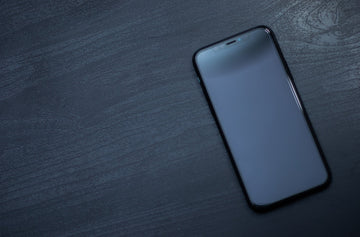
iPhone Black Screen of Death

If you’re an iPhone user, you’re bound to be aware of one thing; the iPhone is most definitely a very durable smartphone. If you buy an iPhone once, it’ll definitely last you in the years to come making it in all honesty, a worthwhile investment.

However, even if the iPhone is a durable device in itself, longevity lies in good maintenance of the device. You can stretch out the functional duration of the phone if you actually look after it with care. This doesn’t mean in any way that taking care of your device will result in life-lasting performance of the phone. Eventually, most smartphones end up with one issue or the other due to the wear and tear that comes from its usage.

Fix iPhone Black Screen of Death

One such issue that sometimes springs up is the iPhone Black Screen of Death, where the iPhone screen goes black but still running. Sometimes, the screen might be off too and regardless of trying, the screen remains off. From what we’ve seen, this issue is not too uncommon and it can happen due to multiple reasons. Why’s my iPhone screen black? A few of these reasons include:

  • Hardware issues
  • Software Issues
  • Breakage
  • Issue with a particular app
  • Low battery

Luckily, there’s no need to panic. At least not yet.

Before you start losing your mind and stressing out, there are a number of things you can do to try and resolve the issue while sitting at home. Even though there’s a probability that there’s a hardware issue at play here, we recommend you try some troubleshooting first. If nothing else, you’ll have a fairly better idea of why you’ve been cursed with the iPhone Black Screen of Death.

Some things that you can do to get the phone working again, are discussed below:

1. A Drained Battery

iPhone black screen


This is probably the first and the most obvious thing that came to your mind and you did it already. Regardless, it’s still important for us to mention this. This is usually the case if not just the screen but the phone is off altogether. For this problem, as simple as it seems, just plug your iPhone into a charger and press the home button. If the Apple logo appears, you’re safe and have just averted a rather uncomfortable experience.

2. Software issues


If you’re experiencing a situation where your iPhone’s screen is black but the iPhone still works, there’s still something you can do. You’ll know your iPhone is turned on because you’ll be able to hear notifications from text messages or calls, but the screen will be pitch black with darkness and also be unresponsive. This is not an uncommon problem and has been reported by many iPhone X users in particular. The problem has been experienced in other iPhone models as well.

If you’re stuck where the screen is black but the iPhone still works, a potential reason for this to be happening could be because of a software issue. This problem usually suggests that the iPhone is frozen or is crashing. Luckily what you can do here is reboot your device. What’s even better is that rebooting an iPhone is a very simple task with almost non-existent difficulty. Restarting your iPhone will depend on the model you have. Methods for force restarting all models have been explained below:

The Complete iPhone Shutdown & Restart Guide (w/ iPhone 16/17 Rumors)

▸ Basic Shutdown
• Full-Screen Models (X to 16):
→ Buttons: Hold side + volume buttons → slide power-off slider
→ Settings: Settings > General > Shut Down
• Home Button Models (8/earlier): Hold top/side button → slide slider

▸ Force Restart (Frozen Fix!)
→ iPhone 8/16+: Tap vol up → tap vol down → hold side button ’til Apple logo
→ iPhone 7: Hold vol down + power 10 sec
→ Older/SE: Hold Home + power 10 sec

⚠️ Special Cases
• Broken power button: Mash side button 5x fast → emergency slider
• Unresponsive screen: Use AssistiveTouch (floating button) → Device → Long-press virtual power
• Dead battery/cold: Charge 10+ mins before retry

🔥 iPhone 16 Confirmed
→ Identical shutdown steps as iPhone 15
→ Stronger haptic feedback on presses

🚨 iPhone 17 Rumors
• No physical buttons! Solid-state touch controls for volume/power
• Force restart? Triple-click Action Button
• AI-powered optimization to prevent freezes

💡 Pro Tips
• Save unsaved work before restarting!
• Store long-term at ~50% battery
• Frequent crashes? Visit Apple Support

👉 Official guides: support.apple.com

If this tactic works, then congratulations! You’ve just solved the problem.

  • iphone 14

3. Issues with an App


If you’re experiencing the iPhone screen black but still works then there’s a high probability that this is an isolated software issue with the app you are using. The other possibility is that the app could be loading something. This happens many times with streaming apps like Netflix or YouTube, particularly if you have a slow internet connection. In such a situation, the best thing to do would be the following:

    1. Exit the app, close it, and go to the home screen.
    2. Open the App Store and tap on the Updates section. If there are any available updates specifically for the app that is crashing on you, install them.
    3. Restart your iPhone.

In most cases, doing this will fix the issue. If the problem persists, we advise you to contact the developer of that app or uninstall the app to maintain your device’s health.

4. DFU recovery mode


DFU (Device Firmware Update) restore is a more advanced troubleshooting step that can help fix iPhone screen turned black. Here’s how you can perform a DFU restore to fix the iPhone black screen problem:
  1. Connect Your iPhone to the Computer with a cable.
  2. Put Your iPhone into DFU Mode: Quickly press and release the Volume Up button. Quickly press and release the Volume Down button. Press and hold the Side button until the screen goes black. Keep holding the Side button and start holding the Volume Down button for 5 seconds.
  3. iTunes or Finder will detect your iPhone in recovery mode and prompt you to restore or update. Choose “Restore.”
If the DFU restore is successful, your iPhone should no longer be stuck on the black screen.

5. Repair the iPhone


If you’ve tried all of the above and it hasn’t helped, then we suggest you contact an expert to handle the problem. In this case, the most probable cause for the iPhone Black Screen of Death could be a hardware issue on the inside. It could be a result of wreckage in case you dropped your phone. There’s a chance the LCD cable has been dislodged due to the physical impact. If that is the case, you don’t need to worry because the repair procedure is fairly simple. However, if the damage is more extensive such as the LCD breaking, it could take a heavy toll on your wallet. Sometimes, both these situations can occur from water damage as well.

Under no circumstances, do we advise you to try and repair your iPhone by yourself. We don’t advise it because you’ll probably end up doing more harm than good without the proper tools or knowledge. Don’t make things worse by attempting self-repair just so you can save money on repairs by an expert. However, if you’re a rebel and wish to challenge the system, we recommend you use a repair guide. You can find a lot of those online. Most of them are excellent too.

We still, recommend you to reach out to an expert. If you’re worried about the costs, you don’t have to be too worried. Luckily, there are many experts out there in the market who can repair your iPhone for considerably less cost. Regardless of what issue it is, they’ll deliver quality work and it won’t be too heavy on your wallet either. These days, there are some repair companies who’ll come to your doorstep within an hour or two after you call them and repair the phone right there and then. That way, you won’t be too worried about privacy concerns either!

We acknowledge that reading this article may not have magically worked in fixing your iPhone’s black screen because the issue is in most cases, driven by a hardware fault. We still hope that you found this article helpful.

How do I get rid of the black background on my iPhone?

To prevent iPhone black screen of death issue, you can do the following:

  • Keep iOS updated to prevent software-related glitches.
  • Avoid jailbreaking or your iPhone will be vulnerable.
  • Use official apps to avoid security risks and software conflicts.
  • Protect your device physically, such as using a Phone case or screen protector.
  • Back up data so iTunes or DFU recovery can help you.
  • Restart regularly to clear memory and refresh the system process.
  • Beware of malware.
  • Seek professional help if needed.
  • Avoiding overheating

How much does it cost to fix a black screen of death on an iPhone?

It depends on the cause of your iPhone black screen of death and where you go for help. For example, if you seek help from an Apple Store, you may pay between $199 and $329.

You May Also Like to Read:

Is Charging Your iPhone Overnight Bad For the Battery? 

How Long Does the MagSafe Battery Pack Last?

Does MagSafe Charging Damage Battery – Your Questions Answered


Stichworte: iPhone Tips & Tricks
Vorherige
How to make a vlog with your iPhone?
Nächste
Die 6 besten Möglichkeiten zum Schutz des iPad Pro 2020

In Verbindung stehende Artikel

Why Are There No Outlets in College Classrooms? How Students Can Stay Charged

Warum gibt es in Hörsälen keine Steckdosen? Ein Leitfaden für Studierende, um nicht den Akku zu verlieren

Should You Buy the First iPhone Ultra/Fold — or Wait for Generation Two?

Sollten Sie das erste iPhone Ultra/Fold kaufen – oder auf die zweite Generation warten?

Samsung Wallpaper Size Guide: How to Download, Customize, and Protect Your Perfect Phone Wallpaper

Samsung Hintergrundbild-Größenratgeber: So laden Sie Ihr perfektes Handy-Hintergrundbild herunter, passen es an und schützen es

The Complete Director’s Vlogging Kit: Best Smartphone Setups for Every Budget (2026 Guide)

Das komplette Vlogging-Kit für Regisseure: Die besten Smartphone-Setups für jedes Budget (2026 Guide)

1 Kommentar

  • Indigoliang
    May 06, 2026 bei 13:28

    With TunesKit iOS System Repair software, you can fix any common iOS/iPadOS issue by yourself without seeking help from an Apple technical specialist. No matter whether your device is stuck in recovery mode, DFU mode, white Apple logo, or has a black, blue, frozen, disabled screen, this smart iOS repair tool will get you out of the trouble and recover your device back to normal quickly.

    Antwort

Hinterlasse einen Kommentar

Deine Email-Adresse wird nicht veröffentlicht.

Recent Post

Apple Watch 2026 Kaufguide: Solltest du auf die Ultra 4 warten, zur Series 12 wechseln...

Apple wird voraussichtlich im September 2026 neue Watches vorstellen, und...

10 Handy-Accessoires, die Papa wirklich benutzt — Vatertags-Geschenkguide

Dein Dad nutzt immer noch eine kaputte Hülle von vor...

AirPods Ultra vs. AirPods 5 vs. AirPods Pro 3: Welche solltest du 2026 kaufen?

Kameras, KI, eine Verzögerung – und das Modell, auf das...

Wir haben die neue Sommerkollektion von ESR getestet – und so ist es, damit zu...

ESR hat sich historisch eher auf funktionale Accessoires als auf...

Die besten Zeichen-Apps für das iPad Pro 2026: Vom Hobbykünstler zum Profi

2026 fühlt sich Zeichnen auf dem iPad weniger wie Tablet-Nutzung...

Die besten Zubehörteile für das M4 iPad Air (2026): ESR Shift Tastatur-Cases für ultimative Produktivität

Wenn du dir Zubehör für das iPad Air 2026 anschaust,...

Get 20% off with code: BLOG20

product.title

Kamera Schutzfolie aus Gehärtetem Glas für iPad Pro 13"/11" (2024) und 12,9″/11″ (2022/2021/2020) - 2 Pack

$9.80
Learn More
product.title

iPhone 14 Pro/14 Pro Max HD-Kamera Schutzfolie aus Gehärtetem Glas - 1 Set

$10.89
Learn More
product.title

iPad Air 11'' (2025/2024), Air 10,9'' (5./4. Generation) Zero Weiche Hülle - Clear

$10.89
Learn More

Unternehmen

  • Über ESR
  • Unser Blog
  • Pressebereich
  • Händler werden

Produkte

  • Schutzhüllen
  • iPhone Cases
  • iPad-Hüllen
  • Entwickelt für MagSafe
  • iPad-Produktivität
  • Schutzfolien
  • Kabelloses Laden
  • Geldbörse und Zubehör
  • Weitere Zubehörteile

Community

  • Mein Konto
  • Freunde empfehlen, CashBack verdienen
  • Werde ESR Super User
  • Affiliate Programm
  • Student Discount

Support

  • Kontaktieren Sie uns
  • Einrichtungsvideos und FAQs
  • Bestellstatus
  • Rückgabe und Rückerstattung
  • Garantiebestimmungen
  • Versandbedingungen
  • Zahlungsmethoden
  • Product Recalls

Zahlungsmöglichkeiten:
  • American Express
  • JCB
  • Mastercard
  • PayPal
  • Visa
  • Klarna Klarna
  • Afterpay

© 2026 ESR All rights reserved.

  • Nutzungsbedingungen
  • Datenschutzrichtlinie
  • Rechtliche Erklärung
  • Cookie-Richtlinie
  • Versand Politik
  • Rückgabe und Rückerstattung
  • Track Your Order

Einkaufswagen

Get a 15% off coupon when you

sign up

for free shipping!

$38.00
You're $38.00 away from Free Shipping!

$50.00
You're $50.00 away from Free Shipping!

Benefits applied automatically at checkout

Your Cart is Empty

Sign In / Register to view saved cart items
Shop Now
ESR_IMG

Protect Your iPhone's Camera Control

ESR_IMG

Always Find Your Wallet

ESR_IMG

Drop-Proof FlickLlock, Effortless MagSafe

ESR_IMG

Qi2 Fast Charging on the Go

Zwischensumme $0.00
Warenkorb ansehen

Thank you for choosing to transfer to a human service.

Sorry! The previous responses were from our AI customer service. Since it didn't satisfy you, you've been transferred to a human agent. We'll reply within 24 hours from Mon to Fri and 48 hours on weekends for further help.

Please select the reason for transfer