
Just launched: Tough Cases for Kids Drop-proof protection for everyday play. Shop now >
15 % Rabatt mit BTS15 | 20 % auf 2 Produkte mit BTS20 | Super User: 25 % auf 2 Produkte mit BTS25 Shoppen
Kostenloser Versand ab 50 $ Bestellwert

Werden Sie Super User und sichern Sie sich exklusive Prämien

  • * 15 % Willkommensrabatt
  • * Punkte bei jedem Einkauf sammeln
  • * Exklusive Mitgliedervorteile
Jetzt beitreten Einloggen
  • Werde ESR Super-User
  • Exklusive Super-User-Angebote
  • Freunde werben & Cashback sichern
Wagen 0
  • Hüllen
    • iPhone
    • iPad
    • AirPods
    • Samsung
    • iPhone 2026🔥
    • iPhone 17🔥
    • iPhone 17e🔥
    • iPhone 17 Pro Max
    • iPhone 17 Pro
    • iPhone Air
    • iPhone 17
    • iPhone 16
    • iPhone 16e
    • iPhone 16 Pro Max
    • iPhone 16 Pro
    • iPhone 16 Plus
    • iPhone 16
    • iPhone 15
    • iPhone 15 Pro Max
    • iPhone 15 Pro
    • iPhone 15 Plus
    • iPhone 15
    • iPhone 14
    • iPhone 14 Pro Max
    • iPhone 14 Pro
    • iPhone 14 Plus
    • iPhone 14
    • iPhone 13
    • iPhone 13 Pro Max
    • iPhone 13 Pro
    • iPhone 13
       
    • iPad Cases for Kids 🧸
    • iPad Air 13 (2026)🔥
    • iPad Air 11 (2026)🔥
    •  
    • iPad Pro 13 (2025)
    • iPad Pro 11 (2025)
    • iPad 11th Gen (2025)
    • iPad Air 13 (2025)
    • iPad Air 11 (2025)
    •  
    • iPad Pro 13 (2024)
    • iPad Pro 11 (2024)
    • iPad Air 13 (2024)
    • iPad Air 11 (2024)
    • iPad mini 7 (2024)
    •  
    • iPad Pro 12.9 (2022)
    • iPad Pro 11 (2022)
    • iPad Air 5/4 (2022)
    • iPad 10th Gen (2022)
    •  
    • iPad mini 6 (2021)
    • iPad Pro 12.9 (2021)
    • iPad Pro 11 (2021)
    • iPad Pro 11 (2020)
       
    • AirPods Pro 3🔥
    • AirPods 4
    • AirPods Pro (2023/2022/2019)
      Galaxy S26🔥
    • Galaxy S26 Ultra🔥
    • Galaxy S26 Plus🔥
    • Galaxy S26🔥
    • Galaxy S25
    • Galaxy S25 Ultra
    • Galaxy S25+
    • Galaxy S24
    • Galaxy S24 Ultra
    • Galaxy S24+
    • Galaxy S24
    • Galaxy S23
    • Galaxy S23 Ultra
    • Galaxy S23
  • Displayschutzfolien
    • iPhone
    • iPad
    • Apple Watch
    • Samsung
    • iPhone 2026🔥
    • iPhone 17🔥
    • iPhone 17e🔥
    • iPhone 17 Pro Max
    • iPhone 17 Pro
    • iPhone Air
    • iPhone 17
    • iPhone 16
    • iPhone 16e
    • iPhone 16 Pro Max
    • iPhone 16 Pro
    • iPhone 16 Plus
    • iPhone 16
    • iPhone 15
    • iPhone 15 Pro Max
    • iPhone 15 Pro
    • iPhone 15 Plus
    • iPhone 15
    • iPhone 14
    • iPhone 14 Pro Max
    • iPhone 14 Pro
    • iPhone 14 Plus
    • iPhone 14
    • iPhone 13
    • iPhone 13 Pro Max
    • iPhone 13/13 Pro
       
    • iPad Air 13 (2026)🔥
    • iPad Air 11 (2026)🔥
    •  
    • iPad Pro 13 (2025)
    • iPad Pro 11 (2025)
    • iPad 11th Gen (2025)
    • iPad Air 13 (2025)
    • iPad Air 11 (2025)
    •  
    • iPad Pro 13 (2024)
    • iPad Pro 11 (2024)
    • iPad Air 13 (2024)
    • iPad Air 11 (2024)
    •  
    • iPad Pro 12.9 (6th/5th/4th/3rd Gen)
    • iPad Pro 11 (4th/3rd/2nd/1st Gen)
    • iPad Air 5/4 (2022)
    • iPad 10th Gen (2022)
       
    • Apple Watch Sport Band🔥
    • Apple Watch Cases & Screen Protectors🔥
      Galaxy S26🔥
    • Galaxy S26 Ultra🔥
    • Galaxy S25
    • Galaxy S25 Ultra
    • Galaxy S24
    • Galaxy S24 Ultra
    • Galaxy S23
    • Galaxy S23 Ultra
    • Galaxy S23+
    • Galaxy S23
    • Galaxy S22
    • Galaxy S22 Ultra
  • iPad Tastaturen & Stifte
    • Tastaturen für iPad
    • Stifte & Mäuse
      Wähle dein Gerät
    • iPad Air 13 (2026)🔥
    • iPad Air 11 (2026)🔥
    •  
    • iPad Pro 13 (2025)
    • iPad Pro 11 (2025)
    • iPad 11. Generation (2025)
    • iPad Air 13 (2025)
    • iPad Air 11 (2025)
    •  
    • iPad Pro 13 (2024)
    • iPad Pro 11 (2024)
    • iPad Air 13 (2024)
    • iPad Air 11 (2024)
    •  
    • iPad Pro 12.9 (6./5./4./3. Generation)
    • iPad Pro 11″ (4./3./2./1. Generation)
    • iPad Air 5/4 (2022)
    • iPad 10. Generation (2022)
       
    • Digitale Stifte
    • Mäuse
  • Ladegeräte
    • Ladegerät mit einziehbarem Kabel
    • Kabellose Ladegeräte & Halterungen
    • Auto-Ladegeräte & Halterungen
    • Xtend 45W Einziehbares Ladegerät - US - Weiß- Schwarz

      Xtend 45W Einziehbares Ladegerät - US - Weiß- Schwarz

    • Xtend 100 W Einziehbares Autoladegerät mit Doppelkabel - Schwarz

      Xtend 100 W Einziehbares Autoladegerät mit Doppelkabel - Schwarz

    • 65W 5 in 1 Ladestation (HaloLock) - UK Plug

      65W 5 in 1 Ladestation (HaloLock) - UK Plug

    • All Ladegerät mit einziehbarem Kabel >
    • ESR CryoBoost Klappbare 3-in-1 Magnet-Ladestation (25W) – US Plug-Black

      ESR CryoBoost Klappbare 3-in-1 Magnet-Ladestation (25W) – US Plug-Black

    • CryoBoost 3-in-1 Magnetische Ladestation (25W, Qi2.2)  - US Plug–Black

      CryoBoost 3-in-1 Magnetische Ladestation (25W, Qi2.2) - US Plug–Black

    • Cyclone 25W Magnet-Ladepad mit CryoBoost - Silber - 1 Set

      Cyclone 25W Magnet-Ladepad mit CryoBoost - Silber - 1 Set

    • 65W 5 in 1 Ladestation (HaloLock) - UK Plug

      65W 5 in 1 Ladestation (HaloLock) - UK Plug

    • All Kabellose Ladegeräte & Halterungen >
    • OmniLock Magnet-Autoladegerät (25W, CryoBoost, Lüftungsschlitz) - Black

      OmniLock Magnet-Autoladegerät (25W, CryoBoost, Lüftungsschlitz) - Black

    • Magnetische kabellose Auto Ladegerät Halterung (HaloLock) - Black

      Magnetische kabellose Auto Ladegerät Halterung (HaloLock) - Black

    • Kabelloses Autoladegerät mit CryoBoost™ (HaloLock) - Wireless Charger with 36W Adapter

      Kabelloses Autoladegerät mit CryoBoost™ (HaloLock) - Wireless Charger with 36W Adapter

    • Kabelloses Autoladegerät mit CryoBoost™ (HaloLock) - Wireless Charger

      Kabelloses Autoladegerät mit CryoBoost™ (HaloLock) - Wireless Charger

    • All Auto-Ladegeräte & Halterungen >
  • Wallets
  • 🔥Neuheiten🔥
    • iPad Cases for Kids 🧸
    • Apple Watch Sport Band🔥
    • 🏝️Sommer Print-Kollektion🏝️
  • ✏️Back-to-School-Angebote✏️
    • Back-to-School-Angebote für iPad
    • Back-to-School-Angebote für Handys
    • Back-to-School-Angebote für Ladegeräte
    • Final Sale
  • Support
    • Kontakt
    • Produktrückrufe
    • Produktvideos und FAQs
    • Allgemeine FAQ
    • Bestellstatus
    • Rückgabe & Erstattungsrichtlinie
    • Garantie Politik
    • Versand Politik
  • Entdecken
    • Über ESR
    • ESR Blog
    • Nachrichtenbereich
Super-User-Vorteile
  • Werde ESR Super-User
  • Exklusive Super-User-Angebote
  • Freunde werben & Cashback sichern
Mein Konto
Anmeldung Registrieren

Select Your Country/Region

Global
  • Global
North America
  • Vereinigte Staaten
  • Kanada
Europe
  • Europa
  • Norwegen
  • Schweiz
  • Vereinigtes Königreich
Asia-Pacific
  • Australien
  • Japan

Preferred Language

Changing language will not affect your selected region

  • Hüllen
    • iPhone
    • iPad
    • AirPods
    • Samsung
    • iPhone 2026🔥
    • iPhone 17🔥
    • iPhone 17e🔥
    • iPhone 17 Pro Max
    • iPhone 17 Pro
    • iPhone Air
    • iPhone 17
    • iPhone 16
    • iPhone 16e
    • iPhone 16 Pro Max
    • iPhone 16 Pro
    • iPhone 16 Plus
    • iPhone 16
    • iPhone 15
    • iPhone 15 Pro Max
    • iPhone 15 Pro
    • iPhone 15 Plus
    • iPhone 15
    • iPhone 14
    • iPhone 14 Pro Max
    • iPhone 14 Pro
    • iPhone 14 Plus
    • iPhone 14
    • iPhone 13
    • iPhone 13 Pro Max
    • iPhone 13 Pro
    • iPhone 13
       
    • iPad Cases for Kids 🧸
    • iPad Air 13 (2026)🔥
    • iPad Air 11 (2026)🔥
    •  
    • iPad Pro 13 (2025)
    • iPad Pro 11 (2025)
    • iPad 11th Gen (2025)
    • iPad Air 13 (2025)
    • iPad Air 11 (2025)
    •  
    • iPad Pro 13 (2024)
    • iPad Pro 11 (2024)
    • iPad Air 13 (2024)
    • iPad Air 11 (2024)
    • iPad mini 7 (2024)
    •  
    • iPad Pro 12.9 (2022)
    • iPad Pro 11 (2022)
    • iPad Air 5/4 (2022)
    • iPad 10th Gen (2022)
    •  
    • iPad mini 6 (2021)
    • iPad Pro 12.9 (2021)
    • iPad Pro 11 (2021)
    • iPad Pro 11 (2020)
       
    • AirPods Pro 3🔥
    • AirPods 4
    • AirPods Pro (2023/2022/2019)
      Galaxy S26🔥
    • Galaxy S26 Ultra🔥
    • Galaxy S26 Plus🔥
    • Galaxy S26🔥
    • Galaxy S25
    • Galaxy S25 Ultra
    • Galaxy S25+
    • Galaxy S24
    • Galaxy S24 Ultra
    • Galaxy S24+
    • Galaxy S24
    • Galaxy S23
    • Galaxy S23 Ultra
    • Galaxy S23
  • Displayschutzfolien
    • iPhone
    • iPad
    • Apple Watch
    • Samsung
    • iPhone 2026🔥
    • iPhone 17🔥
    • iPhone 17e🔥
    • iPhone 17 Pro Max
    • iPhone 17 Pro
    • iPhone Air
    • iPhone 17
    • iPhone 16
    • iPhone 16e
    • iPhone 16 Pro Max
    • iPhone 16 Pro
    • iPhone 16 Plus
    • iPhone 16
    • iPhone 15
    • iPhone 15 Pro Max
    • iPhone 15 Pro
    • iPhone 15 Plus
    • iPhone 15
    • iPhone 14
    • iPhone 14 Pro Max
    • iPhone 14 Pro
    • iPhone 14 Plus
    • iPhone 14
    • iPhone 13
    • iPhone 13 Pro Max
    • iPhone 13/13 Pro
       
    • iPad Air 13 (2026)🔥
    • iPad Air 11 (2026)🔥
    •  
    • iPad Pro 13 (2025)
    • iPad Pro 11 (2025)
    • iPad 11th Gen (2025)
    • iPad Air 13 (2025)
    • iPad Air 11 (2025)
    •  
    • iPad Pro 13 (2024)
    • iPad Pro 11 (2024)
    • iPad Air 13 (2024)
    • iPad Air 11 (2024)
    •  
    • iPad Pro 12.9 (6th/5th/4th/3rd Gen)
    • iPad Pro 11 (4th/3rd/2nd/1st Gen)
    • iPad Air 5/4 (2022)
    • iPad 10th Gen (2022)
       
    • Apple Watch Sport Band🔥
    • Apple Watch Cases & Screen Protectors🔥
      Galaxy S26🔥
    • Galaxy S26 Ultra🔥
    • Galaxy S25
    • Galaxy S25 Ultra
    • Galaxy S24
    • Galaxy S24 Ultra
    • Galaxy S23
    • Galaxy S23 Ultra
    • Galaxy S23+
    • Galaxy S23
    • Galaxy S22
    • Galaxy S22 Ultra
  • iPad Tastaturen & Stifte
    • Tastaturen für iPad
    • Stifte & Mäuse
      Wähle dein Gerät
    • iPad Air 13 (2026)🔥
    • iPad Air 11 (2026)🔥
    •  
    • iPad Pro 13 (2025)
    • iPad Pro 11 (2025)
    • iPad 11. Generation (2025)
    • iPad Air 13 (2025)
    • iPad Air 11 (2025)
    •  
    • iPad Pro 13 (2024)
    • iPad Pro 11 (2024)
    • iPad Air 13 (2024)
    • iPad Air 11 (2024)
    •  
    • iPad Pro 12.9 (6./5./4./3. Generation)
    • iPad Pro 11″ (4./3./2./1. Generation)
    • iPad Air 5/4 (2022)
    • iPad 10. Generation (2022)
       
    • Digitale Stifte
    • Mäuse
  • Ladegeräte
    • Ladegerät mit einziehbarem Kabel
    • Kabellose Ladegeräte & Halterungen
    • Auto-Ladegeräte & Halterungen
    • Xtend 45W Einziehbares Ladegerät - US - Weiß- Schwarz

      Xtend 45W Einziehbares Ladegerät - US - Weiß- Schwarz

    • Xtend 100 W Einziehbares Autoladegerät mit Doppelkabel - Schwarz

      Xtend 100 W Einziehbares Autoladegerät mit Doppelkabel - Schwarz

    • 65W 5 in 1 Ladestation (HaloLock) - UK Plug

      65W 5 in 1 Ladestation (HaloLock) - UK Plug

    • All Ladegerät mit einziehbarem Kabel >
    • ESR CryoBoost Klappbare 3-in-1 Magnet-Ladestation (25W) – US Plug-Black

      ESR CryoBoost Klappbare 3-in-1 Magnet-Ladestation (25W) – US Plug-Black

    • CryoBoost 3-in-1 Magnetische Ladestation (25W, Qi2.2)  - US Plug–Black

      CryoBoost 3-in-1 Magnetische Ladestation (25W, Qi2.2) - US Plug–Black

    • Cyclone 25W Magnet-Ladepad mit CryoBoost - Silber - 1 Set

      Cyclone 25W Magnet-Ladepad mit CryoBoost - Silber - 1 Set

    • 65W 5 in 1 Ladestation (HaloLock) - UK Plug

      65W 5 in 1 Ladestation (HaloLock) - UK Plug

    • All Kabellose Ladegeräte & Halterungen >
    • OmniLock Magnet-Autoladegerät (25W, CryoBoost, Lüftungsschlitz) - Black

      OmniLock Magnet-Autoladegerät (25W, CryoBoost, Lüftungsschlitz) - Black

    • Magnetische kabellose Auto Ladegerät Halterung (HaloLock) - Black

      Magnetische kabellose Auto Ladegerät Halterung (HaloLock) - Black

    • Kabelloses Autoladegerät mit CryoBoost™ (HaloLock) - Wireless Charger with 36W Adapter

      Kabelloses Autoladegerät mit CryoBoost™ (HaloLock) - Wireless Charger with 36W Adapter

    • Kabelloses Autoladegerät mit CryoBoost™ (HaloLock) - Wireless Charger

      Kabelloses Autoladegerät mit CryoBoost™ (HaloLock) - Wireless Charger

    • All Auto-Ladegeräte & Halterungen >
  • Wallets
  • 🔥Neuheiten🔥
    • iPad Cases for Kids 🧸
    • Apple Watch Sport Band🔥
    • 🏝️Sommer Print-Kollektion🏝️
  • ✏️Back-to-School-Angebote✏️
    • Back-to-School-Angebote für iPad
    • Back-to-School-Angebote für Handys
    • Back-to-School-Angebote für Ladegeräte
    • Final Sale
  • Support
    • Kontakt
    • Produktrückrufe
    • Produktvideos und FAQs
    • Allgemeine FAQ
    • Bestellstatus
    • Rückgabe & Erstattungsrichtlinie
    • Garantie Politik
    • Versand Politik
  • Entdecken
    • Über ESR
    • ESR Blog
    • Nachrichtenbereich

Werden Sie Super User und sichern Sie sich exklusive Prämien

  • * 15 % Willkommensrabatt
  • * Punkte bei jedem Einkauf sammeln
  • * Exklusive Mitgliedervorteile
Jetzt beitreten Einloggen
  • Werde ESR Super-User
  • Exklusive Super-User-Angebote
  • Freunde werben & Cashback sichern
Wagen 0

Select Your Country/Region

Global
  • Global
North America
  • Vereinigte Staaten
  • Kanada
Europe
  • Europa
  • Norwegen
  • Schweiz
  • Vereinigtes Königreich
Asia-Pacific
  • Australien
  • Japan

Preferred Language

Changing language will not affect your selected region

Durchsuchen Sie unseren Shop

Wagen 0
beliebte Suchanfragen:
iPad 2026 Hülle iPhone 17e Atelier Hülle iPad Tastatur
How Tos

Why is My iPad Screen Black and Won't Turn on? 10 Troubleshooting Tips!

von Jessica An Nov 23, 2023 (Last Updated:Apr 09, 2025)
why is my ipad screen black and won't turn on

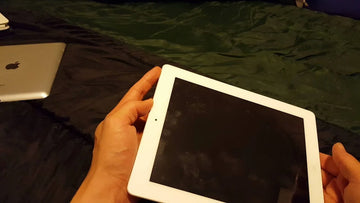
Why is my iPad screen black and won’t turn on?

Asked a user from the Apple Support Community

iPad black screen does not only happen when your iPad goes off because of a flat battery. The occurrence of an iPad screen blackout is a common symptom that can stem from a multitude of hardware or software-related issues. To resolve this issue, try the 10 troubleshooting tips for different situations outlined in this article.

Key Takeaways

  • The term “iPad black screen of death” describes the occurrence when the screen on an iPad turns black.
  • The iPad won’t turn on can be attributed to various factors such as corrupted firmware, applications that are not responding, a charger or battery that is not functioning properly, damaged cables, or a faulty display.
  • The age of the iPad plays a significant role in worsening its problems, primarily due to the wear and tear of its hardware and electrical components over time.
  • Older iPads are particularly prone to facing the dreaded black screen of death, a phenomenon that is less prevalent in brand-new iPads straight out of the box.
  • By diligently keeping up with iPadOS updates, exclusively downloading apps from the Apple store, and utilizing the authentic Apple charger and lightning cable, you can significantly diminish the likelihood of encountering the frustrating issue of a black screen on your iPad.

Why is My iPad Screen Black and Won’t Turn on

Narrowing down to technical terms, when an iPad’s screen goes black and becomes unresponsive to user commands, it is commonly referred to as the black screen of death. This peculiar name is given to this condition because, during this state, the iPad fails to acknowledge any input from the user. If left unresolved for an extended period, the iPad could eventually shut down completely. Numerous underlying factors can trigger the occurrence of the black screen of death on an iPad.

However, the good news is that this issue is often fixable whether your iPad Pro won’t turn on or your iPad Air won’t turn on, so there is absolutely no need to give yourself a panic attack.

There are several factors that may lead to the occurrence of the iPad black screen of death. However, the commonly observed causes that can result in this frustrating situation include:

  • Leaving the iPad in direct sunlight
  • Unusual battery discharge
  • Faulty or dead battery
  • Overcharging the device
  • The phone has been jailbroken
  • Installing corrupted apps
  • Unresponsive applications
  • Cracked or completely damaged screen
  • The device has been dropped
  • Using uncertified/unsupported third-party chargers
  • Malfunction of ambient light sensor
  • Corrupt firmware
  • Glitch and bugs in the iOS
  • Faulty display cable
  • Aging of iPad

10 Common iPad Black Screen Problems & 10 Fixes

The iPad black screen problem that may occur is not limited to one type. The following are 10 common iPad screen blackout situations and the corresponding repair methods.

1. Force Restart iPad to Help Solve Various Problems on iPad

No matter what happens to your iPad, it’s worth trying to force restart it. The truth is, most of the time, this will solve the problem.

In order to perform a force restart on an iPad that has a home button, you can simply press and hold both the Home button and the Top button at the same time until the Apple logo appears on the screen.

hard reset ipad with home button

To perform a force restart on an iPad that lacks a home button, you can quickly press and release the volume button nearest to the top button, then press and release the volume button farthest from the top button, and finally press and hold the top button until the Apple logo appears.

hard reset ipad no home button

Learn More from Apple

2. My iPad Won’t Turn on Even When Plugged in

One possible cause could be a malfunction in the charging cable, which may not be delivering enough power to the device. Another potential culprit could be a problem with the charging port, such as dirt or debris obstructing the connection or a loose connection between the port and the cable. Additionally, it is also possible that the battery itself is faulty or drained to the point where it cannot power on the iPad.

In any case, once you experience this problem, you can change the charging cable, charging port, or battery. It is recommended to use a PD charger that supports the USB Power Delivery standard. (With 25% Off Code: ESRBLOG)

3. My iPad Screen is Black but I Can Hear It

There are a couple of solutions that can be tried when experiencing a black iPad screen but still being able to hear sounds.

The first solution involves turning off the auto brightness feature and manually increasing the brightness level. By doing this, it may help to restore visibility to the screen. Another solution that can be considered is opting for an iPad screen replacement. This involves getting the faulty screen replaced with a new one, which can solve the issue of a black screen while still being able to hear audio.

4. iPad Black Screen Hard Reset Not Working

If your iPad is on but the screen is black and attempting a hard reset does not resolve the problem, it is recommended to seek guidance and advice from Apple. They can provide the necessary assistance and troubleshooting steps to help you resolve the issue effectively.

5. iPad Won’t Turn on Stuck on Apple Logo

ipad won't turn on stuck on apple logo

If you are experiencing an issue where your iPad is not turning on and is stuck on the Apple logo, one possible way to resolve this problem is by putting your device into recovery mode. To put your iPad in recovery mode, follow these steps or Apple’s guidelines:

  • Open iTunes. Connect your iPad to your PC using a USB cable.
  • Press and hold the Power button and the Home button at the same time if your iPad has one. 
  • If your iPad does not have a Home button, press and release the Volume Up and Down buttons in sequence, then hold down the Power button
  • Hold the button until the recovery mode screen appears.
  • You should see a message pop up on your PC now. Click Restore and wait for the process to finish successfully.
ipad recovery mode pop up message in itunes

6. iPad Black Screen No Apple Logo

If you are experiencing an iPad screen black but still on without the appearance of the Apple logo, you can put your device into recovery mode as well. This mode allows you to troubleshoot and potentially fix any software-related problems that may be causing the black screen. By following the above-mentioned steps to enter recovery mode, you can attempt to restore your iPad to its normal functioning state.

7. iPad Black Screen Spinning Wheel

ipad black screen spinning wheel

If you are experiencing an issue with your iPad where the screen is completely black and there is a spinning wheel, the first solution is to force restart your device. If this doesn’t work, you can try putting your iPad into recovery mode by connecting your device to a computer and using iTunes to restore it to its factory settings. These two processes have been mentioned above already.

8. iPad is Charged but the Screen is Black

If your iPad is fully charged but the screen remains black, one possible explanation is a faulty battery, which may need to be replaced or repaired. Another potential cause could be the use of a third-party charger that causes the iPad to overheat. In such cases, the device automatically turns off the screen to cool down and prevent any further damage.

9. iPad Dropped Won’t Turn on

If you accidentally dropped your iPad and it refuses to turn on, it may be due to a damaged screen. In this case, the best solution would be to have the screen replaced. By replacing the screen, you can restore the functionality of your iPad and ensure that it turns on properly again. It is important to address this issue promptly to prevent any further damage to other components of your device. A protective iPad case and iPad screen protector are also important to prevent damage to your iPad from drops. (With 25% Off Code: ESRBLOG)

10. iPad Won’t Turn on Unless Plugged in or Charge

One of the common reasons why an iPad may only turn on when it is plugged in or charging is due to a defective battery. Once you experience this, it is an indicator that you should get the battery replaced as soon as possible.

Conclusion

In order to avoid the occurrence of the iPad screen turning black, it is imperative to adhere to the appropriate procedures. This includes constantly updating the iPadOS, refraining from installing applications from sources that are not authorized by Apple, and utilizing the genuine Apple charger and lightning cable. While there is no guarantee that these actions will completely eradicate the possibility of encountering the dreaded black screen of death on your iPad, they will undeniably diminish the likelihood.

Stichworte: iPad, iPad Air, iPad Pro
Vorherige
Magsafe Charger Not Working With iPhone? Solved!
Nächste
11 Fixes to Solve iPad Ghost Touch

In Verbindung stehende Artikel

How to Change an Apple Watch Band Safely — No Tools Needed

Apple Watch Armband sicher wechseln – ganz ohne Werkzeug

choose the right Apple Watch band

So finden Sie das beste Apple Watch Armband für Ihren Stil und Ihr tägliches Leben

Leather iPhone Case Scratches and Stains: How to Fix Them

Leder-iPhone-Hüllen im Alltag: Kratzer, Flecken und die nächste Generation von Materialien

phone protection for college students with big deal

So schützt du dein Handy im Studium: Was jeder Erstsemester wissen muss

1 Kommentar

  • Tom Manwell
    May 06, 2026 bei 13:28

    MY SCREE N IS BLACK AND WILL NOT TURN ON . I HAVE TRIED ALL OF THE STEPS PROVIDED WITH NO SUCCSESS IS THERE ANY THING ELSE I CAN DO TO TURN IT BACK ON.

    Antwort

Hinterlasse einen Kommentar

Deine Email-Adresse wird nicht veröffentlicht.

Recent Post

Apple Watch Armband für Sport und Outdoor: Wasserfest, schweißresistent und sicherer Halt

Apple Watch Sportarmbänder sind beim Sport und bei Outdoor-Aktivitäten größeren...

Apple Watch 2026 Kaufguide: Solltest du auf die Ultra 4 warten, zur Series 12 wechseln...

Apple wird voraussichtlich im September 2026 neue Watches vorstellen, und...

10 Handy-Accessoires, die Papa wirklich benutzt — Vatertags-Geschenkguide

Dein Dad nutzt immer noch eine kaputte Hülle von vor...

AirPods Ultra vs. AirPods 5 vs. AirPods Pro 3: Welche solltest du 2026 kaufen?

Kameras, KI, eine Verzögerung – und das Modell, auf das...

Wir haben die neue Sommerkollektion von ESR getestet – und so ist es, damit zu...

ESR hat sich historisch eher auf funktionale Accessoires als auf...

Die besten Zeichen-Apps für das iPad Pro 2026: Vom Hobbykünstler zum Profi

2026 fühlt sich Zeichnen auf dem iPad weniger wie Tablet-Nutzung...

Get 20% off with code: BLOG20

product.title

Kamera Schutzfolie aus Gehärtetem Glas für iPad Pro 13"/11" (2024) und 12,9″/11″ (2022/2021/2020) - 2 Pack

$9.80
Learn More
product.title

iPhone 14 Pro/14 Pro Max HD-Kamera Schutzfolie aus Gehärtetem Glas - 1 Set

$10.89
Learn More
product.title

iPad Air 11'' (2025/2024), Air 10,9'' (5./4. Generation) Zero Weiche Hülle - Clear

$10.89
Learn More

Unternehmen

  • Über ESR
  • Unser Blog
  • Pressebereich
  • Händler werden

Produkte

  • Schutzhüllen
  • iPhone Cases
  • iPad-Hüllen
  • Entwickelt für MagSafe
  • iPad-Produktivität
  • Schutzfolien
  • Kabelloses Laden
  • Geldbörse und Zubehör
  • Weitere Zubehörteile

Community

  • Mein Konto
  • Freunde empfehlen, CashBack verdienen
  • Werde ESR Super User
  • Affiliate Programm
  • Student Discount

Support

  • Kontaktieren Sie uns
  • Einrichtungsvideos und FAQs
  • Bestellstatus
  • Rückgabe und Rückerstattung
  • Garantiebestimmungen
  • Versandbedingungen
  • Zahlungsmethoden
  • Product Recalls

Zahlungsmöglichkeiten:
  • American Express
  • JCB
  • Mastercard
  • PayPal
  • Visa
  • Klarna Klarna
  • Afterpay
Hervorragend – 4,6 von 5 Sternen – Bewertungen:2594 •

© 2026 ESR All rights reserved.

  • Nutzungsbedingungen
  • Datenschutzrichtlinie
  • Rechtliche Erklärung
  • Cookie-Richtlinie
  • Versand Politik
  • Rückgabe und Rückerstattung
  • Track Your Order

Einkaufswagen

Get a 15% off coupon when you

sign up

for free shipping!

$38.00
You're $38.00 away from Free Shipping!

$50.00
You're $50.00 away from Free Shipping!

Benefits applied automatically at checkout

Your Cart is Empty

Sign In / Register to view saved cart items
Shop Now
ESR_IMG

Protect Your iPhone's Camera Control

ESR_IMG

Always Find Your Wallet

ESR_IMG

Drop-Proof FlickLlock, Effortless MagSafe

ESR_IMG

Qi2 Fast Charging on the Go

Zwischensumme $0.00
Warenkorb ansehen

Thank you for choosing to transfer to a human service.

Sorry! The previous responses were from our AI customer service. Since it didn't satisfy you, you've been transferred to a human agent. We'll reply within 24 hours from Mon to Fri and 48 hours on weekends for further help.

Please select the reason for transfer